
NOTE: Your clinic decides which options you see, so some of the steps below may look slightly different or be skipped.
A package is a set number of sessions of a treatment, paid for once, usually at a lower price per session. In this article, you will learn how to buy a package from your clinic’s online booking page, either on its own or while you book an appointment.
Step 1: Open the Packages Tab
- On your clinic’s booking page, click Packages at the top.
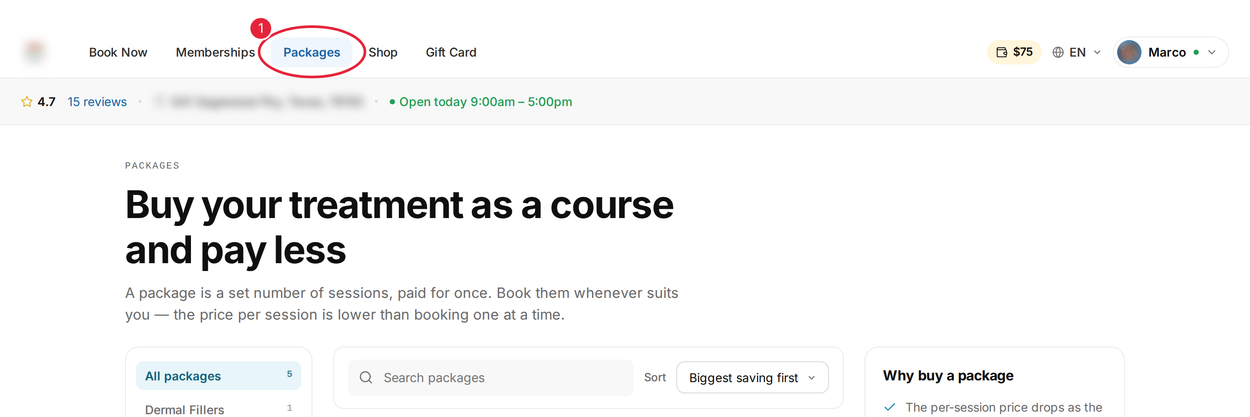
Click Packages at the top of the booking page
Use the categories on the left to narrow the list, or change the order with Sort. Each package shows its price, how long it is valid for and how much you save. Some clinics also sell bundles of several packages for one price, with a Buy bundle button.
Step 2: Choose Your Package
- If the package offers a choice under Choose how many sessions, click the number of sessions you want. The price and saving update.
- Click More info.
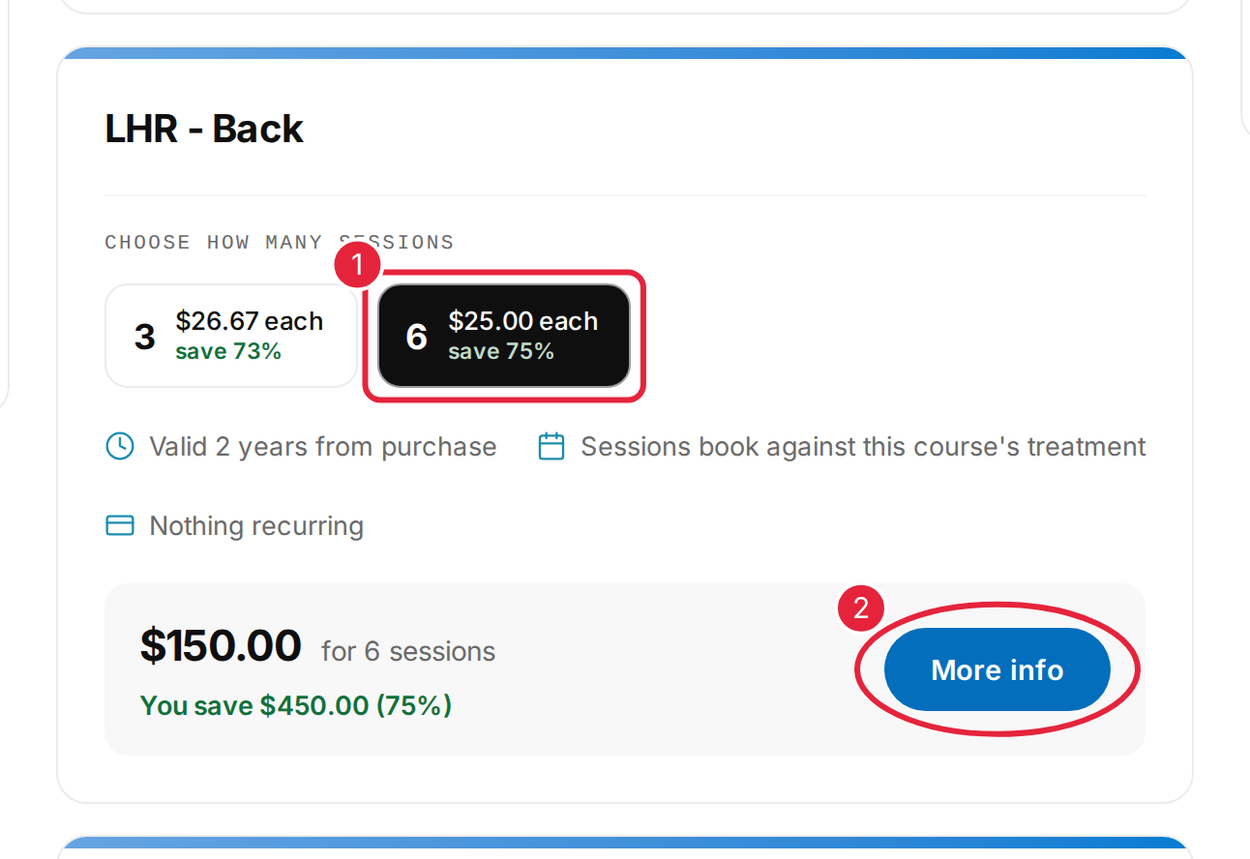
Choose how many sessions, then click More info
Step 3: Buy It Now or Add It to Your Cart
Check the details, how long the package is valid for and the terms.
- Click Add to cart to keep shopping and pay for everything together, or
- click Buy now to pay for this package straight away.
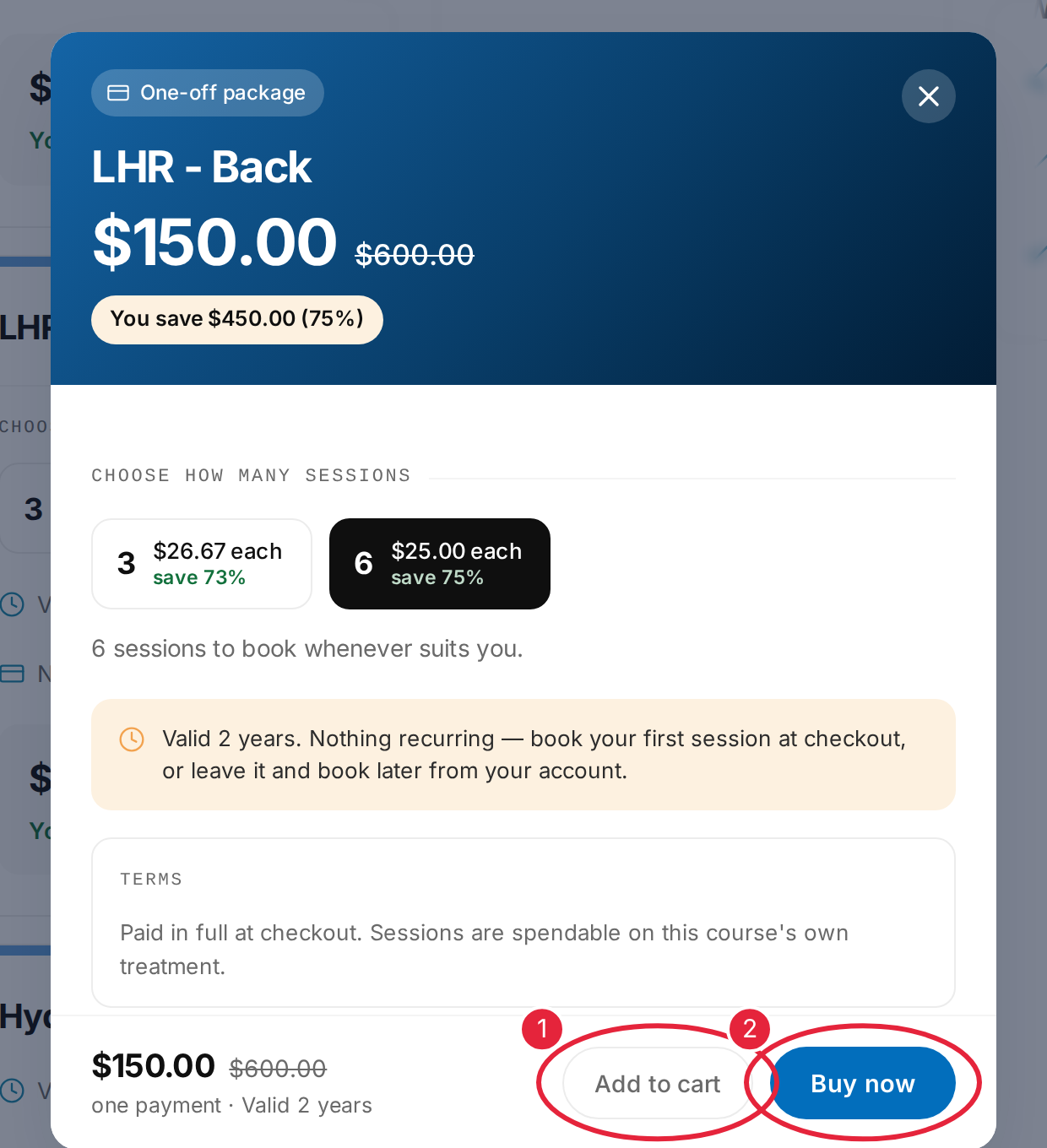
Add the package to your cart, or click Buy now
NOTE: You need to be signed in to buy. If you are not, you will be asked for your email and the six-digit code we send you. See How to Log In to the Client Portal.
Step 4: Pay for Your Package
- Enter your card number, expiry date, security code, country and postcode (or ZIP code).
- Click Pay — the button shows the amount, for example Pay $150.00.
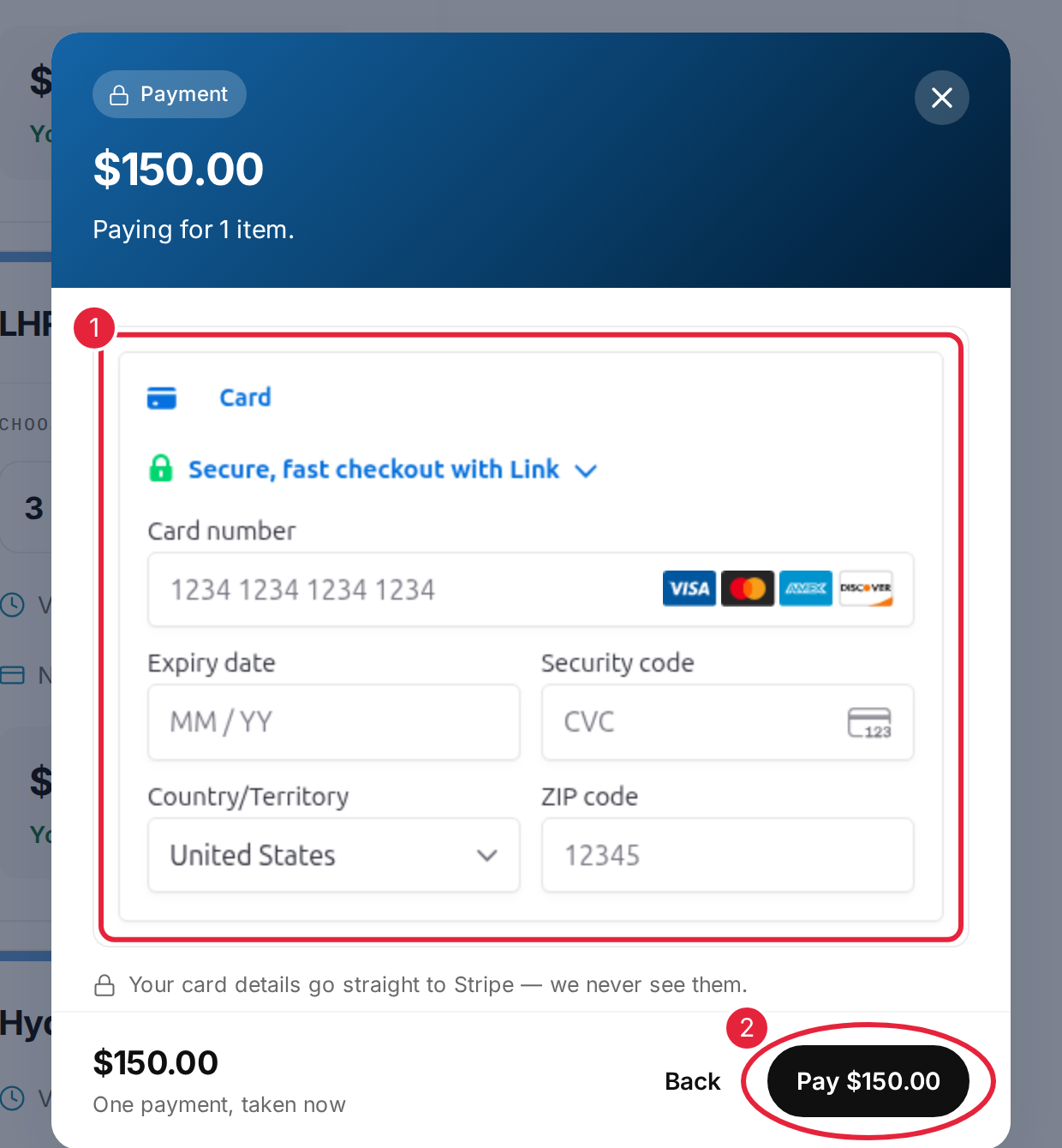
Enter your card details and click Pay
The whole price is taken in one payment. You will see Order confirmed and a receipt is emailed to you. Your package then appears under My Packages in your client portal, ready for you to book your sessions — see How to Book an Appointment Using a Package.
Step 5: Or Buy a Package While You Book
When you add a treatment to a booking, a window may open with a Select package option if the clinic sells a package for it.
- Choose the package you want instead of 1 session. The saving per session is shown.
- Click Add to booking.
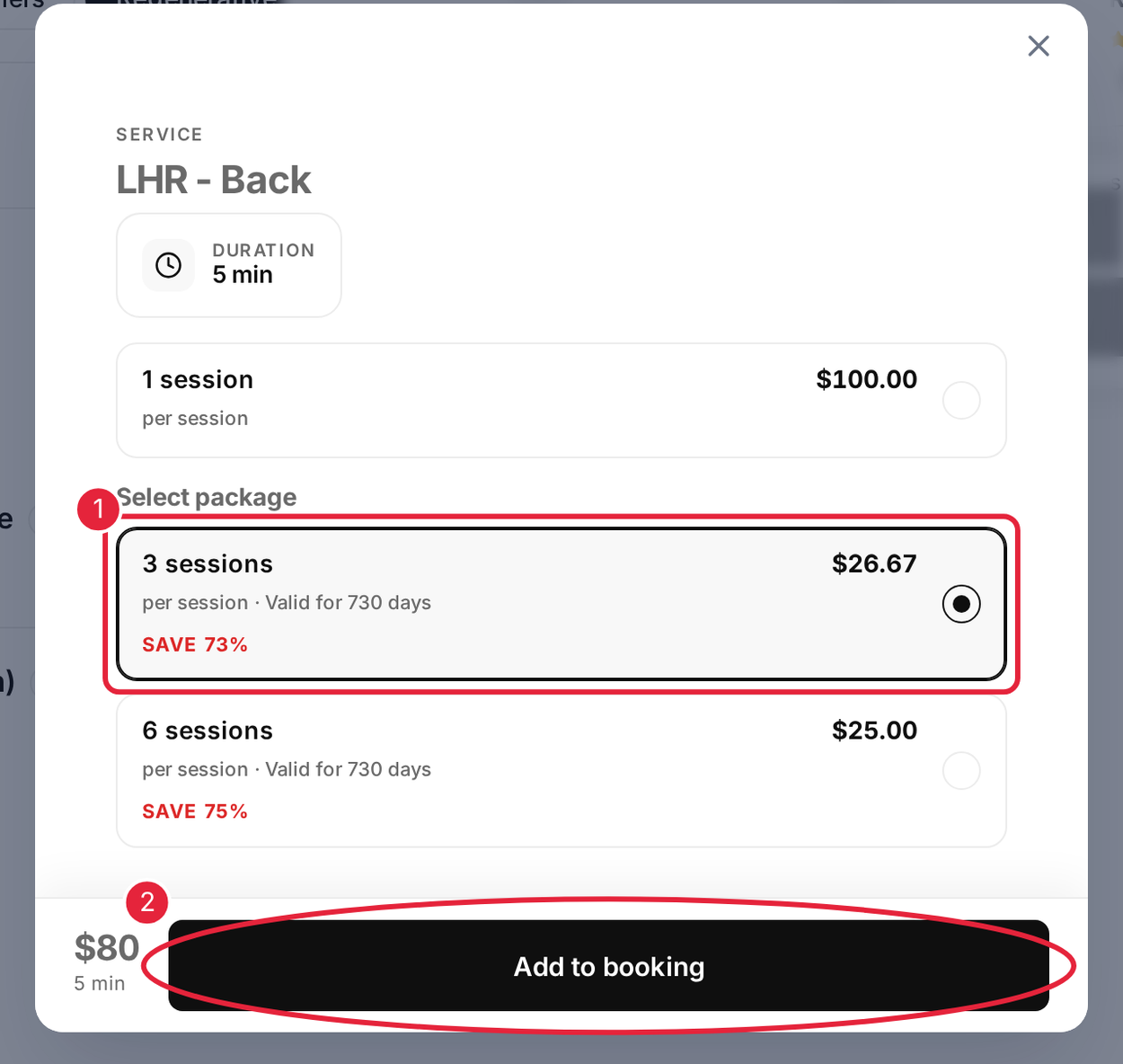
Choose a package instead of a single session, then click Add to booking
The package price is added to your booking, and the appointment you are booking becomes your first session. Finish booking as usual and pay at checkout.
TIP: Prices are fixed when you buy, even if the clinic changes its prices later. Check how long your package is valid for, as unused sessions may expire.
What's next?
- How to Book an Appointment Using a Package in the Client Portal
- How to Book an Appointment via Online Bookings
- How to Buy a Membership, Package or Gift Card Online
- Client Portal Help Guide (for Patients)
Questions? Contact your clinic directly — they will be happy to help.
Was this guide helpful? Let us know by voting below - your feedback helps us write clearer articles.
For more guides, browse the related articles below or use the search bar at the top of the page. You can also watch our video learning series, the Pabau Academy, or visit the Support page for additional help.