
NOTE: This guide covers the new Online Bookings and Client Portal, which are being rolled out to clinics in phases. If your screens look different, your account may still be on the classic version — message us via the in-app chat and we will help.
Clients with private medical cover can book online without paying upfront: they choose Pay with insurance at checkout, and the booking lands in your calendar with their insurer as the payer. In this article, you will learn how to switch this on for your new booking page and what your clients see.
NOTE: This guide is for practices in the United Kingdom, where claims are submitted through Healthcode.
Before You Start
- Insurance billing is set up for your clinic, and the services you want to bill to insurers are set up for insurance — see Part 1: Set Up the Insurance Essentials.
- Your clients' insurers and membership numbers are on their profiles, or clients can add them while booking — see Part 2: Client Insurance Setup.
Step 1: Switch On Pay With Insurance
Pay with insurance is off until you switch it on. Go to Setup → Online Bookings, click Customise page, and in the Booking pages strip click Payment. Make sure Edit is selected.
- Hover over Payment Options and click the Alt payments label above it.
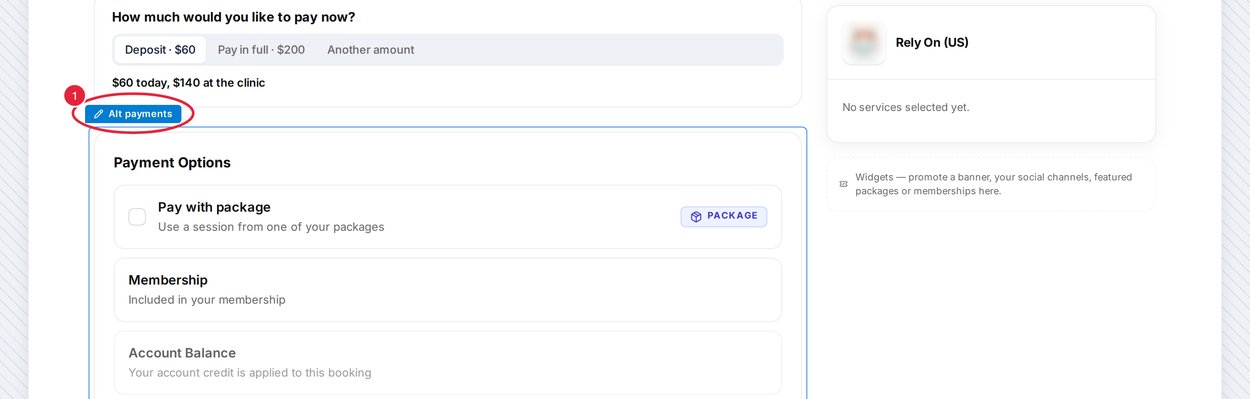
Hover over Payment Options and click Alt payments
- In Payment options, under Methods shown to clients, switch on Pay with insurance.
- Close the panel and click Publish.
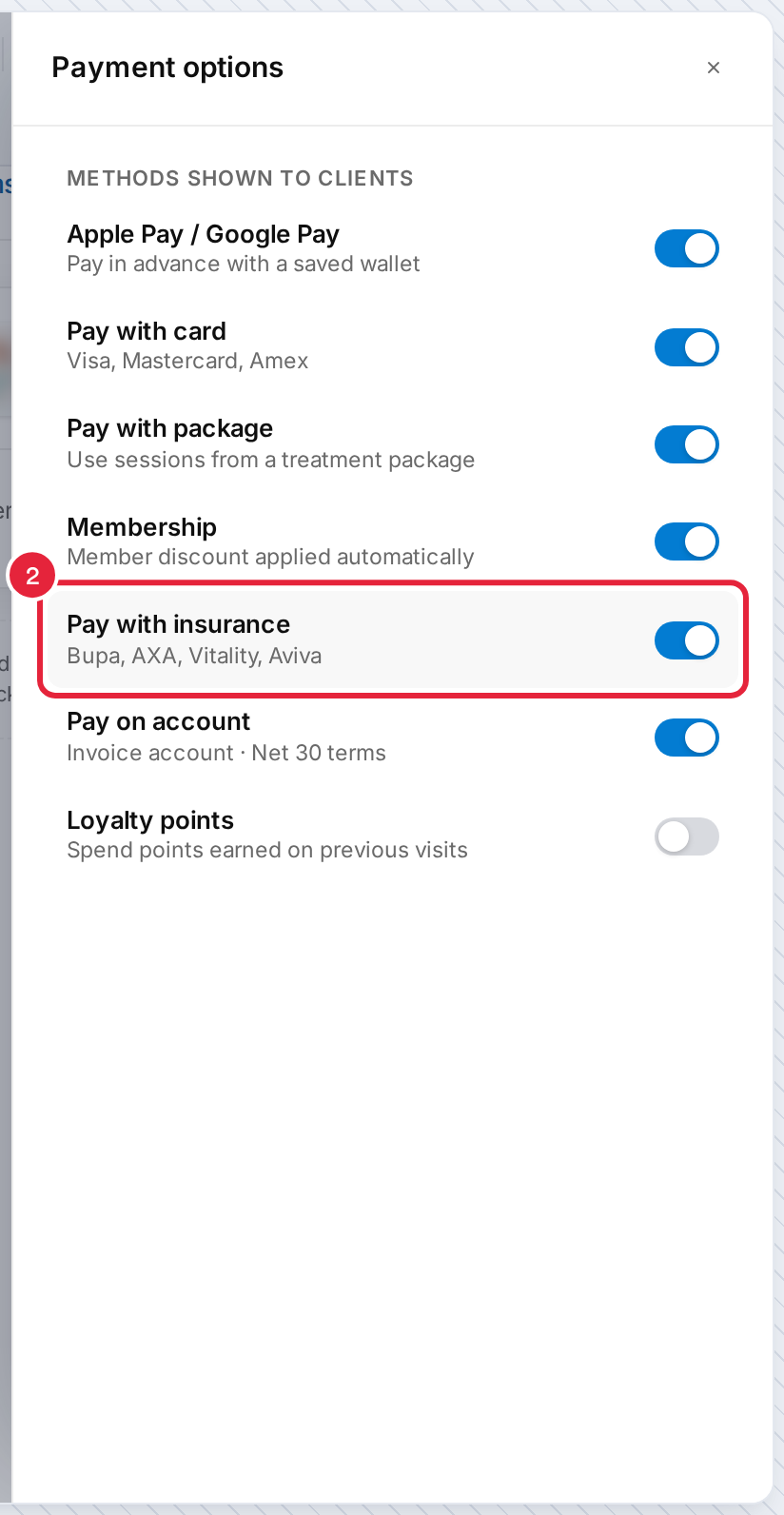
Switch on Pay with insurance
TIP: To show an Insurance accepted label next to services you can bill to insurers, open the Services page in Studio, click the Services label and switch on Show insurance labels.
Step 2: Know What Clients See
On the last step of the booking, signed-in clients see Pay with insurance among the payment options.
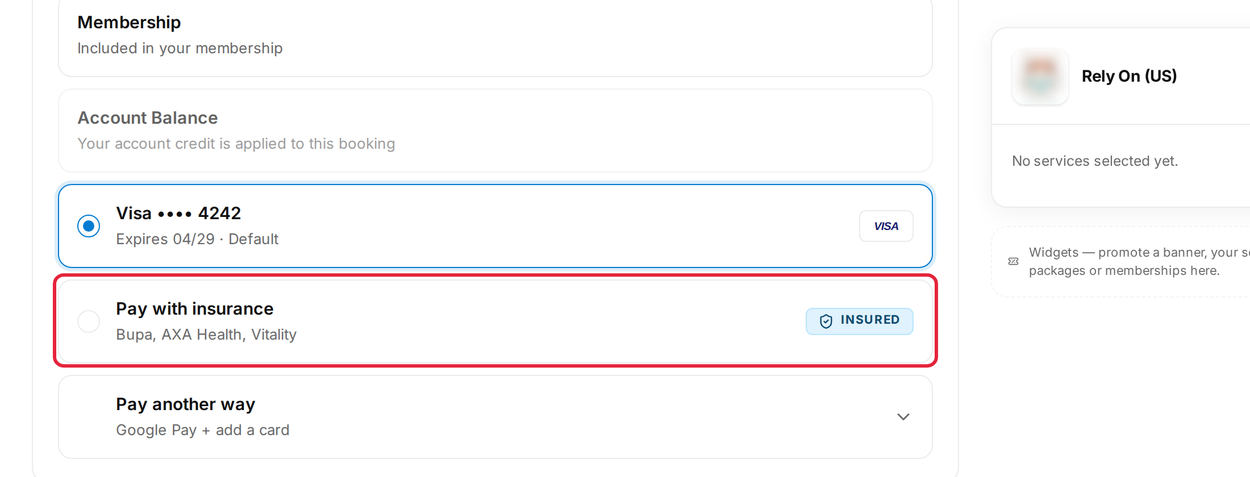
Pay with insurance at checkout (Studio preview)
- The client chooses Pay with insurance. If their insurance is already on file, it shows as covered by their insurer with nothing due today.
- If not, they enter their Insurance provider, Membership number and Pre-authorisation code (issued by the insurer when the treatment is approved), then click Confirm cover.
- They click Confirm booking — nothing due today.
The appointment appears in your calendar with the insurer as the payer, ready for your normal claims process — see Part 3: Connect Appointments to Insurance and Part 4: Submit and Track Claims with Healthcode.
Good to Know
- Clients must be signed in to pay with insurance.
- Nothing is charged online for an insurance booking, so tips, part-payments and promo codes cannot be added to it.
- If a client's saved policy has expired, they are asked to update it or choose another way to pay.
- Clients can keep their insurance details up to date in your client portal when Insurance details is switched on in Setup → Client Portal — see How to Set Up the New Client Portal.
What's next?
For the full insurance set-up, start at Part 1: Set Up the Insurance Essentials. For the other payment options on your booking page, see Part 4: Take Payments and Deposits Online.
Questions? Reach us any time via the in-app chat — we’re happy to help.
Was this guide helpful? Let us know by voting below - your feedback helps us write clearer articles.
For more guides, browse the related articles below or use the search bar at the top of the page. You can also watch our video learning series, the Pabau Academy, or visit the Support page for additional help.