
At the very top right of the CMS-1500 claim form sits an unnumbered area known as the carrier block. On a mailed paper claim, this is where the receiving payer's name and mailing address appear, so the form reaches the right insurer. This guide explains what the area is for, what Pabau prints there, and how to add the payer's mailing address so it prints on your claims.
NOTE: This article is part of the US Insurance Billing Additional Resources series, which walks through every box of the CMS-1500. If you are new to claims in Pabau, start with Creating a US Professional (CMS 1500) Claim.
The top right corner — Carrier block

The carrier block is the only part of the CMS-1500 without a box number. It identifies the payer the claim is billed to — on claims sent by mail, the payer's name and mailing address sit here so the paper form arrives at the right destination. Payers do not key claim data from this area; it exists purely for delivery.
How Pabau fills it
On printed claims (Export → Print CMS-1500 form on the claim), Pabau prints the payer's name in the carrier block and, under it, the insurer's mailing address: the street, then the city, state and ZIP code. The name is the payer shown in the Payer tile at the top of the claim, and the address comes from the insurer's General tab in Setup. If the insurer has no street address, only the name prints.

Step 1: Add the Insurer's Mailing Address
- Go to Setup → Third Parties and click the insurer.
- On the General tab, under Address, fill in Street, City, County and Postcode. Enter the state in County, as its two-letter code or full name (for example IL or Illinois), and the ZIP code in Postcode.
- Click Save.
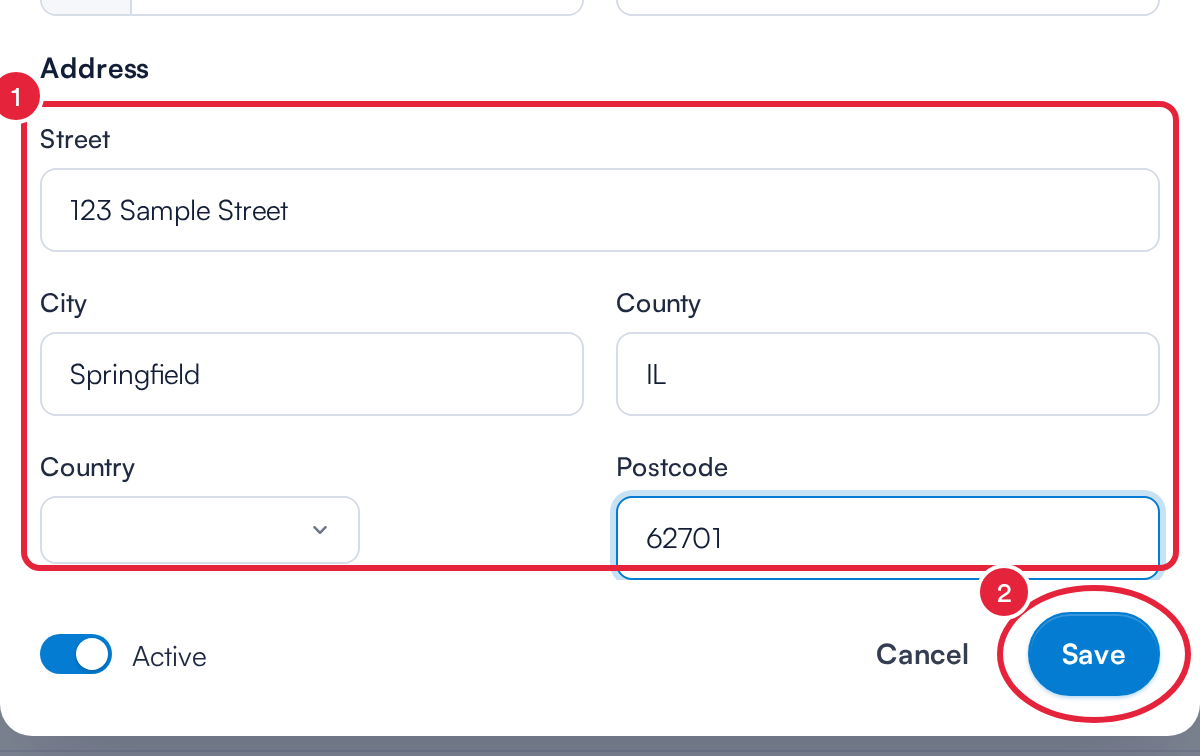
The insurer's mailing address in Setup → Third Parties
IMPORTANT: The address prints only when Street is filled in. Pabau reads the state from County, so put the state there rather than the county name; anything that is not a US state is left off the city line.
Step 2: Print the Claim
- Open the claim from More → Claims and click Export.
- Choose Print CMS-1500 form, or Print CMS-1500 text only if you print onto pre-printed red CMS-1500 forms.
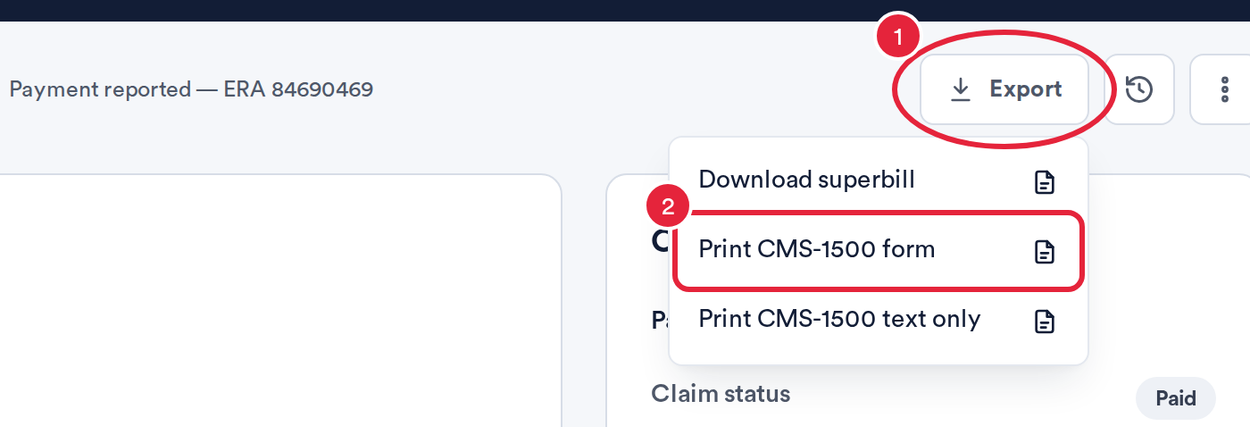
Print the claim from the Export menu
Pabau checks the claim before it prints; if it finds errors, fix them on the claim and print again. The printed form shows the payer's name with the mailing address underneath.
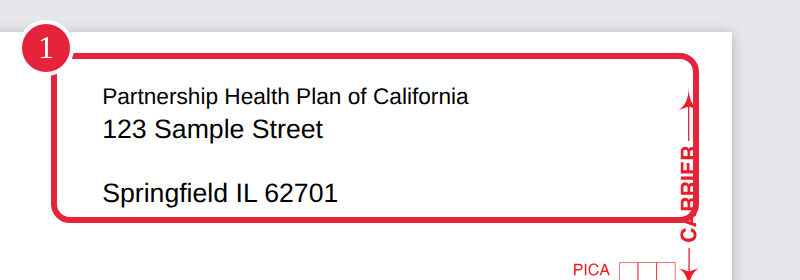
The printed carrier block (sample address)
NOTE: Pabau reads the address each time you print, so a change in Setup shows on the next print. If the address cannot be read at that moment, the form still prints, with the payer's name only.
On the electronic claim: the carrier block is not used at all — routing is handled by the payer link, so an electronic claim always reaches the right payer without a mailing address.
For the printing and mailing workflow end to end, see Exporting and Submitting CMS1500 Claims Manually.