
With your account claim-ready (Part 1), the next step is the client: link their insurer, record the membership number the insurer knows them by, and decide who gets billed by default.
NOTE: This guide is for practices in the United Kingdom. Claims are submitted electronically through the Healthcode clearing service, with additional tools for BUPA membership checks and insurer remittances.
1. Open the client's Insurance tab
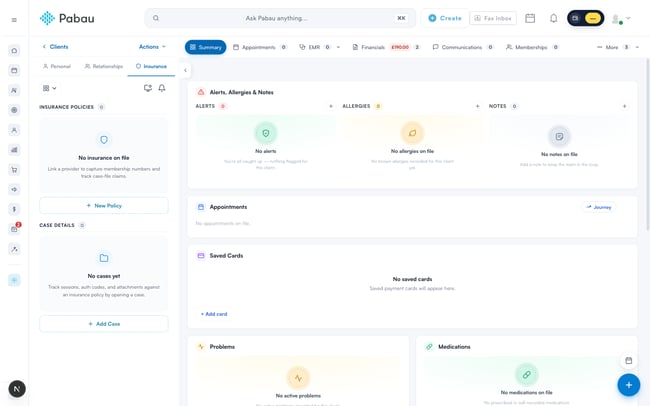
Search for the client and open their card, then select the Insurance tab in the left panel. A client with no cover yet looks like this:
2. Add the insurance policy
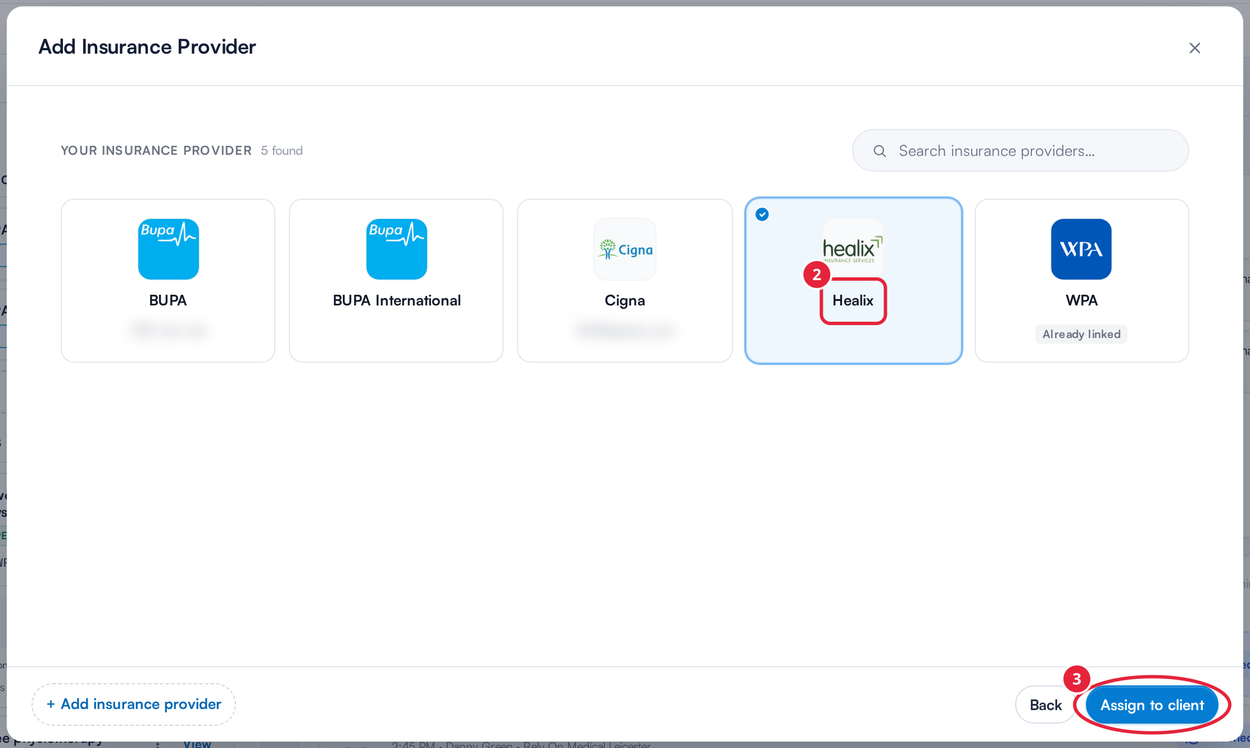
- Click New Policy.
- Pick the insurer from your list — or click + Add insurance provider to create a new one on the spot.
- Click Assign to client. If the client already has a policy with that insurer, the insurer is marked Already linked and the button reads Add another policy, which adds a second policy with it.
3. Record the membership number
Enter the client's membership number exactly as it appears on their insurance card — this is how the insurer identifies them, and Healthcode will reject claims where it doesn't match. Pabau checks the number against the insurer's usual format as you type.
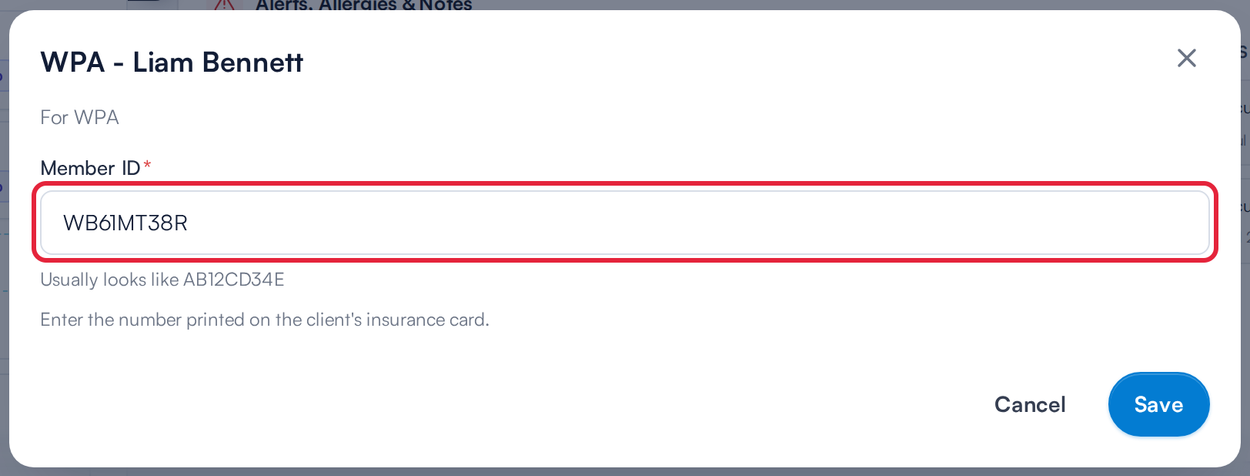
For UK clinics the policy window asks only for the member ID; the longer list of policy fields under More options is offered to clinics in other countries.
4. Set the default payer
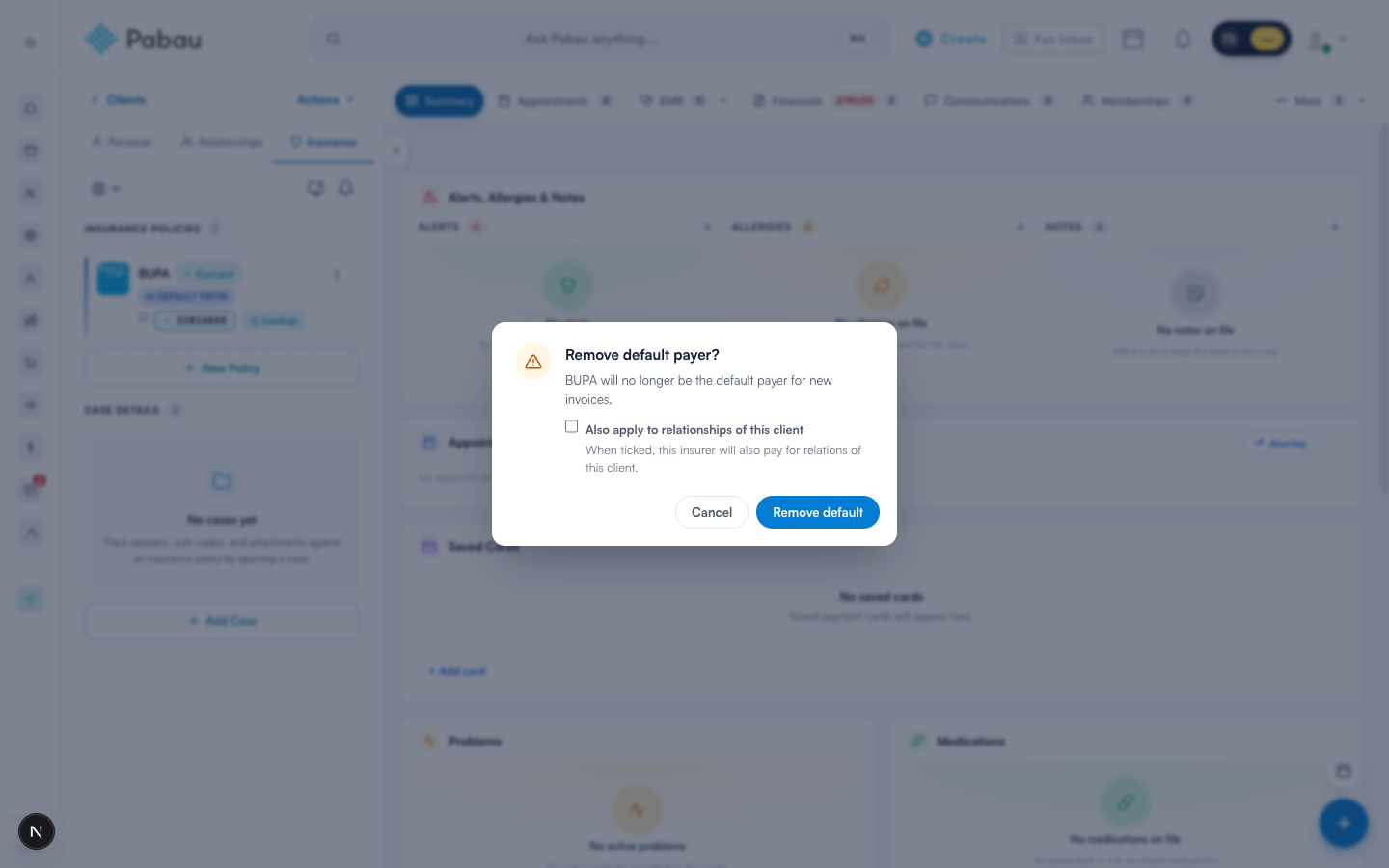
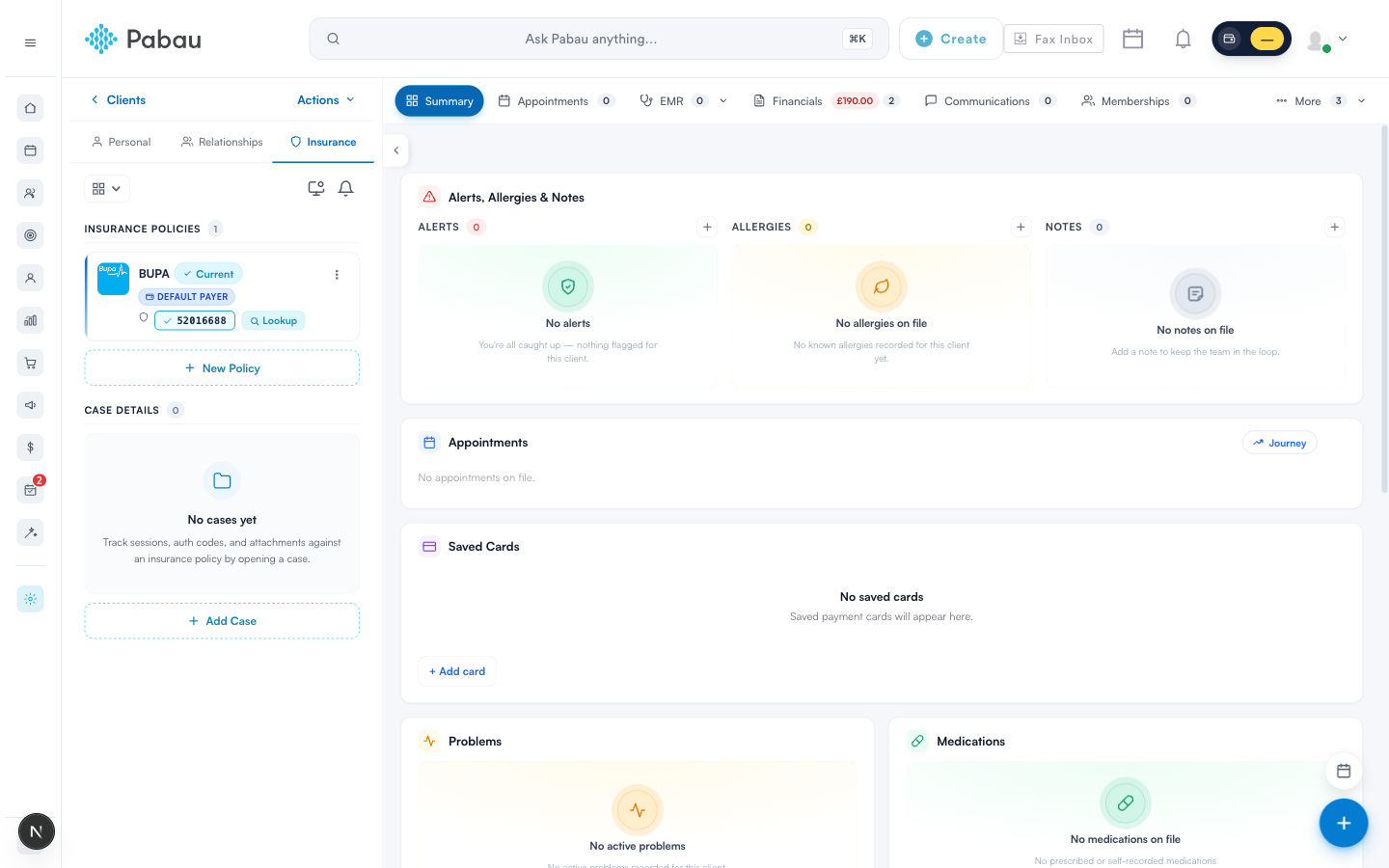
The default payer is billed first on new invoices for this client. Open the ⋮ menu on the policy row and choose Set as default payer — or Remove as default payer to make the client self-paying again. Ticking "Also apply to relationships of this client" extends the same payer to their linked family members.
The finished policy row shows the insurer, the membership number chip, and a Default Payer badge. For BUPA members you'll also see a Lookup button — see How to verify a Bupa membership.
5. Track pre-authorisations with cases
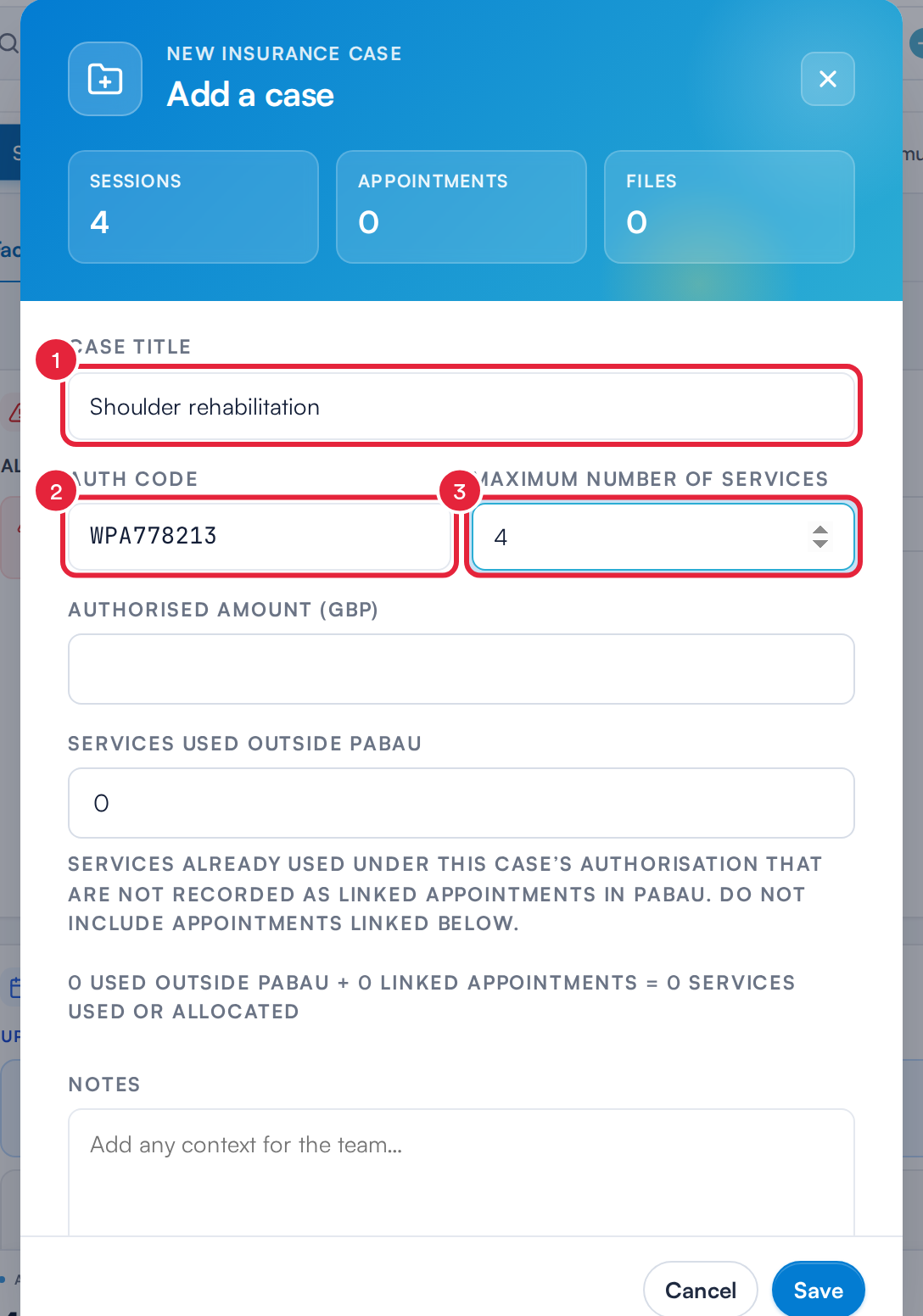
When an insurer authorises a course of treatment, record it as a case: click Add Case under Case Details and enter the case title, the authorisation code the insurer issued, and the Maximum number of services it covers. If the client has more than one policy, Pabau first asks which policy the case is for. Appointments and documents can be attached to the case, and the auth code flows onto every claim for those visits.
Only one insurer can be the default payer at a time. Removing the default doesn’t delete the policy - it just means new invoices are billed to the client unless you choose otherwise at booking.
The UK insurance guide series
- Part 1: Set up the insurance essentials
- Part 2: Client insurance setup (this article)
- Part 3: Connect appointments to insurance
- Part 4: Submit and track claims with Healthcode
Questions? Reach us any time via the in-app chat - we're happy to help you get your first claims out the door.
Was this guide helpful? Let us know by voting below - your feedback helps us write clearer articles.
For more guides, browse the related articles below or use the search bar at the top of the page. You can also watch our video learning series, the Pabau Academy, or visit the Support page for additional help.