
With Tyro Health connected (see Part 1), you record each patient’s funder and Medicare details on their record. This is what lets Pabau pre-fill the claim so you’re not re-typing card numbers every visit.
Step 1: Open the patient’s Insurance tab
Open the patient’s record and select the Insurance tab on the left of the client card.
Step 2: Add a funder
Click New Policy. Australian clinics choose from three fixed funders rather than searching an insurer directory:
- Medicare — bulk-bill and patient claims
- DVA — Department of Veterans’ Affairs
- Private health (HealthPoint) — the patient’s private health fund
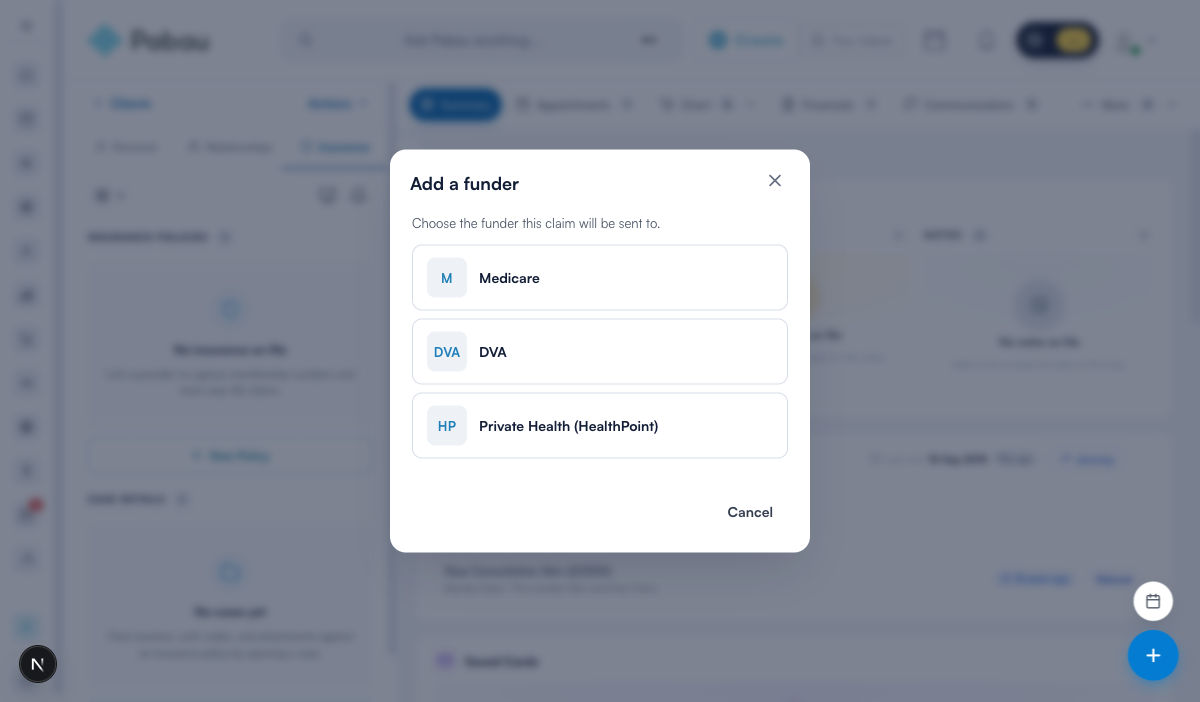
NOTE: The three funders are set up for you automatically the first time you open the Insurance tab in an Australian clinic — there’s nothing to create. A patient can have more than one (for example Medicare and a private health fund).
Step 3: Record the Medicare number and IRN
After you pick Medicare, enter:
- Medicare number — the 10-digit number on the front of the card.
- Reference number (IRN) — the single digit (1–9) beside this person’s name on the card. It tells Medicare which family member the claim is for.
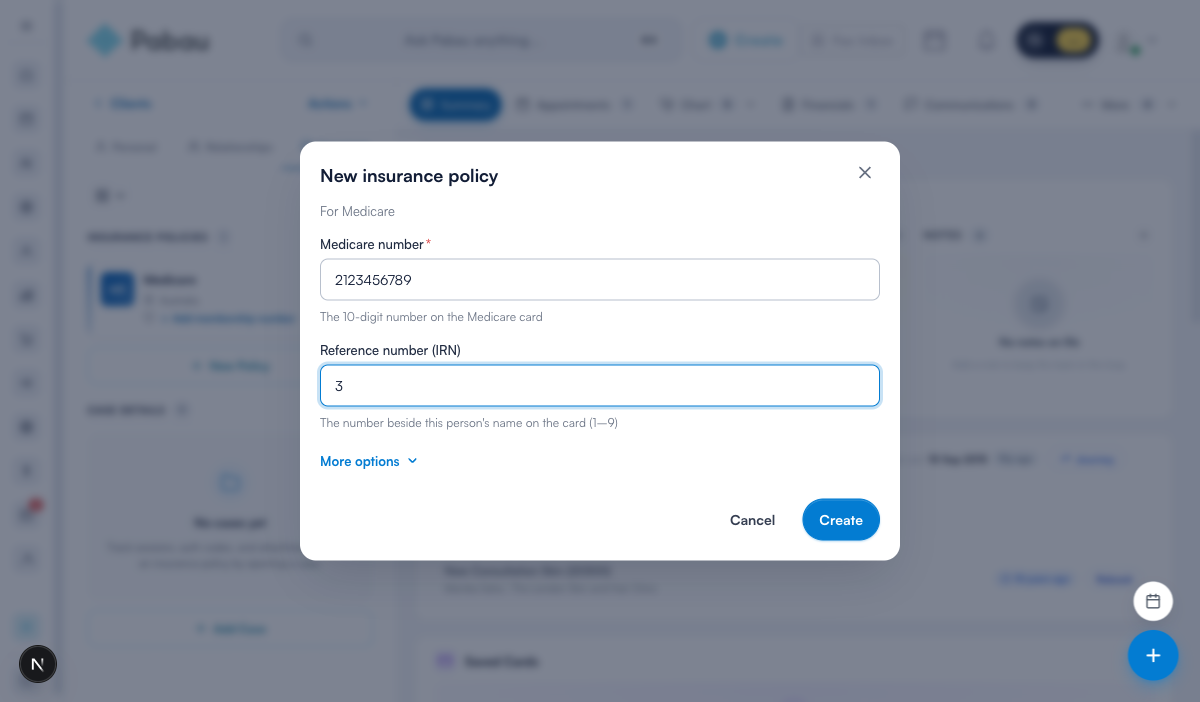
For DVA, record the patient’s DVA file number in the same field. For private health (HealthPoint), record their fund member number. Click Save (or Create) to store the policy.
TIP: If you don’t have the IRN to hand, save the Medicare number on its own — Tyro’s claim window will prompt for the IRN at submission. Recording it here just saves that step later.
Step 4: Verify the card with Medicare (optional)
On a Medicare policy, once the 10-digit card number and IRN are filled in, a Verify with Medicare button appears (shown when Tyro Health is connected). Click it and Pabau checks the patient’s name, date of birth and card details directly with Medicare through Tyro Health — the same check Tyro’s own portal runs — so you catch a wrong digit before any claim is lodged.
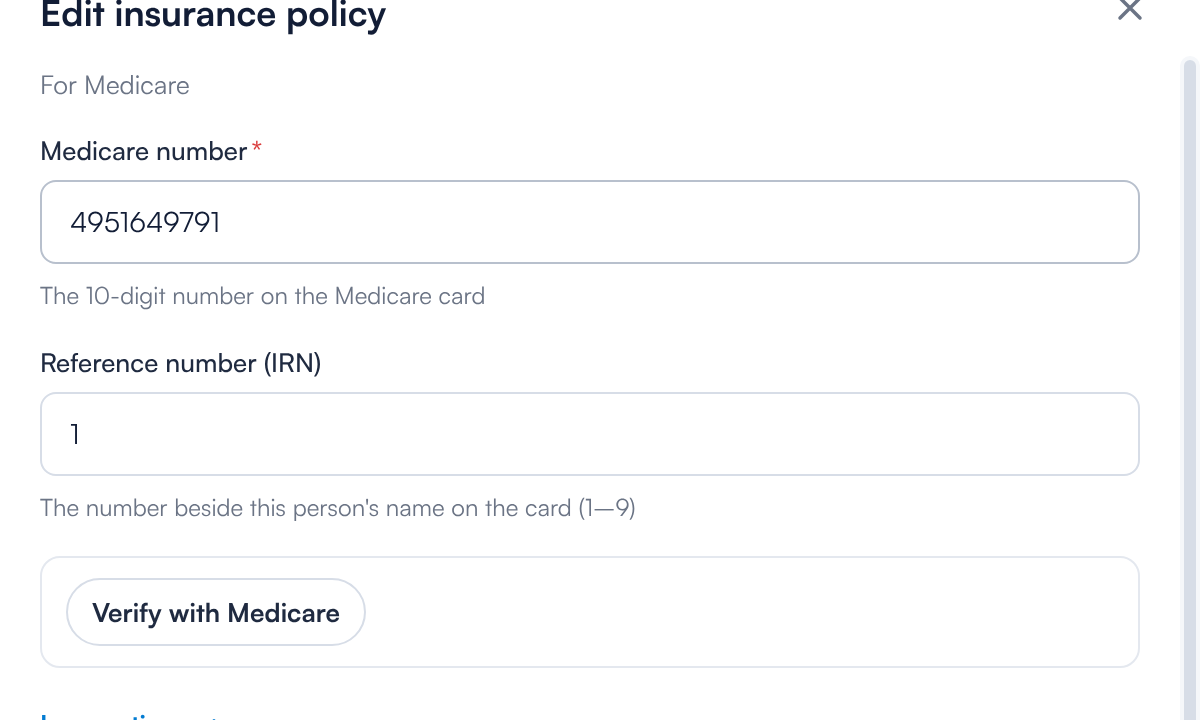
- A green “Medicare verified these details” means the card matches Medicare’s record.
- An amber “Medicare could not verify these details” shows Medicare’s own reason (for example an invalid reference number), so you can correct it on the spot.
- If Medicare holds different details for the patient — a new card has been issued, or the reference number differs — Pabau shows the current number Medicare returned, with a Use returned number button that fills it into the policy for you.
NOTE: Verification needs both the card number and the IRN — the button stays disabled until both are entered. If Pabau doesn’t yet have the patient’s date of birth, a date-of-birth field appears first and is saved to their record. Verifying is optional: Tyro Health verifies the patient again at submission either way.
What’s next
The patient is now ready to claim. Next, see how an appointment and its invoice feed the claim in Insurance Guide Part 3 (Australia): Connect appointments to insurance.