
Claims fail most often because the patient's details don't match what the insurer holds. For BUPA members, Pabau can check the policy directly against BUPA before you treat or submit: one click returns the live policy status, the member's registered details, active dates, and any pre-authorisations on file.
NOTE: This guide is for practices in the United Kingdom. Claims are submitted electronically through the Healthcode clearing service, with additional tools for BUPA membership checks and insurer remittances.
1. Connect your BUPA account (one-time)
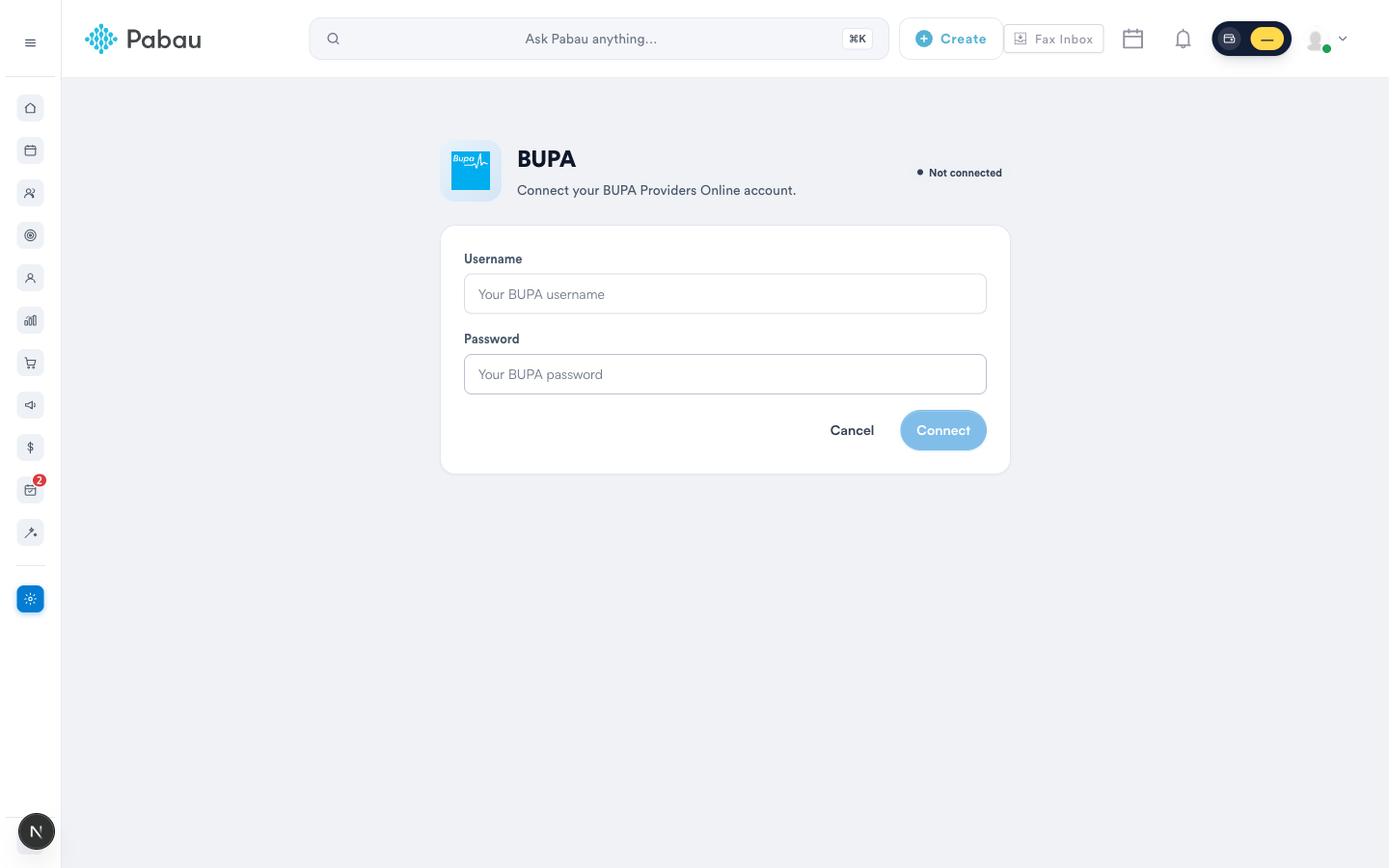
- Go to Money → Claims, click Configure, and open the BUPA tile.
- Enter your BUPA Providers Online username and password and click Connect. Pabau verifies the login before saving it (credentials are stored encrypted).
Once connected, the page shows when the login was last verified — use Update credentials if your BUPA password changes:
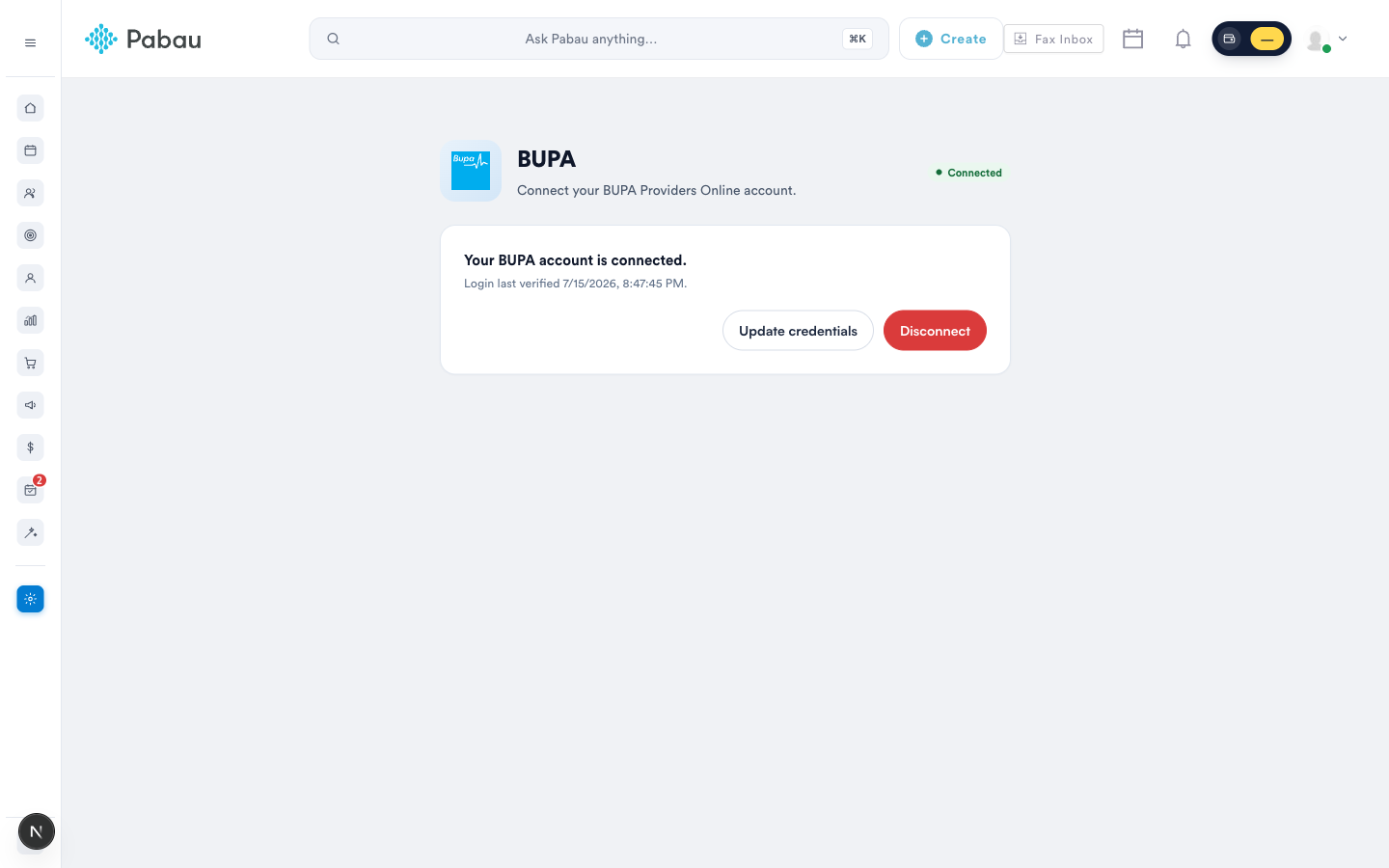
You need your clinic’s own BUPA Providers Online account. If you don’t have one, register with BUPA first - the lookup itself adds no Pabau charges.
2. Run a lookup from the client card
On the client's Insurance tab, every BUPA policy row with a membership number shows a Lookup button:
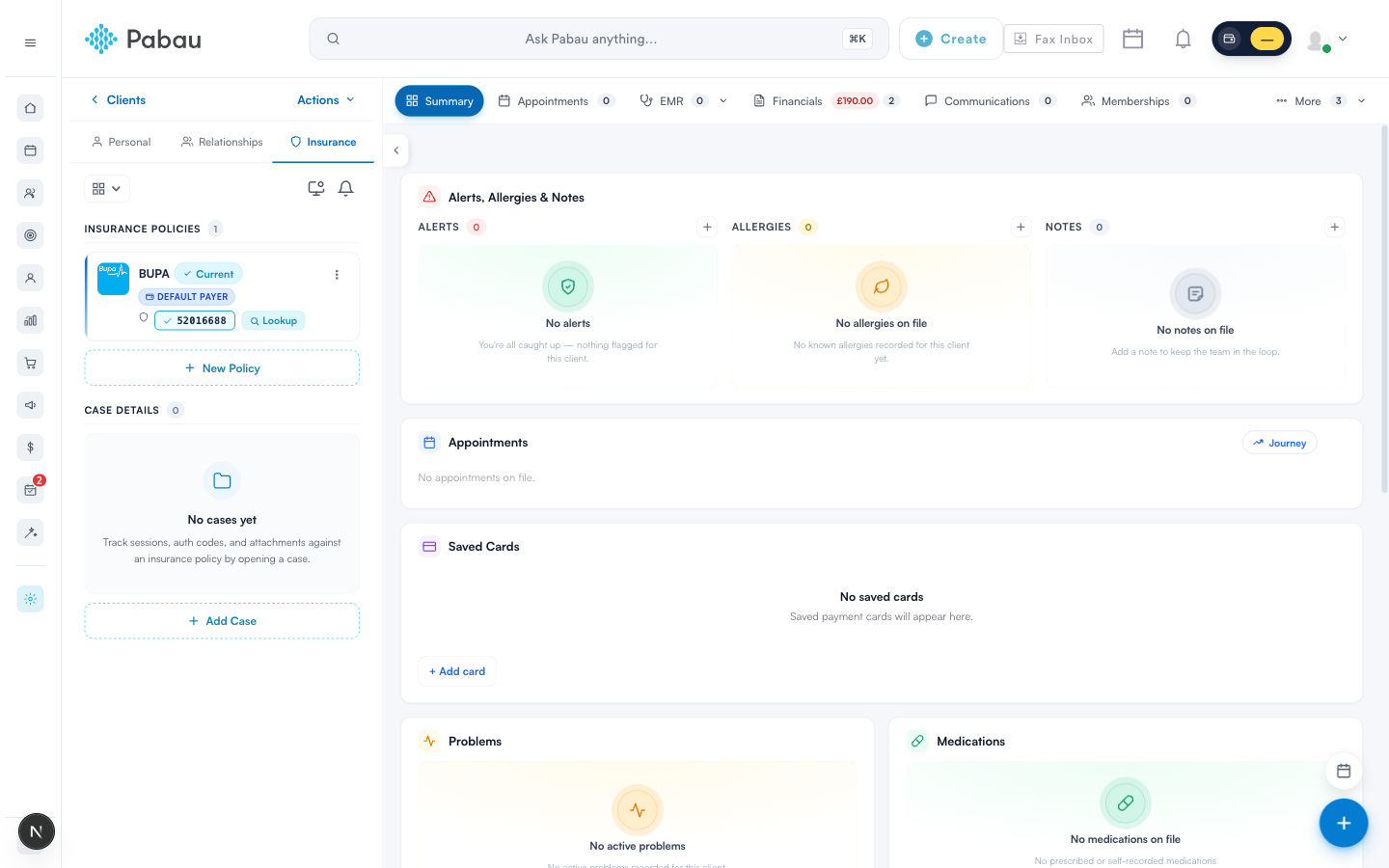
Click it and Pabau searches BUPA using the stored policy number, first name and date of birth. A match returns the full membership picture:
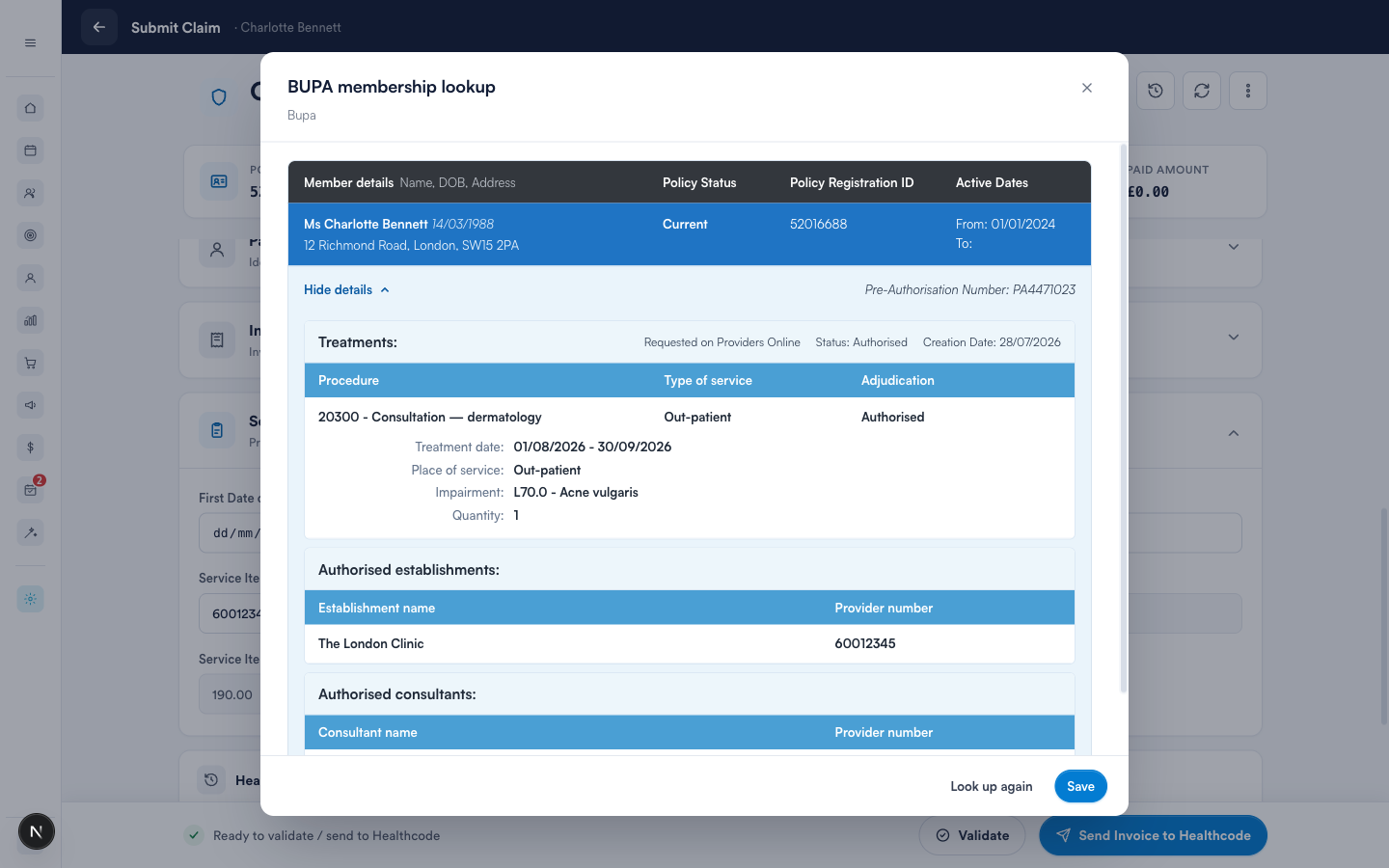
- Policy Status - Current means the policy is active; Lapsed means it isn't.
- Member details - the name, date of birth and address BUPA has on record (useful for spotting mismatches before they reject a claim).
- Pre-authorisations - each authorisation number with its approved treatments, dates, impairment codes, and the establishments and consultants it covers.
Click Save to keep the result on the client's record - the policy row then shows a status chip (for example Current) that reopens the saved lookup any time:
3. Or run it from the claim screen
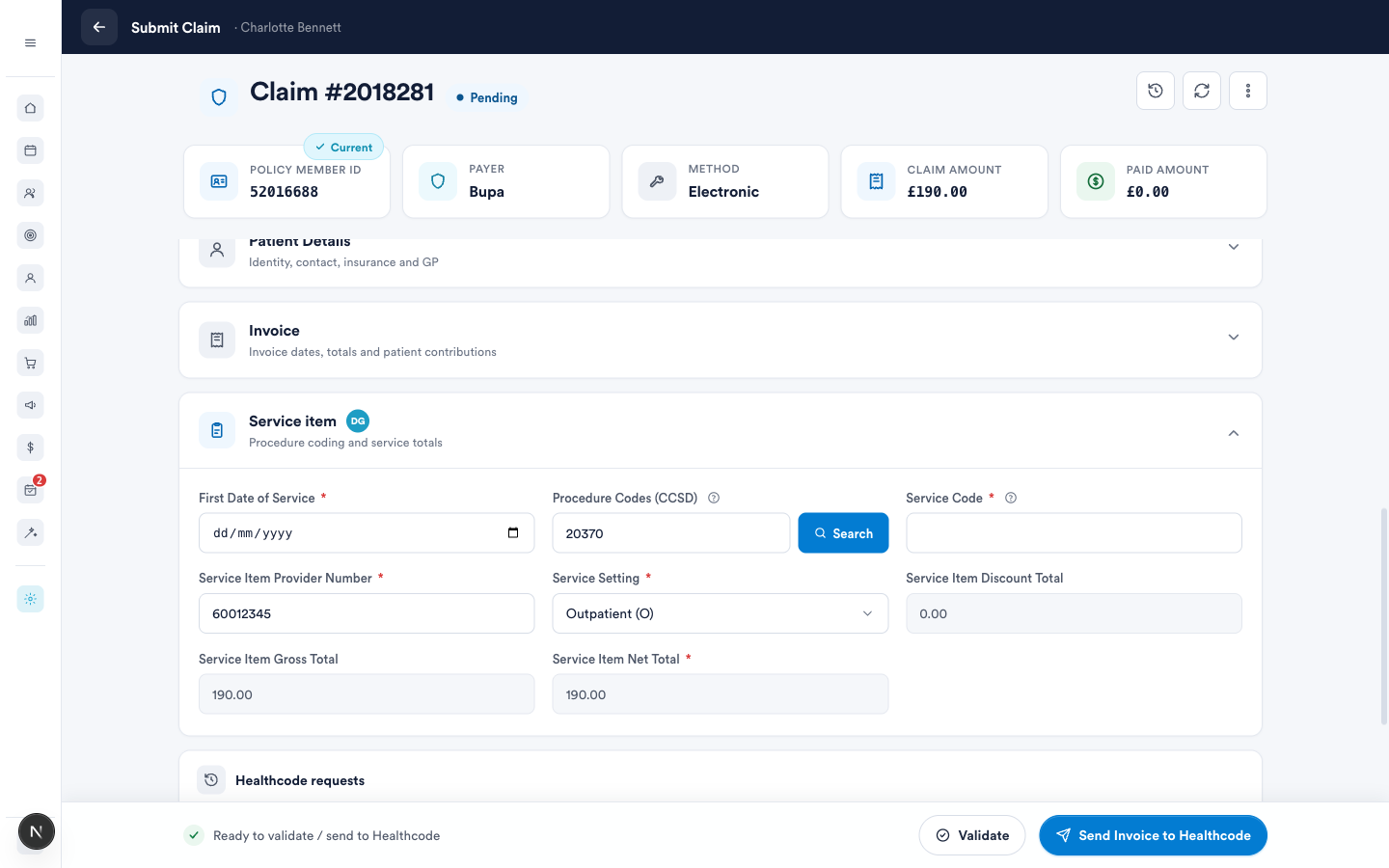
On the Submit Claim screen (Part 4), the Policy member ID card carries the same Lookup pill — verify the membership right before you send the claim. After a saved lookup, the pill is replaced by the policy status:
4. No match?
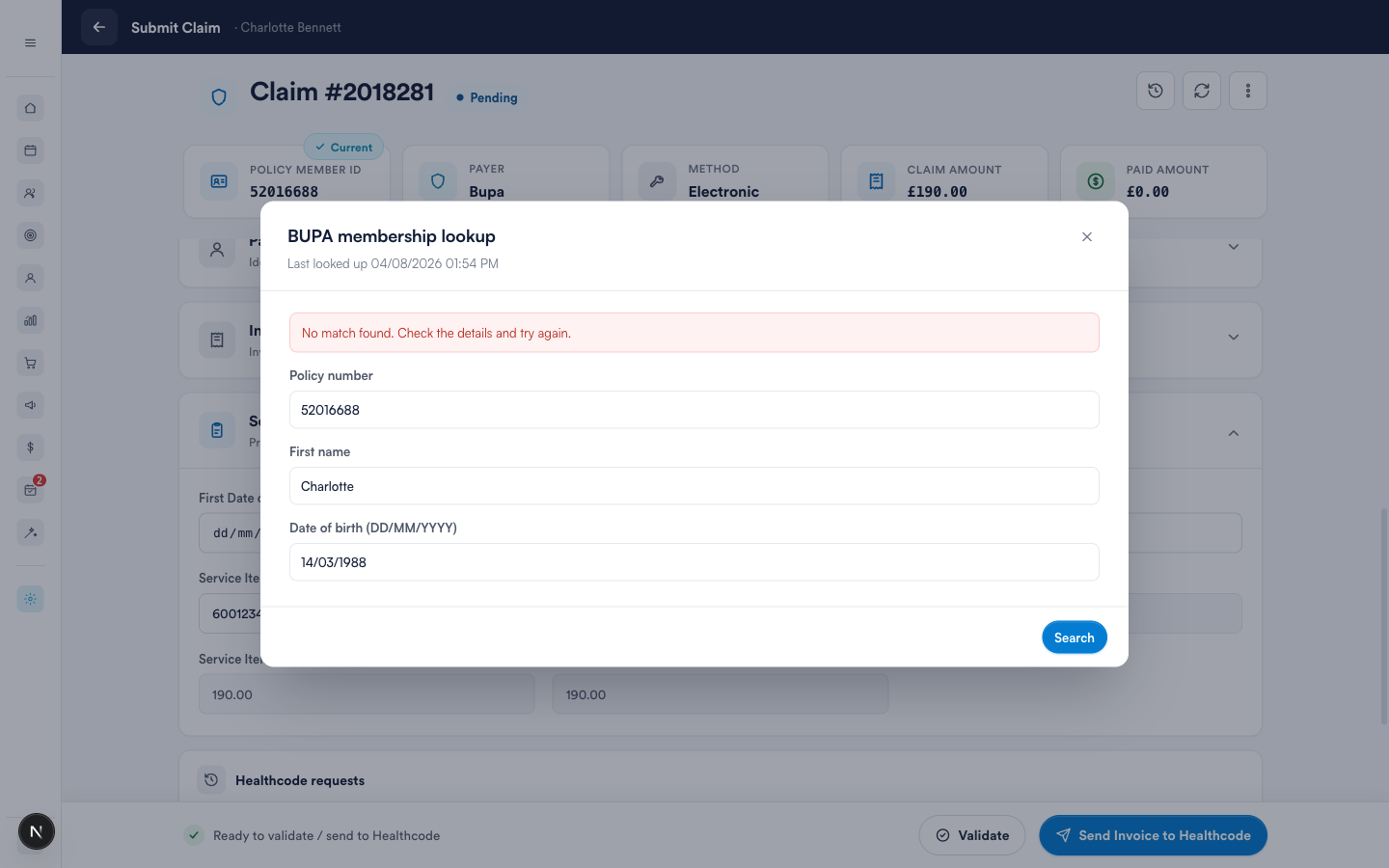
If BUPA can't find the member, the search form opens so you can adjust the details and try again. BUPA matches on the policy number, first name and date of birth exactly as they hold them — check for typos, leading spaces, or a formal first name ("Charlotte" vs "Lottie"):
A lookup reads BUPA’s live records through your own Providers Online login - treat the results as confidential patient information.
Related guides
Was this guide helpful? Let us know by voting below - your feedback helps us write clearer articles.
For more guides, browse the related articles below or use the search bar at the top of the page. You can also watch our video learning series, the Pabau Academy, or visit the Support page for additional help.