
Editing uses the same four-tab builder as creating a package, so you can adjust any detail at any time.
Step 1: Navigate to Packages
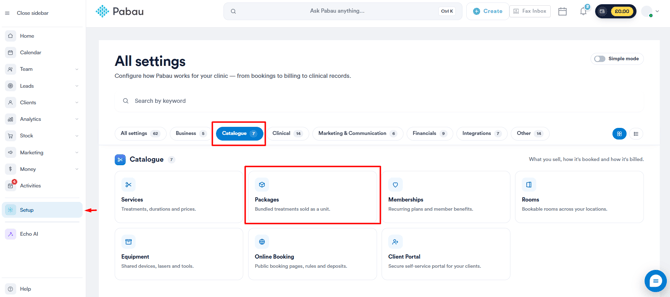
Start by logging into your Pabau account. In the left sidebar menu, click on Setup, then select Packages under "Catalogue". On the Packages page, click the name of the package you want to edit.
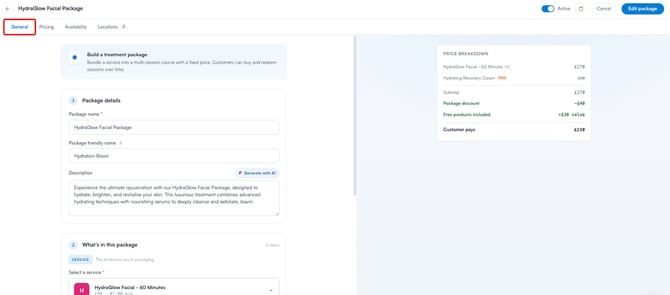
Step 2: Edit the General Tab
- Package Name: Change the package's internal name.
- Package Friendly Name: Update the name customers see during online booking.
- Description: Update or add a description, or regenerate one with "Generate with AI".
- Service: Modify the service included in the package.
- Session Count: Adjust the total number of sessions.
- Session Redemption: Switch between "Package Service Only" and "Any Service".
- Included Products: Add or remove free take-home items.
- Validity Period: Change how long customers have to redeem their sessions.
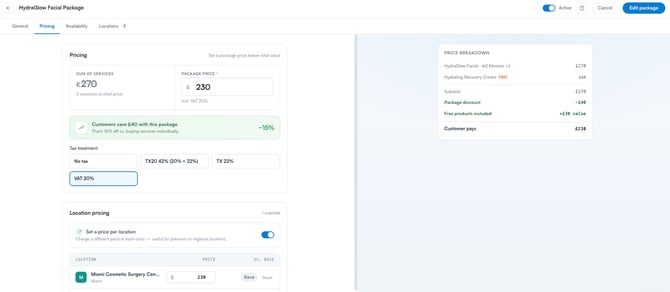
Step 3: Edit the Pricing Tab
- Package Price: Update the price customers pay; the saving recalculates automatically.
- Tax Treatment: Change the tax applied to the package.
- Location Pricing: Set, update, or remove a different price per clinic.
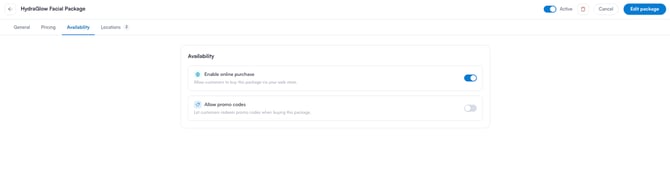
Step 4: Edit the Availability Tab
- Enable Online Purchase: Toggle whether the package can be bought through online booking.
- Allow Promo Codes: Toggle whether customers can apply promo codes at checkout.
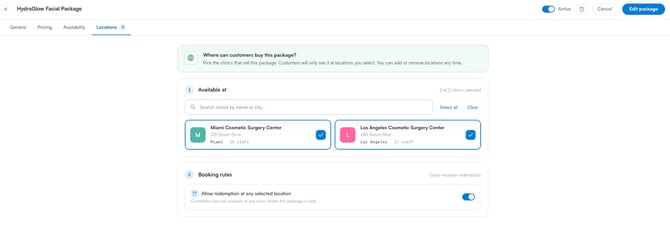
Step 5: Edit the Locations Tab
- Available at: Change which clinics sell the package.
- Booking Rules: Toggle whether sessions can be redeemed at any selected location.
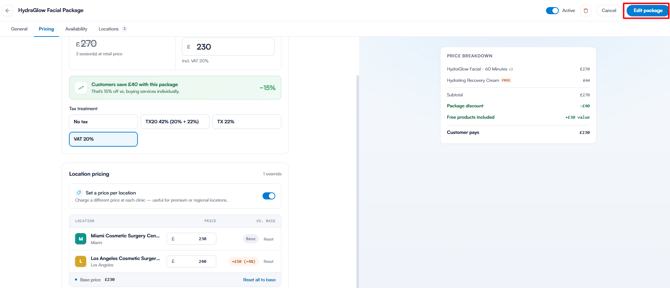
Step 6: Save Your Changes
Make sure the Active toggle in the top right corner is enabled, then click the "Edit Package" button in the top right corner to save your changes.
NOTE: You can also learn about this topic by watching a lesson on Pabau Academy. In addition, we suggest reading our Packages article for a more in-depth exploration of this topic.
For more guides, refer to related articles below, select additional guides, or use the search bar at the top of the page. These guides will help you get the most out of your Pabau account.
Additionally, to help you fully utilize and understand your Pabau account, we recommend exploring additional guides and resources offered at the Pabau Academy. It offers in-depth video tutorials and lessons, offering a holistic learning experience that can equip you with the essential skills for achieving success with Pabau.