
When you no longer need a pipeline, you can delete it. If it still has leads, you choose whether to move them into a stage of another pipeline or delete them along with the pipeline.
IMPORTANT: Deleting a pipeline can’t be undone.
Step 1: Open the Pipeline You Want to Delete
Click Leads (the target icon) in the left sidebar. If a list of leads opens, click Board (or the board icon) at the top of the page to switch to the pipeline board.
Then choose the pipeline from the pipeline selector next to Leads.
Step 2: Check It Isn’t the Default Pipeline
The default pipeline cannot be deleted. On the default pipeline, Delete pipeline is greyed out in the Pipeline options menu. To delete it, first make another pipeline the default (see How to Edit a Lead Pipeline).
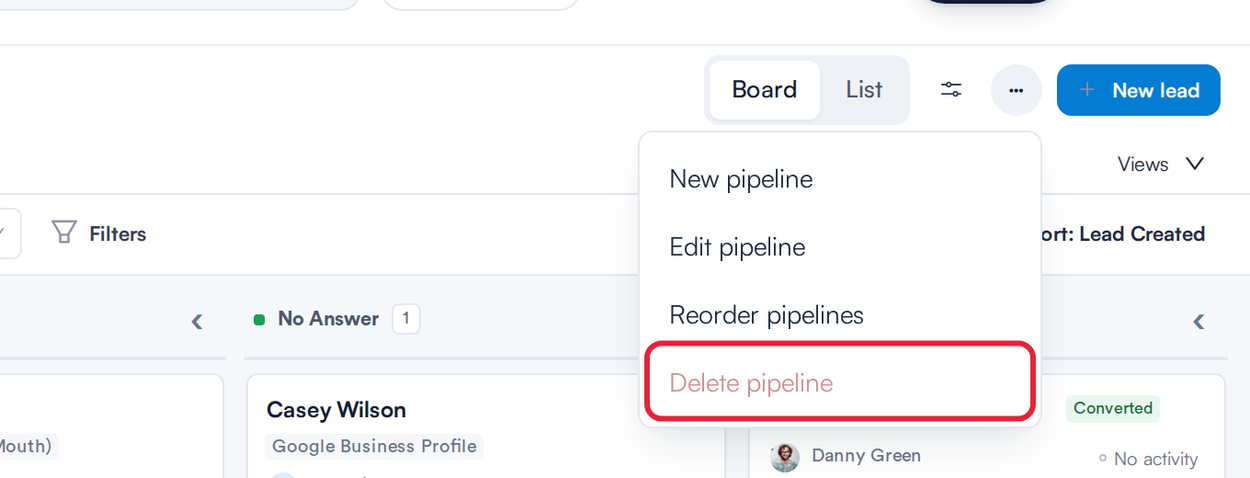
Delete pipeline is greyed out on the default pipeline
Step 3: Delete the Pipeline
- Make sure the pipeline you want to delete is the one showing in the pipeline selector.
- Click the ⋯ button (Pipeline options) at the top right of the board.
- Choose Delete pipeline.
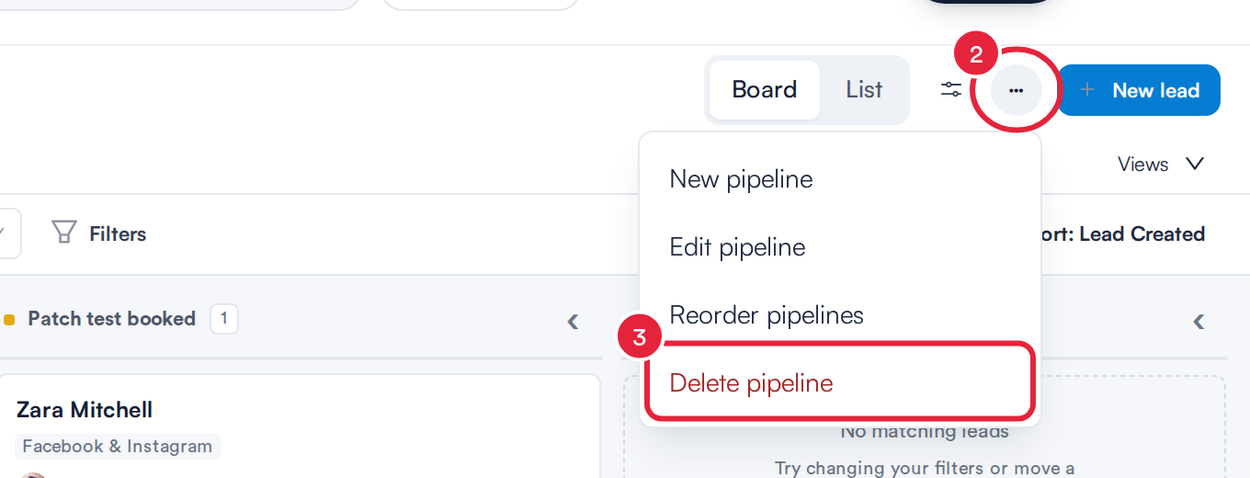
Pipeline options › Delete pipeline
Step 4: Choose What Happens to the Leads
If the pipeline is empty, the window says This pipeline has no leads. Deleting it can’t be undone. Click Delete pipeline to finish. If it has leads, the window shows how many and asks what to do with them:
- Choose Move them to another pipeline (or Move it to another pipeline for one lead).
- Pick the pipeline under Choose a pipeline.
- Pick the stage the leads should go into under Choose a stage.
- Or choose Delete the leads to delete them with the pipeline.
- Click Delete pipeline.
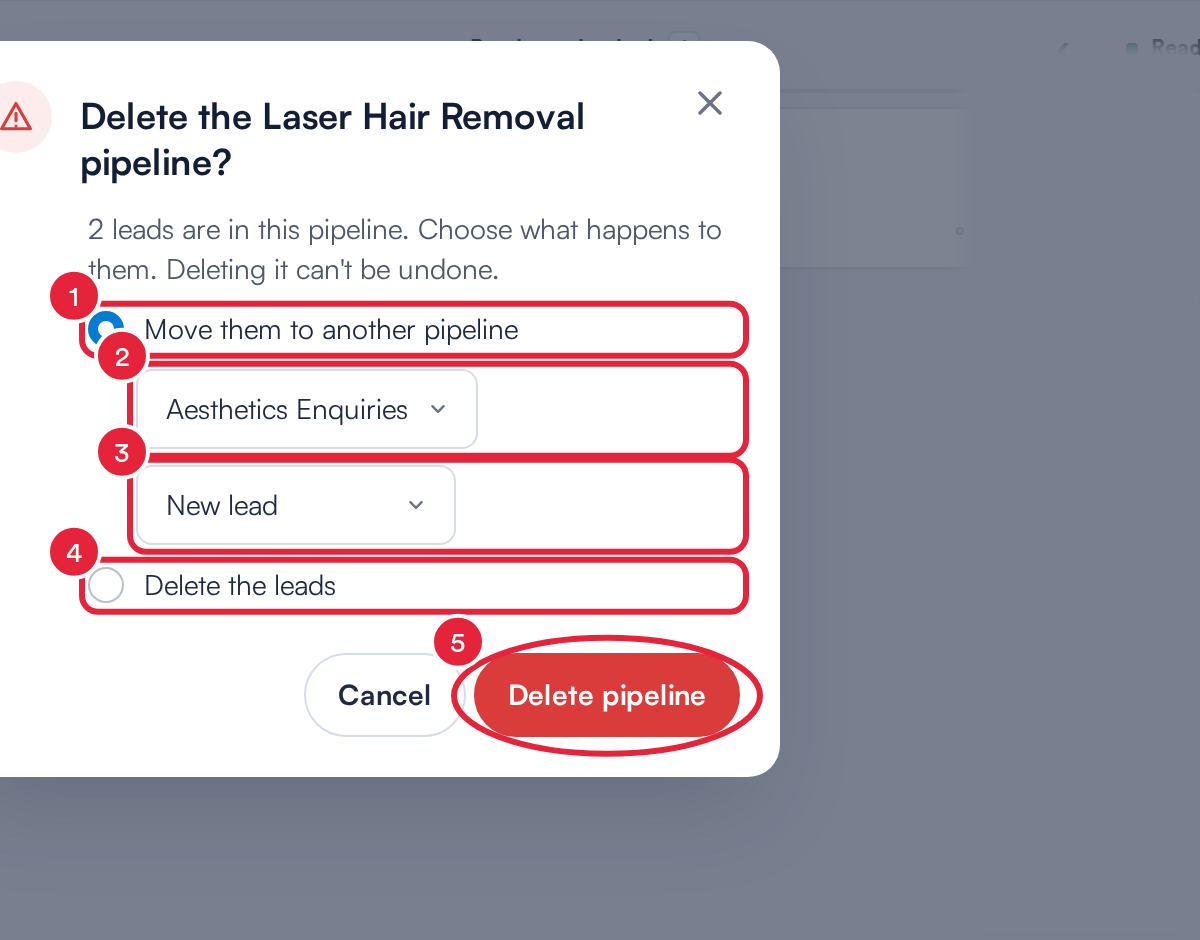
Move the leads to another pipeline, or delete them
A Pipeline deleted message appears and the board opens the pipeline you moved the leads to, or your default pipeline if you deleted the leads or the pipeline was empty.
What's next?
Was this guide helpful? Let us know by voting below - your feedback helps us write clearer articles.
For more guides, browse the related articles below or use the search bar at the top of the page. You can also watch our video learning series, the Pabau Academy, or visit the Support page for additional help.