
NOTE: Build your own membership is only available if your clinic offers it. If you don't see it, contact your clinic.
Step 1: Open Build Your Own Membership
On your clinic's online booking page, open Memberships. Choose your location if you're asked to, then click Start building on the Build your own membership card.

Click Start building
Step 2: Choose Your Treatments and How Often
For each treatment you'd like, choose Per week or Per month where there's a choice, and use + and − to set how many. Each card shows the price, any member discount, and the most you can have.
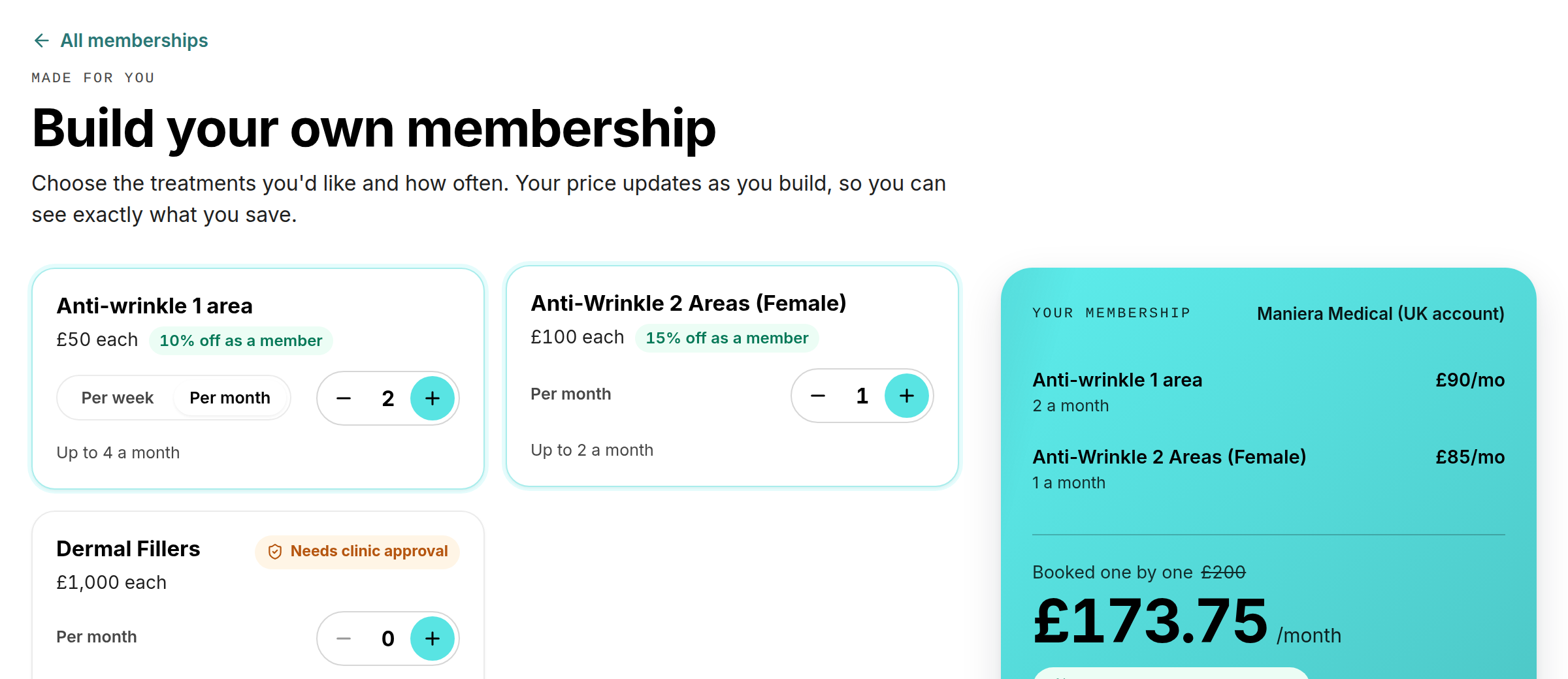
Choose treatments and how often you would like them
Step 3: Check Your Price
Your membership on the right shows each treatment, what it would cost booked one by one, your monthly price and how much you save. It also shows how much more unlocks the next discount. If your clinic offers it, turn on Commit for a number of months to save extra. Any joining fee is shown underneath and taken with your first payment.
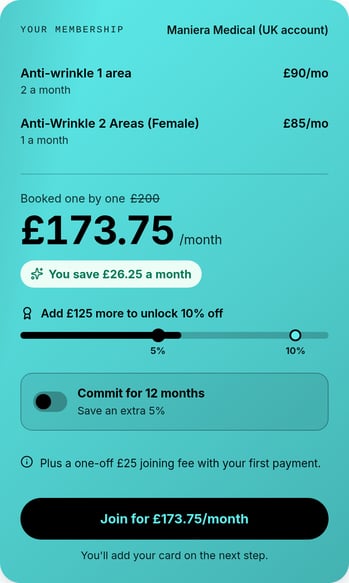
Your price and saving, with Join
Step 4: Join or Send It to the Clinic
- If you see Join for your price, click it, sign in, and add your card on the next step.
- If you see Send to the clinic for approval, your clinic will look over your membership first. The card tells you why. Click it and sign in. No card is needed yet, and nothing is charged.
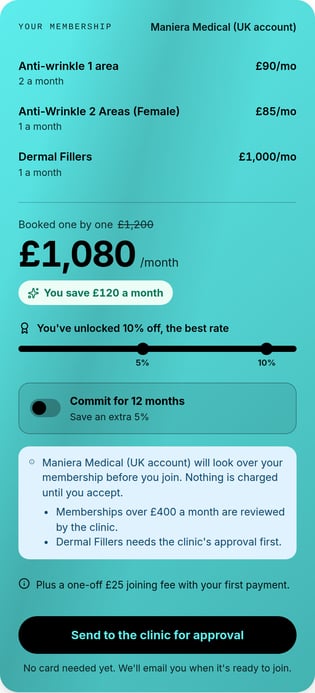
Some memberships are reviewed by the clinic before you join
Step 5: Join Once It Is Approved
When your clinic approves your membership, you'll get an email. Click Review and join, or sign in and go to Memberships you built in your client portal. Check any changes and note from the clinic, then join and add your card.
If your clinic can't approve it, you'll get an email with their note. You can build a new one whenever you like.
Common questions
Can I change my membership after I join? Contact your clinic, and they can change it for you.
Why does it say a treatment "Needs clinic approval"? Your clinic reviews any membership that includes that treatment, for example because it needs a consultation first.
For buying ready-made memberships, see How to Buy a Membership, Package or Gift Card Online (New Online Store).
Was this guide helpful? Let us know by voting below - your feedback helps us write clearer articles.
For more guides, browse the related articles below or use the search bar at the top of the page. You can also watch our video learning series, the Pabau Academy, or visit the Support page for additional help.