
NOTE: You need to have added treatments to the membership builder first. See How to Set Up Build Your Own Membership. Builds your team makes never need approval, and the client gets no email about them.
Step 1: Open the Client Card
Open the client's card and go to the Memberships tab. Click Build a membership.
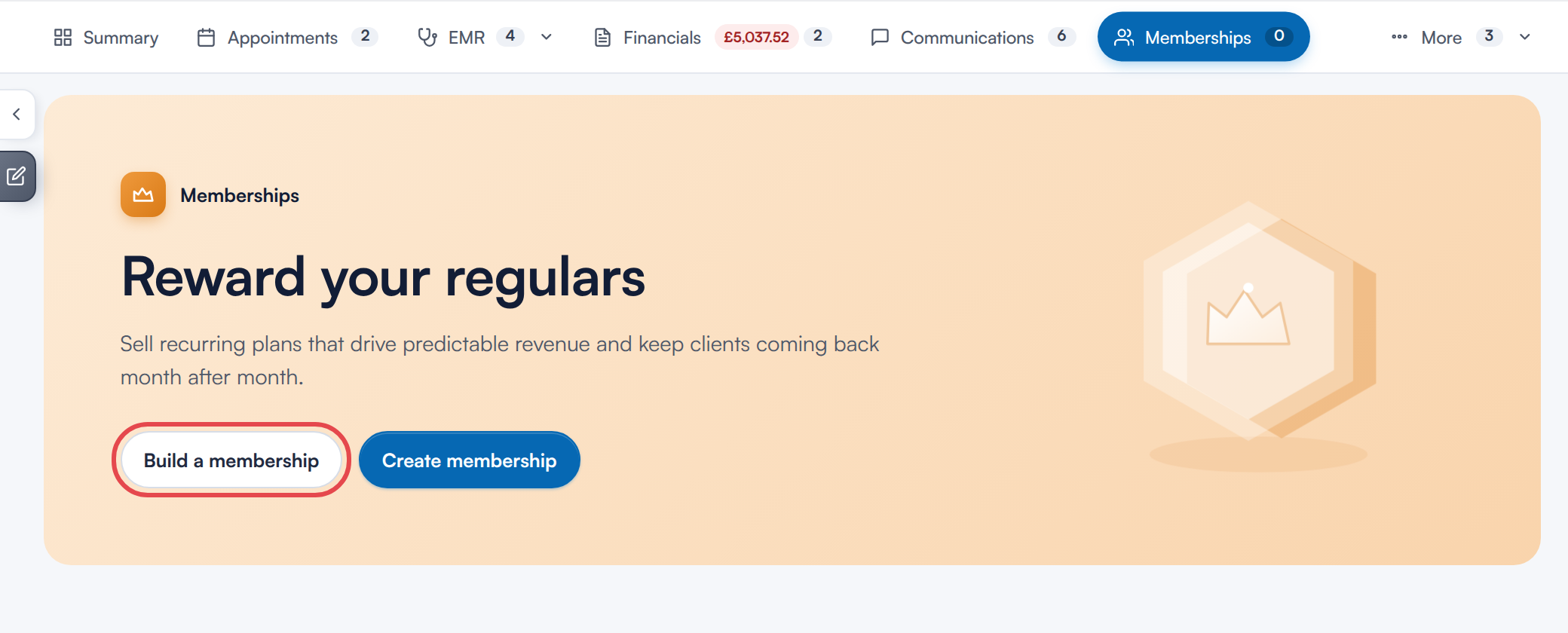
Build a membership on the Memberships tab of the client card
You can also start from the Point of Sale: choose a registered client, open the Memberships tab and click Build a membership.
Step 2: Build the Membership
Choose quantities and how often for each treatment, and tick the commitment box if the client is committing. The price, the saving and any joining fee update as you go, using your saved rules.
To charge a different price, tick Set the monthly price by hand, enter the Monthly price and say Why the price is different. Only admins and owners can do this.
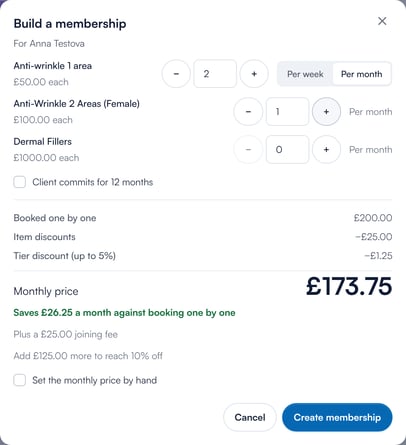
Build a membership for the client
Step 3: Create the Membership and Take Payment
Click Create membership. Pabau creates a custom membership for this client and opens the Point of Sale with it. Choose the start date and payment method, and complete the sale as normal.
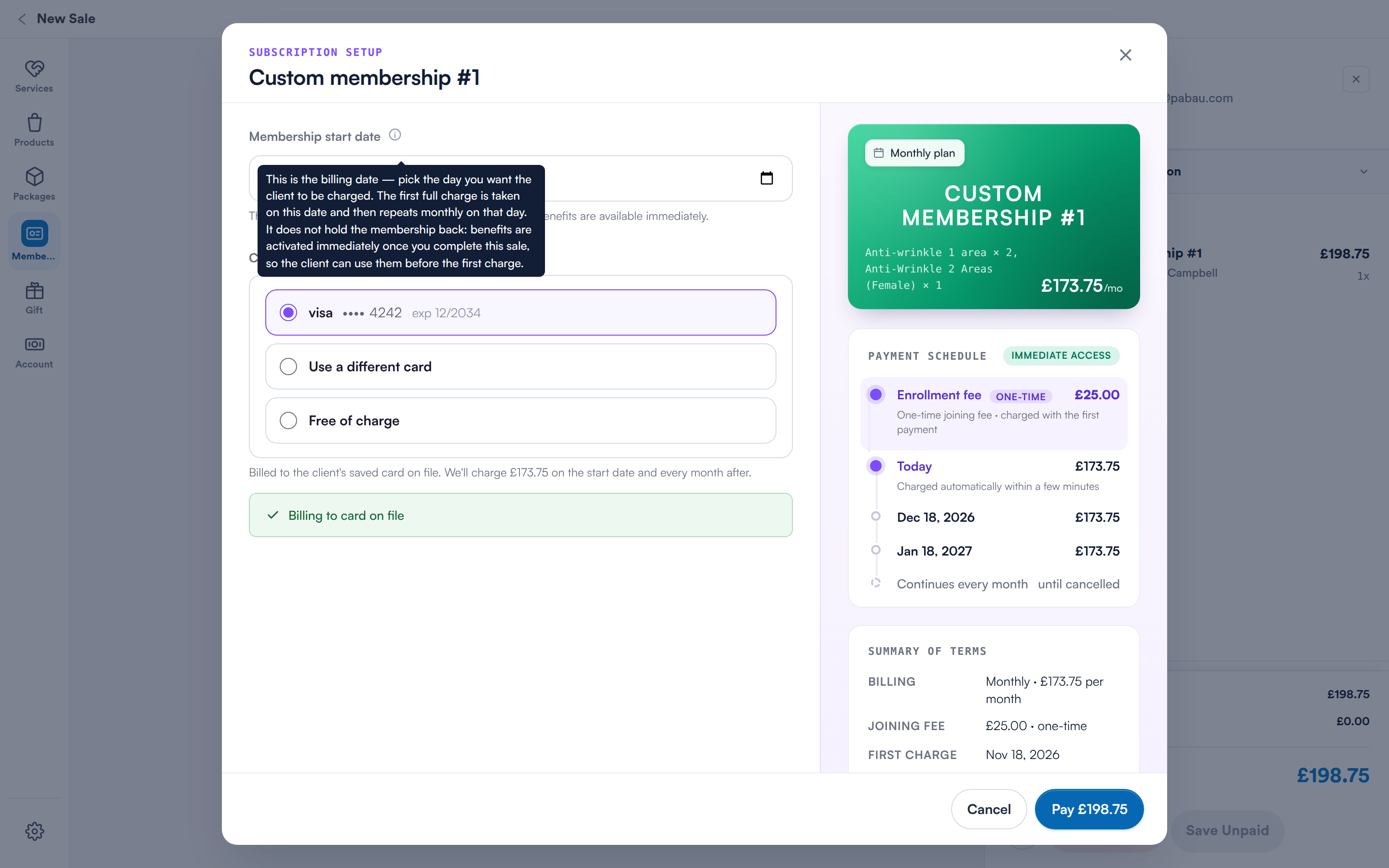
The custom membership opens in the Point of Sale, ready to take payment
NOTE: A custom membership is for this client only. It is named Custom membership with a number, so you can tell it apart from your standard plans.
For more on selling memberships, see How to Sell Memberships from the Point of Sale (New Client Card). To manage the membership afterwards, see How to Manage Memberships (New Client Card).
What's next?
The complete Build Your Own Membership series:
- Build Your Own Membership: Introduction
- How to Set Up Build Your Own Membership
- How to Approve or Decline Membership Requests
- Build Your Own Membership Notifications
- How to Build Your Own Membership Online
Was this guide helpful? Let us know by voting below - your feedback helps us write clearer articles.
For more guides, browse the related articles below or use the search bar at the top of the page. You can also watch our video learning series, the Pabau Academy, or visit the Support page for additional help.