
Not every country has counties and postcodes. When you enter a client's address, Pabau adjusts the form to the country you choose: the region field takes the name that country uses (State, Province, Emirate or Canton), some countries get a list to pick from, and UAE addresses get a PO Box field instead of a postcode. This keeps addresses tidy for clinics with clients from more than one country.
NOTE: This works the same in the New Client form, the new lead form and the Edit address window on the client card. Nothing needs switching on.
Step 1: Choose the Client's Country First
In the Address section, set Country before you fill in the rest. The region field's name, and whether it's a list or a text box, follows that country. If you change the country later, check the region field again.
Here is what the region field is called:
| Field name | Countries |
|---|---|
| County | United Kingdom, Ireland, and any country not listed below |
| State | United States, Australia, India, Brazil, Mexico, Germany, Austria, Nigeria, Malaysia and Myanmar |
| Province | Canada, the Philippines, Spain, Italy, the Netherlands, Belgium, South Africa, China, Indonesia, Vietnam, Thailand, Pakistan, Turkey, South Korea, Saudi Arabia, Argentina, Chile and several more |
| Emirate | United Arab Emirates |
| Canton | Switzerland |
Step 2: Pick the Region From the List Where There Is One
For four countries the region field is a list, so the name is always spelt the same way:
- United States: the 50 states, plus the District of Columbia and Puerto Rico.
- Australia: the states and territories.
- United Arab Emirates: Abu Dhabi, Ajman, Dubai, Fujairah, Ras Al Khaimah, Sharjah and Umm Al Quwain.
- Philippines: the provinces, including Metro Manila.
- Click the region field. It reads Select State, Select Emirate or Select Province.
- Choose from the list, or start typing to narrow it down.
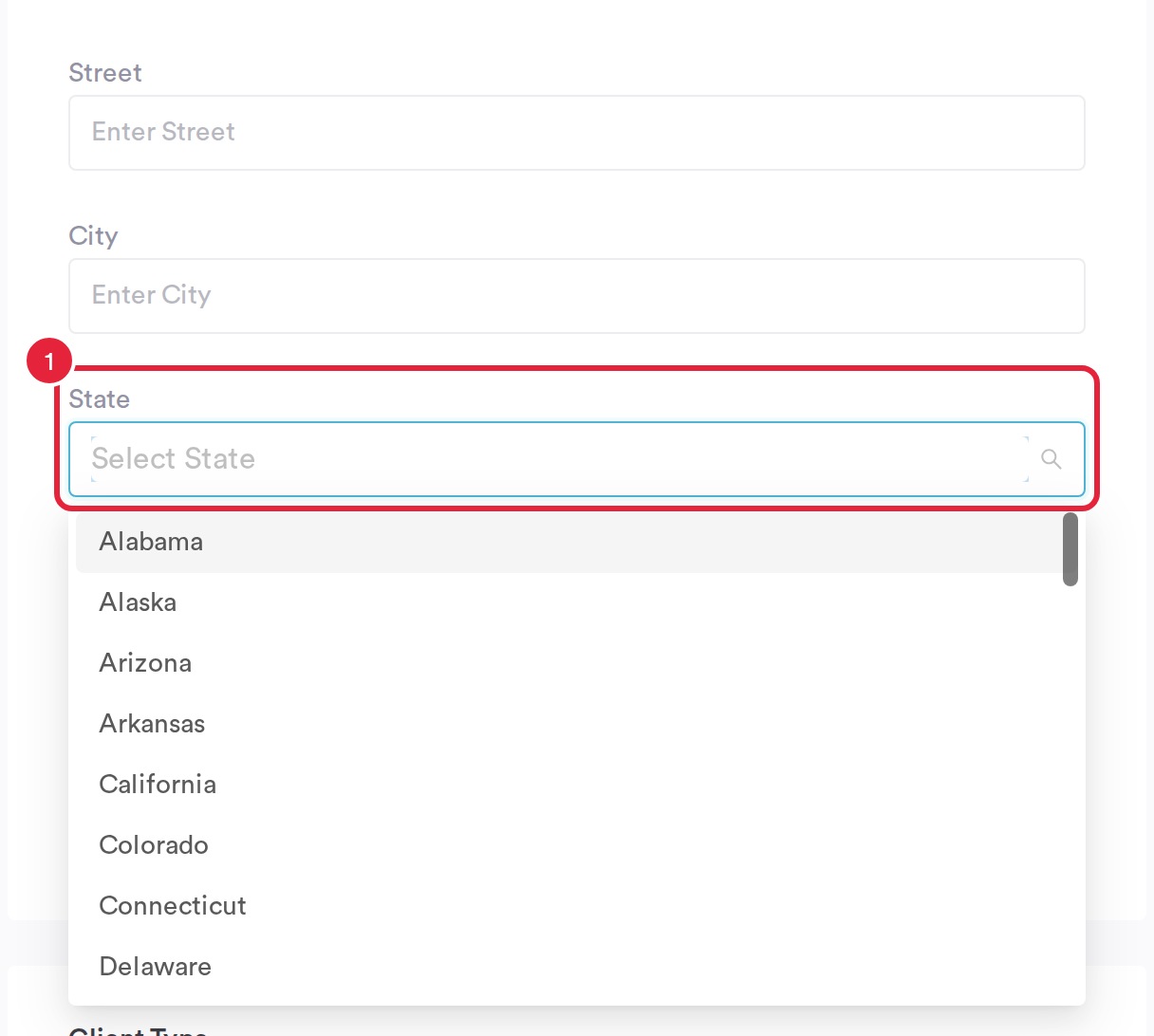
US addresses pick the state from a list
For every other country the region field is a normal text box (for example Enter Province for Canada), so type the region as the client gives it.
Step 3: Enter a UAE Address
The UAE has no postcodes, so a UAE address uses a PO Box instead.
- Set Country to United Arab Emirates.
- Choose the emirate from Emirate.
- Type the client's PO Box number in PO Box, if they have one. There's no postcode lookup for UAE addresses.
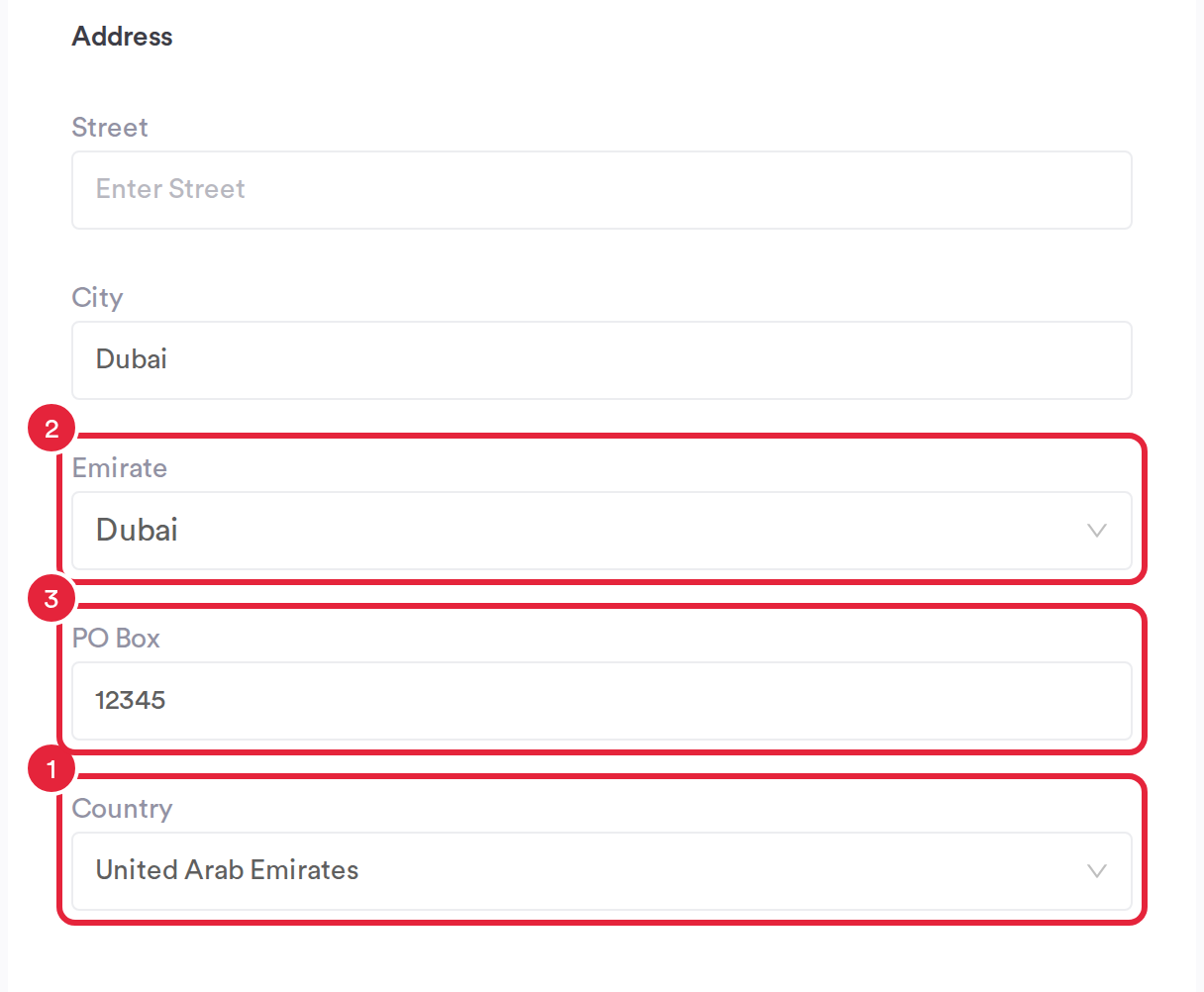
A UAE address: Emirate and PO Box
IMPORTANT: Clinics connected to NABIDH: the emirate you choose is sent to NABIDH as that emirate's code, and the PO Box is sent as the postal code. If Emirate is left blank, or holds something that isn't one of the seven emirates, NABIDH records the client as living in Dubai. See NABIDH Guide Part 3: Map Your Data for NABIDH.
Step 4: Change the Address on the Client Card
- Open the client's card and, on the Personal tab, hover over Address under Details and click the pencil icon.
- In Edit address, type the country in Country. For the UAE, United Arab Emirates and UAE both work; for the US, United States, USA and US all work.
- The region field changes to match. Pick from Select state, Select emirate or Select province where there's a list, or type it in.
- For a UAE address, the postal field reads PO Box. Click Save.
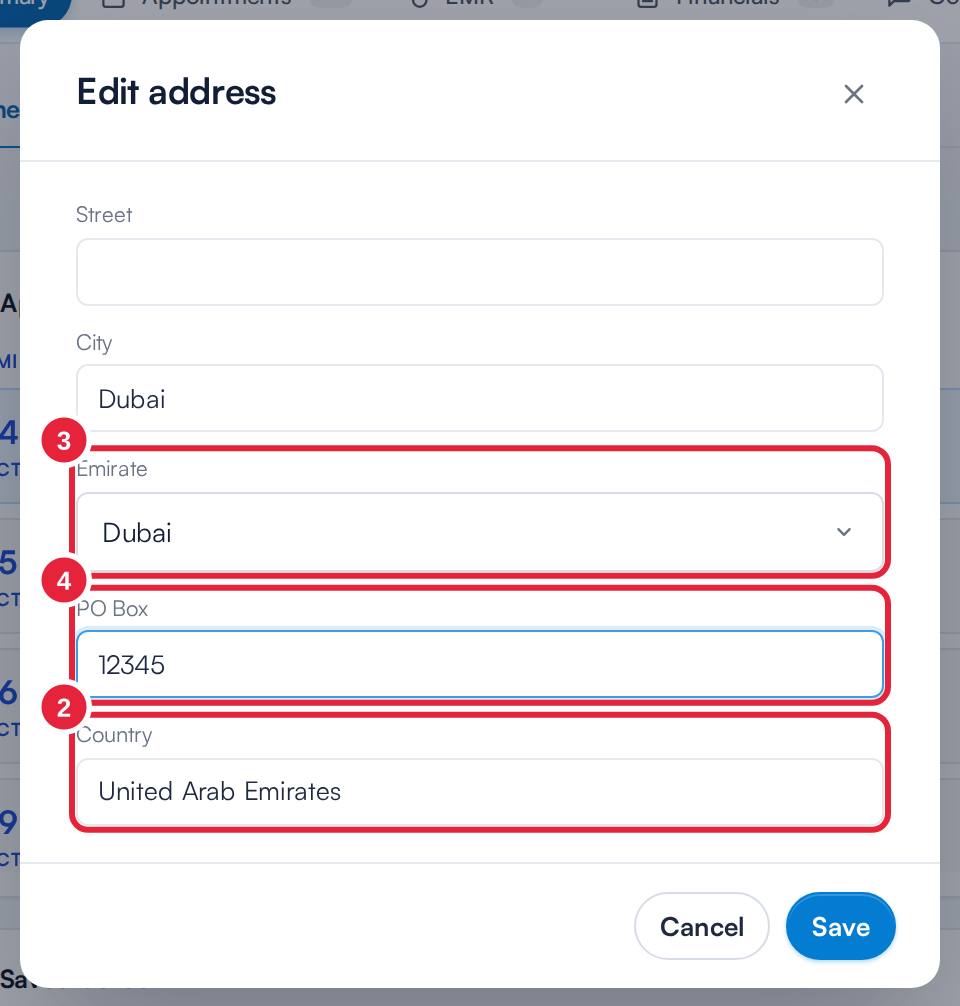
The client card follows the same rules
NOTE: If an address has no country yet, the client card uses your clinic's country to name the region field. A region typed in the past that isn't on the list (an old spelling, for example) stays as an extra choice, so opening and saving the address never wipes it. Pick the matching name from the list to tidy it up.
Step 5: Match the Names in Customize View
When you choose which fields appear on the New Client form (Customize View), the region and postal fields carry your clinic country's names, for example Emirate and PO Box for a clinic in the UAE. That way each tick box matches the field your team sees on the form. See How to Customize the Layout of the Client Creation Form.
What's next?
- How to Create a Client
- How to Edit a Client (New Client Card)
- NABIDH Guide Part 3: Map Your Data for NABIDH
- Emirates ID Scanning
Was this guide helpful? Let us know by voting below - your feedback helps us write clearer articles.
For more guides, browse the related articles below or use the search bar at the top of the page. You can also watch our video learning series, the Pabau Academy, or visit the Support page for additional help.