
Two layers make calls work in Engage: the clinic’s numbers, and each teammate’s personal call setup. This article covers both.
The Clinic Layer: Numbers
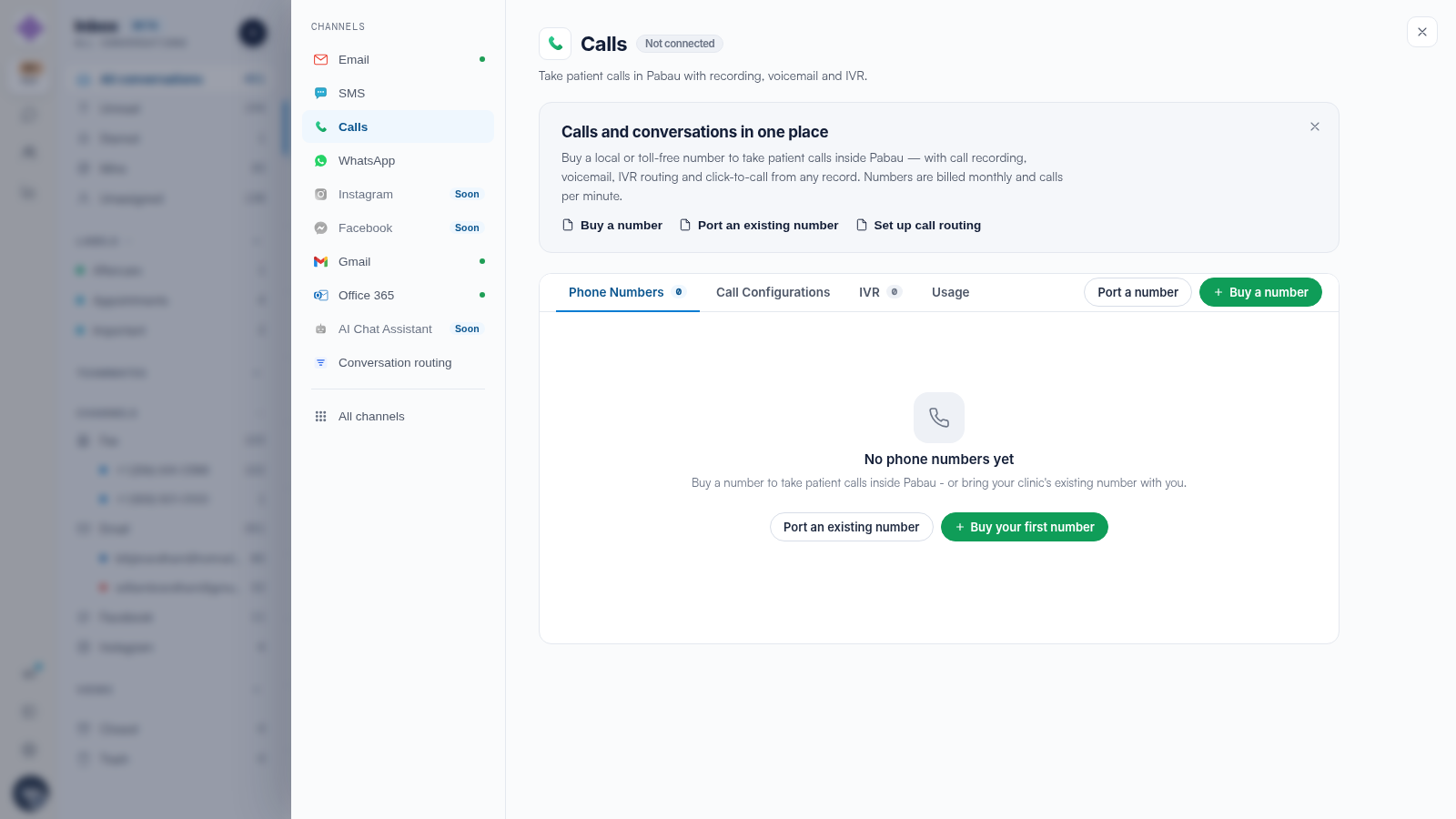
Settings → Calls → Phone Numbers lists every number your clinic owns, with Buy a number and Port a number to add more. Each number’s routing lives in the Call Configurations tab, call menus in IVR, and minutes in Usage.
The Personal Layer: Your Number and Settings
Click your avatar at the bottom of the icon rail:
- If it says You don’t have a number, click + Set up a number — you need one for calls to ring in your browser.
- Call settings holds your personal preferences.
Who Needs What
A useful rule of thumb: the clinic needs at least one number with routing configured; every teammate who answers calls needs a personal number assignment; and reception-heavy roles should also set up voicemail cover — see our How to Set Up Call Routing for a Number article.
Related Articles
We suggest reading our How to Make and Receive Calls in Engage article to make the first call.
For more guides, refer to related articles below, select additional guides, or use the search bar at the top of the page. These guides will help you get the most out of your Pabau account.
Additionally, to help you fully utilize and understand your Pabau account, we recommend exploring additional guides and resources offered at the Pabau Academy.