
On the CMS-1500 claim form, the Box 9 block identifies the other insured — the person who holds another insurance policy covering the patient. It comes into play on secondary claims: when you bill a second payer, Box 9 tells that payer whose primary coverage already processed the claim. This guide explains Boxes 9, 9a, and 9d and how Pabau fills them.
NOTE: This article is part of the US Insurance Billing Additional Resources series, which walks through every box of the CMS-1500. If you are new to claims in Pabau, start with Creating a US Professional (CMS 1500) Claim.
Box 9 — Other insured's name
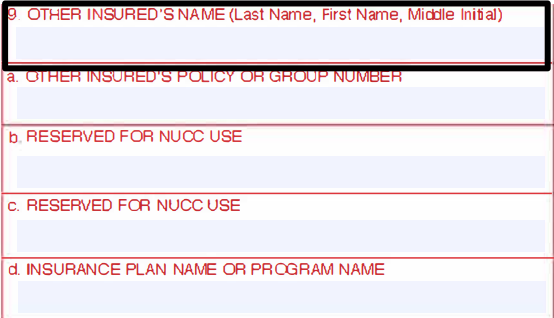
Box 9 holds the last name, first name, and middle initial of the insured person on the patient's other policy. Boxes 9b and 9c are reserved for NUCC use and always stay empty, so only 9, 9a, and 9d ever carry values.
How Pabau fills it
On a primary claim, Pabau leaves the whole Box 9 block blank — by design. Other coverage is not reported to the primary payer; instead, the second policy gets its own claim after the primary payer responds.
On a secondary claim, Pabau fills the whole block for you. Once you record the primary payer's payment and create the secondary claim, the other insured's name is carried over from the client's primary policy automatically — there is no Box 9 field to type into on the claim.
The block never travels alone: the same step that carries the primary policy's details into Box 9 also carries the primary payer's payment into Box 29 – Amount Paid, so the secondary payer sees who paid first and how much in one picture.
Box 9a — Other insured's policy or group number
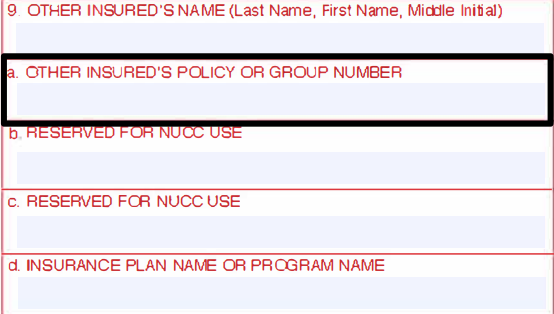
Box 9a identifies the other policy itself — the number the other payer uses to recognize it.
How Pabau fills it
On a secondary claim, Pabau enters the membership number of the client's primary policy here, taken from the policy on the client card, together with the rest of the block. On primary claims it stays blank.
Box 9d — Insurance plan name or program name
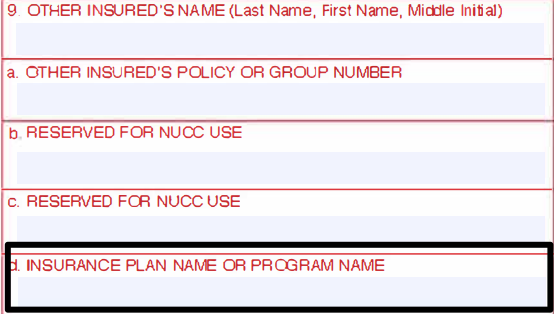
Box 9d names the plan the other insured's policy belongs to.
How Pabau fills it
On a secondary claim, Pabau prints the primary payer's name here, so the secondary payer can see at a glance which insurer handled the claim first. On primary claims it stays blank.
TIP: You never need to type Box 9 details on a claim. Keep the client's policies up to date on the client card — open the Insurance tab of the left panel to see every policy with its membership number — and the right values follow onto the secondary claim automatically.
For the full secondary-claim workflow — recording the primary payment and creating the follow-on claim — see Submitting Secondary Claims in Pabau.