
NOTE: The Device breakdown is shown for email (newsletter) broadcasts. It only counts opens and clicks recorded after devices started being tracked, so campaigns sent before then do not show it.
Step 1: Open the Email Broadcast Report
Go to Marketing → Broadcasts, open the Newsletter tab and click a sent campaign to open its report. The tiles at the top show how many recipients were sent the email, opened it and clicked a link.

The report tiles for a sent email broadcast
Step 2: Find the Device Breakdown Card
Scroll down the report to the Device breakdown card ("Opens and clicks by device"). It shows a ring chart and a list of devices, each with its number and its share: Desktop, Mobile, Tablet and Unknown. Only devices with at least one open or click are listed.
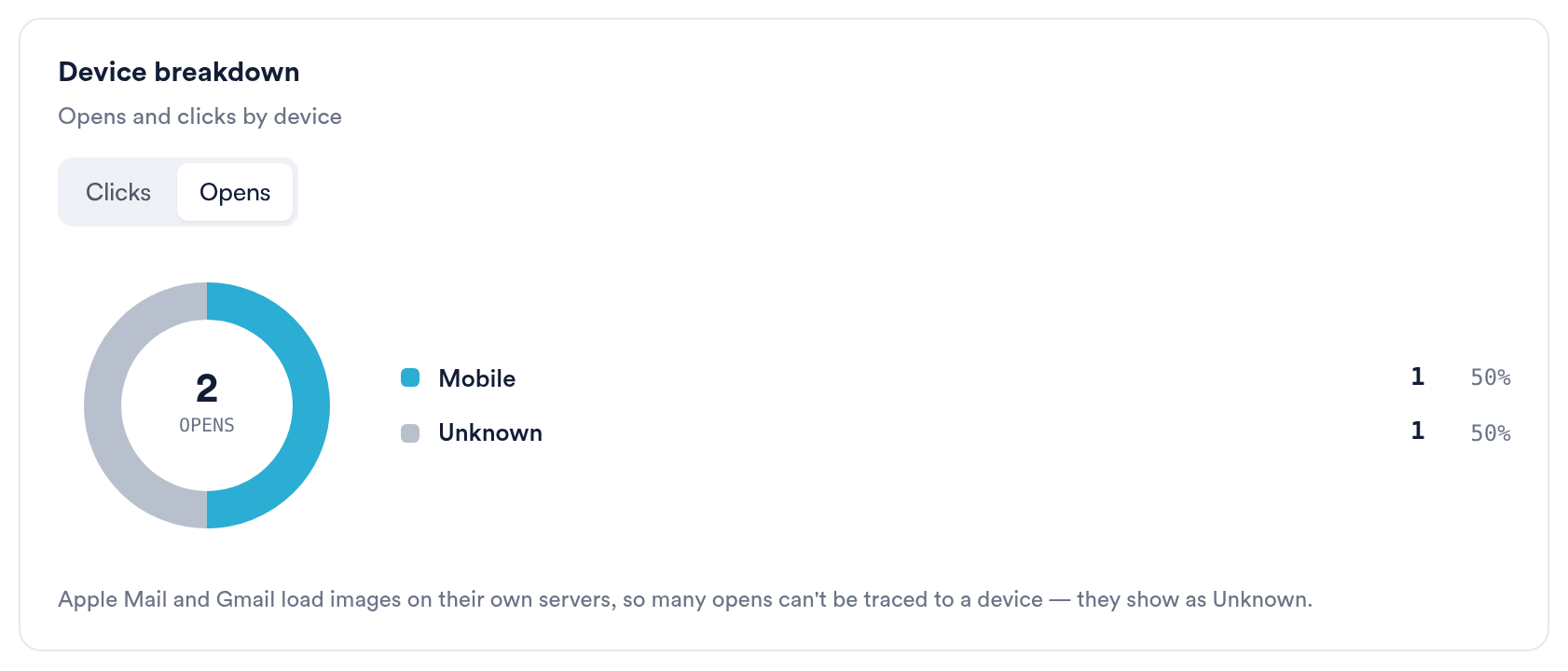
The Device breakdown card, counting opens
Step 3: Switch Between Clicks and Opens
Use the Clicks and Opens switch at the top of the card. The card opens on Clicks when the campaign has any clicks, otherwise on Opens. The number in the middle of the ring is the total for the view you picked.
How Is Each Open or Click Counted?
- Each recipient is counted once in each view, under the latest device they used.
- Clicks use the device the recipient clicked from.
- Opens use the device the email was opened on. If that device is not known but the recipient clicked a link, the click's device is used, because a reader who clicked on a phone opened the email there.
Why Are So Many Opens Unknown?
Apple Mail and Gmail load images on their own servers, so many opens can't be traced to a device, and they show as Unknown. Clicks come from the reader's own device, so the Clicks view is the most reliable split.
NOTE: An iPad using Safari identifies itself like a Mac, so some iPad opens and clicks are counted as Desktop rather than Tablet.
Why Don't the Numbers Match the Tiles?
Devices are only recorded for opens and clicks that arrived after device tracking started. If a campaign has opens or clicks from before then, the card says, for example, "Based on 120 of 150 opens. The rest came in before devices were recorded."
Why Can't I See the Device Breakdown?
- The campaign was sent before device tracking started: none of its opens or clicks has a device, so the card is hidden. Older activity cannot be added later.
- The campaign is an SMS broadcast. The Device breakdown is shown for email broadcasts only.
- The email has no opens or clicks yet.
What's Next?
Was this guide helpful? Let us know by voting below - your feedback helps us write clearer articles.
For more guides, browse the related articles below or use the search bar at the top of the page. You can also watch our video learning series, the Pabau Academy, or visit the Support page for additional help.