
Because Pabau is used by clinics and practices across the world, some terminology may differ from what you are used to. This glossary covers the most commonly misunderstood terms so you always know exactly where to go and what each feature does.
Clients
A Client in Pabau is any individual who has a profile in your system — whether they have booked an appointment, received a treatment, or simply been added to your database. In other platforms this may be referred to as a Patient, Customer, or Contact.

Client Card
The Client Card is the full profile page for an individual client. It holds all information related to that person — their appointments, financials, documents, forms, treatment notes, communications, and more. Think of it as the central record for each client.
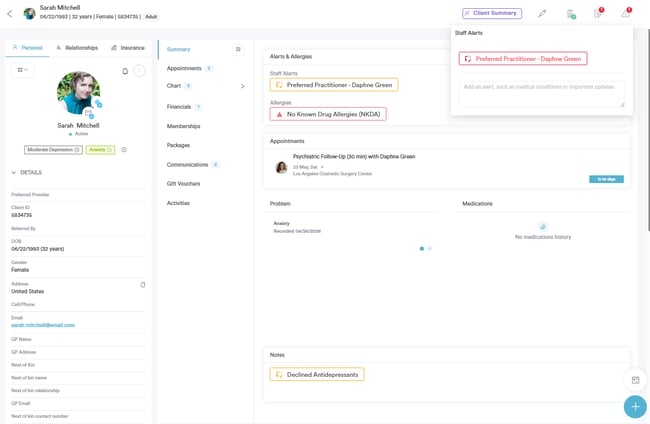
Forms vs. Documents vs. Treatment Notes
These three are the most commonly confused terms in Pabau.
Forms (also referred to as Medical Forms) are digital questionnaires or consent forms sent to clients to fill out — either before or after an appointment. Examples include intake forms, consent forms, and health questionnaires. Clients complete these themselves, typically via a link sent to their email or through Pabau Connect.
Documents are files stored against a client's profile. These can be uploaded manually, such as a scanned ID, a referral letter, or any file you want to keep on record. Clients do not fill these in — they are uploaded by your team.
Treatment Notes are the clinical notes recorded by a practitioner during or after an appointment. These are completed internally by staff and capture what was done, observations, and any follow-up required. In other systems these may be called Clinical Notes, SOAP Notes, or Progress Notes.
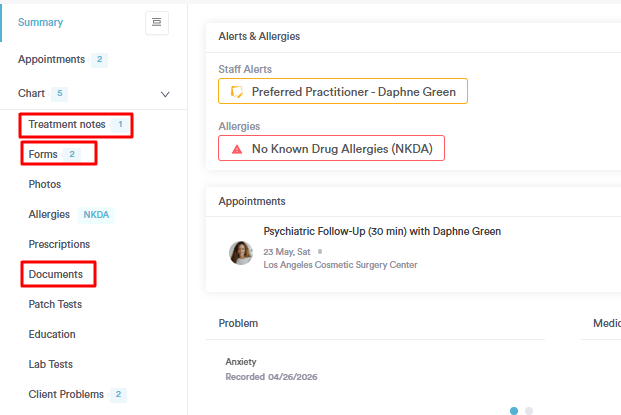
Letters
Letters in Pabau are formal written documents generated for a client and stored on their profile — for example, a referral letter or a clinical summary. These are different from Documents (uploaded files) and from Communications (emails or SMS sent to the client).
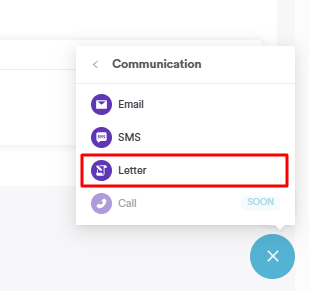
Notes
Notes are informal internal notes added to a client's profile by staff. They are not sent to the client and are intended for internal use only — for example, a note about a client's preference or a follow-up reminder. These are different from Treatment Notes, which are clinical records tied to an appointment.
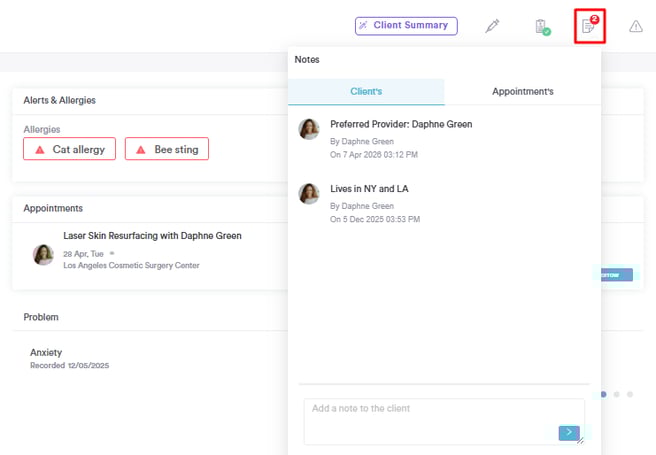
EMR (Electronic Medical Record) / Chart
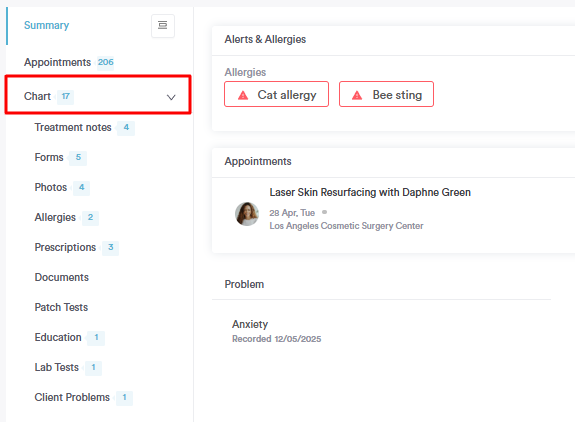
EMR/Chart is the section within the Client Card that holds all clinical information for a client. It includes sub-sections for Allergies, Prescriptions, Labs, Client Problems, Forms, Photos, and Patch Tests. In other platforms this may be called a Patient Record, Clinical File, or Health Record.
Prescriptions vs. Medications
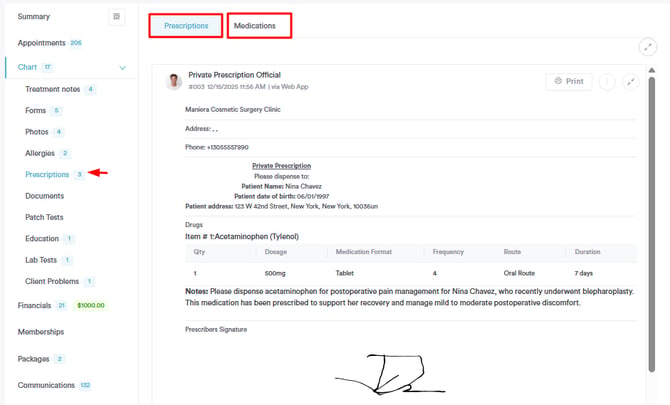
Medications in Pabau refers to the list of drugs or substances you have set up in your system under the Clinical section. This is your reference library.
Prescriptions are the actual prescriptions issued to a specific client, generated from that medications list and stored on the client's profile. So Medications is the setup, and Prescriptions is the output.
Patch Tests
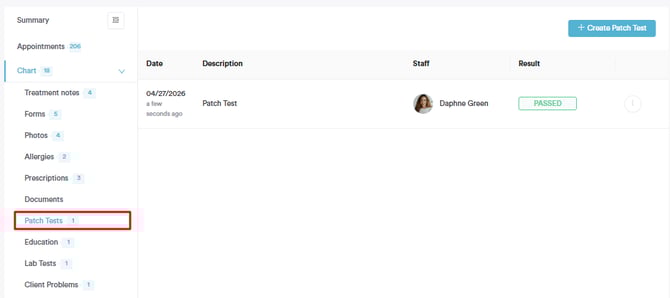
Patch Tests are a clinical record type stored under the EMR section of a client's profile. They log the results of allergy or sensitivity patch tests carried out prior to certain treatments, helping practitioners track whether a client is safe to proceed.
Activities
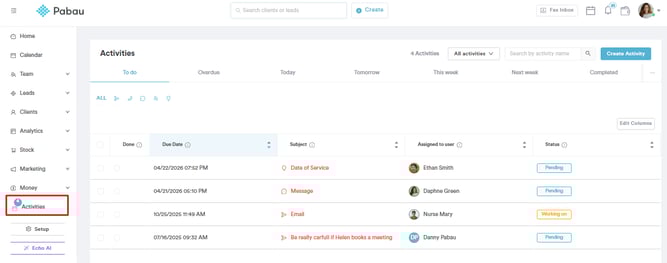
Activities are tasks or follow-up actions assigned to a staff member in relation to a client or lead. They help teams track what needs to be done, who it is assigned to, and whether it has been completed. In other platforms these may be called Tasks or To-Dos.
Calendar vs. Online Bookings
The Calendar is the internal scheduling tool your team uses to manage and view appointments day to day.
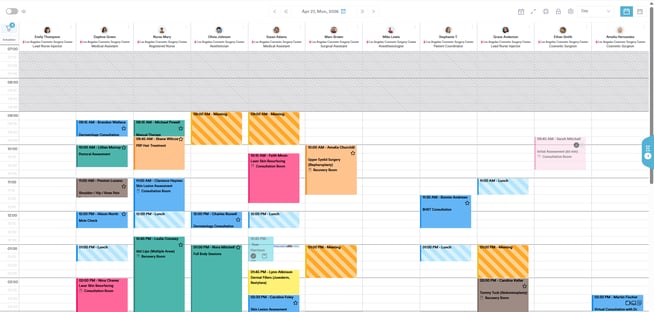
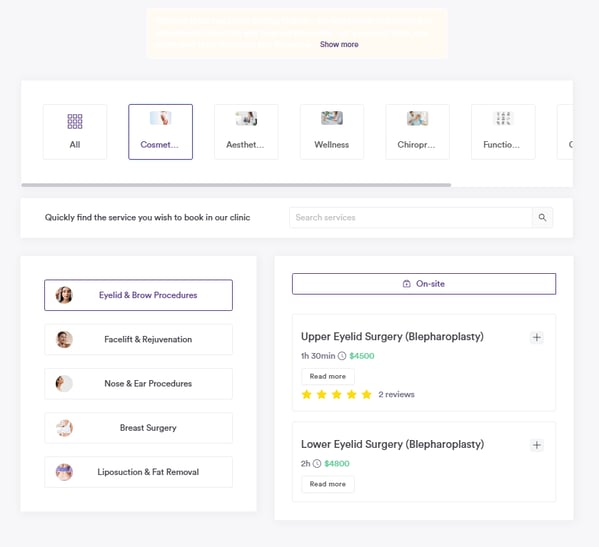
Online Bookings refers to the client-facing booking page where clients can book their own appointments. This is separate from the internal calendar, though bookings made online appear directly in it.
Blockouts
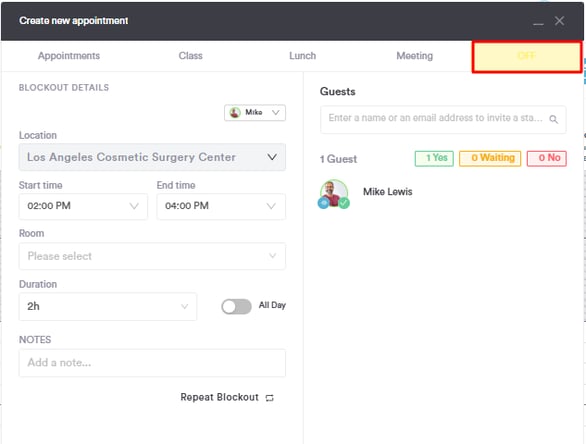
Blockouts are time slots marked as unavailable on the Calendar. They prevent bookings during that period and can be used to block time for breaks, meetings, training, or any non-appointment time. In other systems these may be called Blocks, Unavailability, or Out of Office slots.
Waitlist
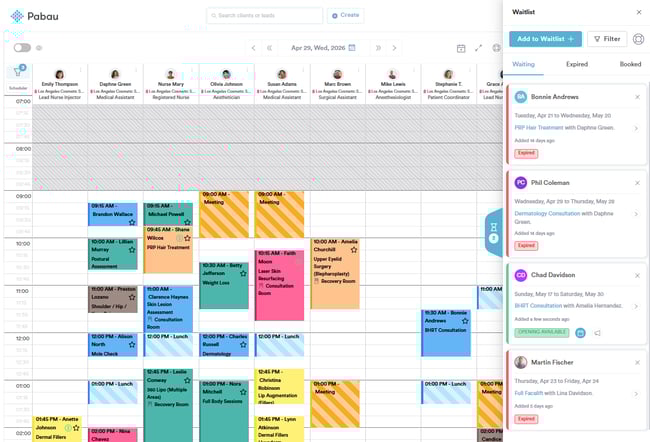
The Waitlist is a list of clients who want to book an appointment but could not find an available slot. When a slot opens up, staff can contact waitlisted clients to offer the time. This may also be called a Cancellation List in other systems.
Services vs. Packages
Services are the individual treatments or appointments your clinic offers — for example, a Botox consultation or a facial.
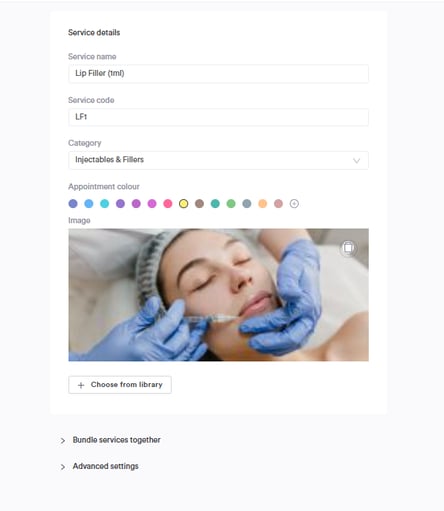
Packages are bundles of multiple services sold together, often at a discounted rate. For example, a course of six laser sessions sold as one package.

Resources
Resources are physical assets required to deliver a service — such as a treatment room, a piece of equipment, or a specific bed. Resources can be assigned to services so that Pabau checks their availability when booking, preventing double-booking of shared assets.
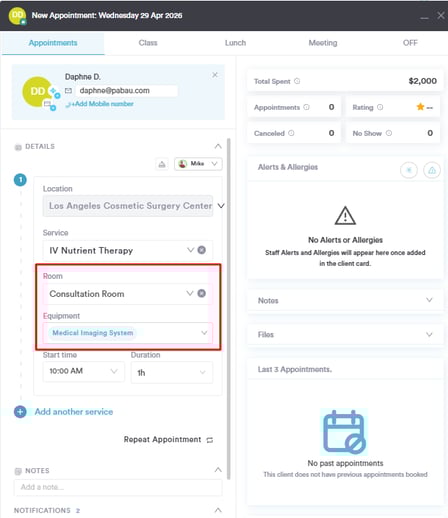
Virtual Services
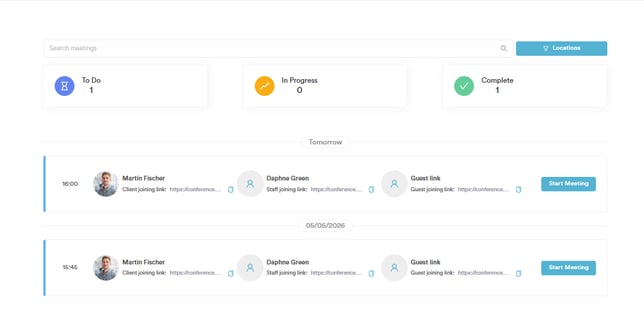
Virtual Services are appointments delivered remotely, such as video consultations. They work the same way as regular services in terms of booking and scheduling but are flagged as virtual so that the client receives a video link rather than a location address.
Classes
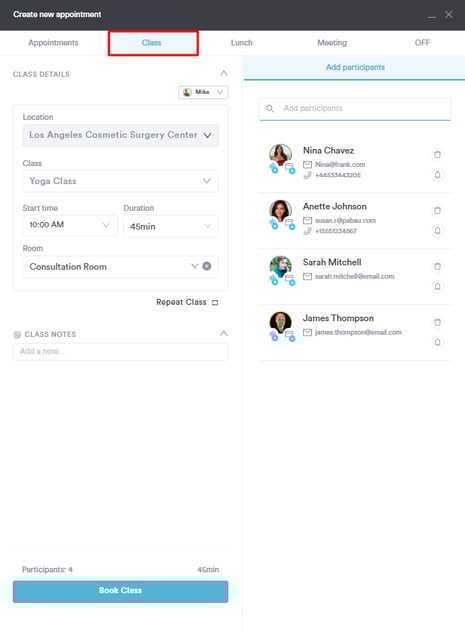
Classes are group appointments where multiple clients can book into the same session. They differ from regular Services, which are one-to-one. Examples include group wellness sessions or group training appointments.
Memberships
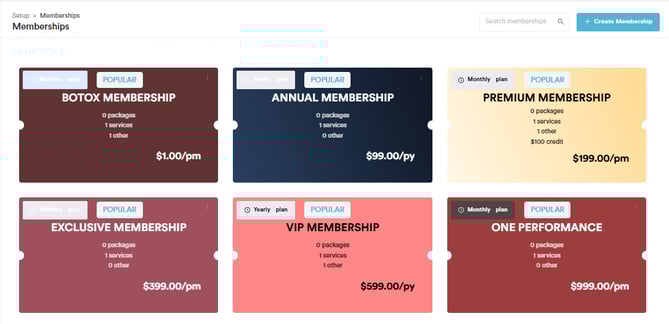
Memberships are recurring subscription plans you can sell to clients — for example, a monthly membership that includes a set number of treatments or a discount on services. These are managed separately from Packages.
Leads
A Lead is a prospective client who has shown interest in your clinic but has not yet booked or become a full client. Leads are managed in the Leads section and can be moved through a pipeline until they convert into a client.

Pipelines
Pipelines are the visual stages a Lead moves through from first contact to conversion — for example, New Enquiry → Consultation Booked → Treatment Booked → Client. You can customize your pipeline stages to match your clinic's sales or intake process.

Quotes
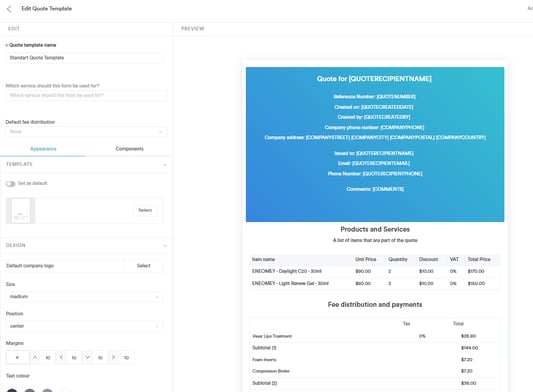
Quotes are formal cost estimates sent to a client before treatment. A quote can be converted into an invoice once the client agrees to proceed. This may also be called an Estimate in other platforms.
Remittance
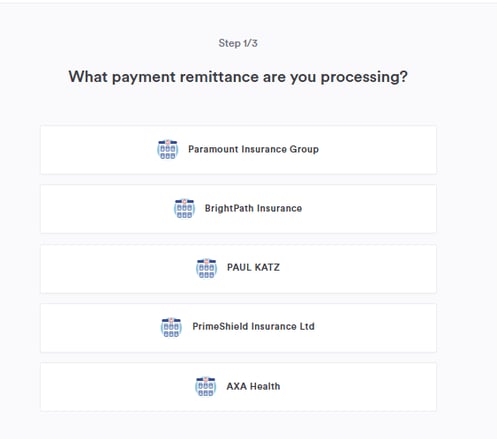
Remittance refers to payment records or summaries sent to third-party payers — for example, insurance companies or corporate accounts — confirming what has been paid and for which services.
Financials vs. Payments
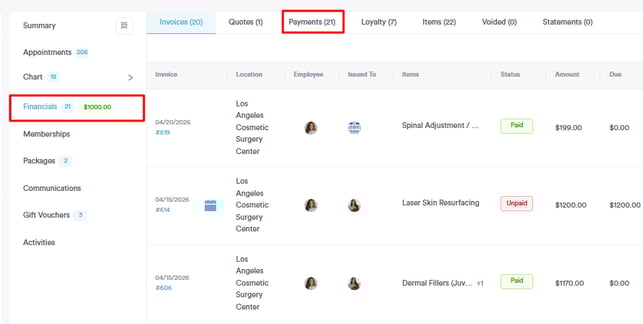
Financials is the broader section covering invoices, sales history, taxes, discounts, quotes, and financial reporting.
Payments within that section refers specifically to the transactions recorded — what has been paid, by what method, and when.
Communications vs. Marketing
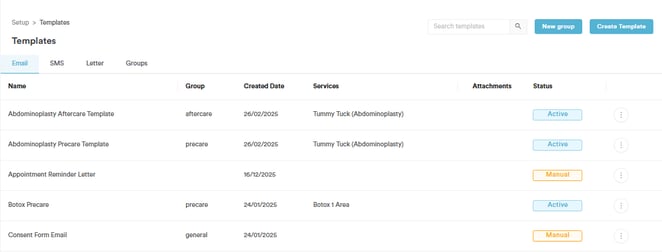
Communications in Pabau covers the tools used to send direct messages to clients — email templates, SMS templates, letter templates, and client notifications such as appointment confirmations and reminders.
Marketing covers broader tools designed to attract and retain clients — automations, broadcasts, gift vouchers, loyalty programmes, reviews, and capture forms.

Client Notifications
Client Notifications are the automated system messages Pabau sends to clients around appointments — such as booking confirmations, reminders, and cancellation notices. These are different from Communications templates, which are manually sent or triggered by automations you set up yourself.

Automations vs. Broadcasts
Automations are triggered communications that send automatically based on a specific event, such as sending a pre-care email 24 hours before an appointment or a follow-up after a visit.
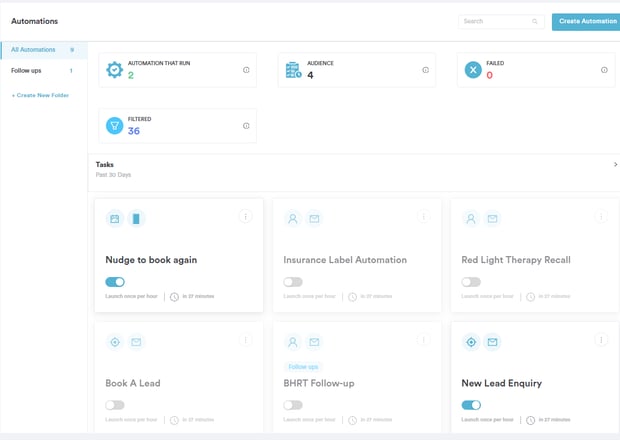
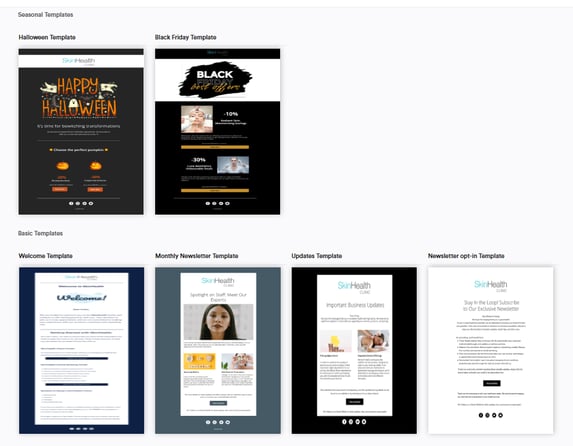
Broadcasts are one-off bulk messages sent manually to a selected group of clients, such as a promotional email or a newsletter.
Capture Forms
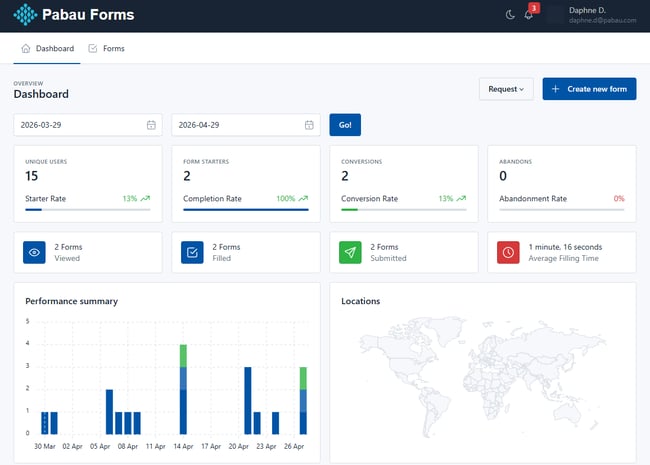
Capture Forms are web forms you can embed on your website or share via a link to collect enquiries or new client information. Submissions can automatically create a Lead or Client record in Pabau.
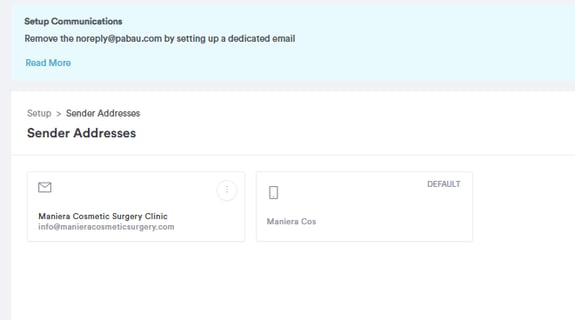
Sender Address
The Sender Address is the email address that appears as the "from" address when Pabau sends emails to your clients. This is configured under Communications and should reflect your clinic's email domain for a professional appearance.\
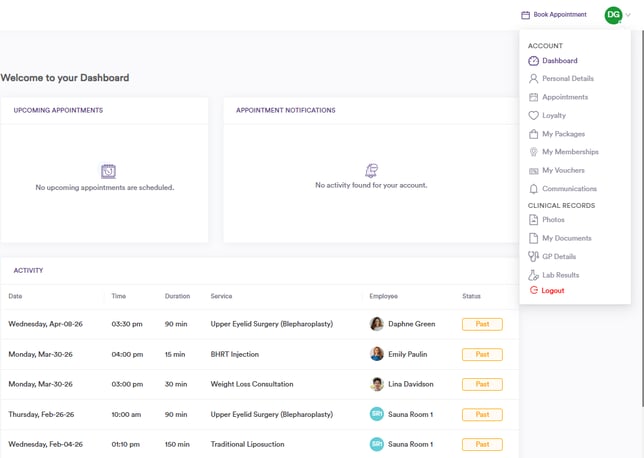
Pabau Connect / Client Portal
Pabau Connect is the client-facing portal where clients can view their upcoming appointments, complete medical forms, access aftercare instructions, and manage their profile. It is separate from the main Pabau platform, which is staff-facing only.
Pabau GO
Pabau GO is the Pabau iOS mobile app designed for use by practitioners and staff on the go. It covers key functions including appointments, client management, payments, and leads from a mobile device.
.png?width=478&height=728&name=IMG_0327%20(1).png)
Echo AI
Echo AI is Pabau's built-in artificial intelligence tool. It currently assists with generating and summarising treatment notes, reducing the time practitioners spend on clinical documentation.

App Marketplace
The App Marketplace is where you can find and connect third-party integrations and add-ons to extend what Pabau can do — for example, connecting payment processors, review platforms, or other tools your clinic uses.

Setup
Setup is where you configure everything about your Pabau account — your team, services, communications templates, online booking settings, integrations, and more. If you are looking to change how something works, Setup is almost always the starting point.

For more guides, refer to related articles below, select additional guides, or use the search bar at the top of the page. These guides will help you get the most out of your Pabau account.
Additionally, to help you fully utilize and understand your Pabau account, we recommend exploring additional guides and resources offered at the Pabau Academy. It offers in-depth video tutorials and lessons, offering a holistic learning experience that can equip you with the essential skills for achieving success with Pabau.