
Step 1: Open the Client Card
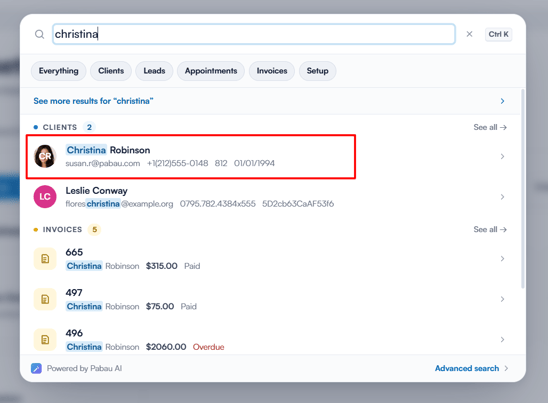
Start by logging into your Pabau account and navigating to the client card of the client whose membership event log you wish to view.
Step 2: Go to the Memberships Tab
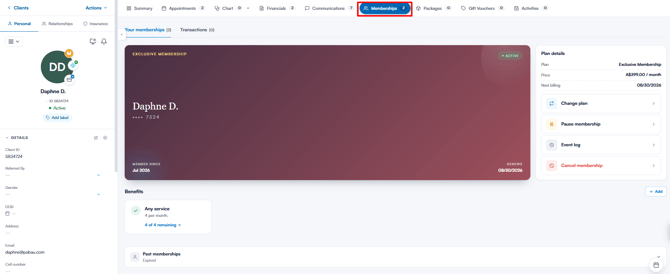
In the client card, click on the Memberships tab to view the memberships associated with the client.
Step 3: Select Event Log
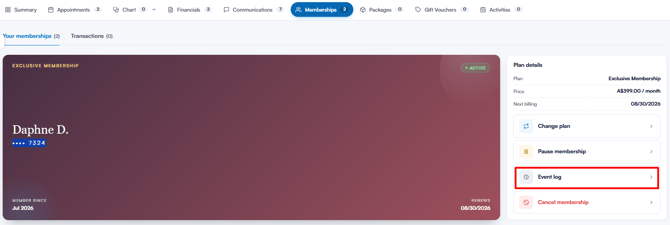
Find the membership you want to review. In the "Plan details" panel on the right-hand side of the membership card, click "Event log". A "Membership Event Log" panel slides out, split into three sections: Invoices, Payment Events and Usage Events.
Step 4: View Invoices
The Invoices section lists every invoice processed for this membership, along with its date, invoice number, amount and status. Click an invoice to open it in the client’s Financials tab.
Step 5: View Payment Events
The Payment Events section lists all payment-related activity for this membership — for example "Subscription Created", "Subscription Paused", "Subscription Resumed", "Invoice Paid" and "Invoice Payment Failed". The most recent events are listed first.
Step 6: View Usage Events
The Usage Events section tracks how the membership has been used — for example services redeemed (e.g. "Free session of Anti-Wrinkle 1 Area"), credits used towards an invoice, perks added manually, unused sessions rolled over, and pauses or resumes. Click "Show more" at the bottom of the list to load older events.
.png?width=573&height=401&name=image%20(60).png)
What do the “Perk roll-over” entries mean?
A Perk roll-over entry appears in Usage Events when a perk is set to roll over and some of its allowance was not used by the end of a renewal period — for example “2 unused sessions of Facial have been rolled over” or “Unused £10.00 have been rolled over”. The entry is dated at the end of the period it relates to.
Each entry shows the running total being carried into the next period, not an extra amount on top of the previous entry, so do not add the entries together. The most recent roll-over entry is what is currently being carried forward.
Where this comes from: roll-over entries are worked out each time you open the log, from the membership’s activation date, the perk’s renewal period and the sessions or credit used in each period. Whether a perk rolls over is set on the plan, under the perk’s Usage rollover option.
Why do roll-over entries appear while a membership is paused?
Pausing a membership stops payments, but it does not move the membership’s activation date, and perk renewal periods are counted from that date. Periods therefore keep completing during a pause. If a roll-over perk is not used during those periods (which is usual while paused), its allowance is carried forward and a Perk roll-over entry is added for each completed period.
NOTE: The perk balance on the membership card uses the same calculation as these entries, so the card and the event log will agree. That balance includes any allowance that built up during the pause.
By following these steps, you can easily view the event log for a client’s membership and review its invoices, payments and usage in one place.
Was this guide helpful? Let us know by voting below - your feedback helps us write clearer articles.
For more guides, browse the related articles below or use the search bar at the top of the page. You can also watch our video learning series, the Pabau Academy, or visit the Support page for additional help.