
Once your referral campaign is published, the Referrals dashboard gives you a live view of how your program is performing, from new clients acquired and revenue generated to reward spend and acquisition cost comparisons. To learn how to set up a referral campaign, read our How to Set Up a Referral Campaign article.
Step 1: Navigate to the Referrals Dashboard
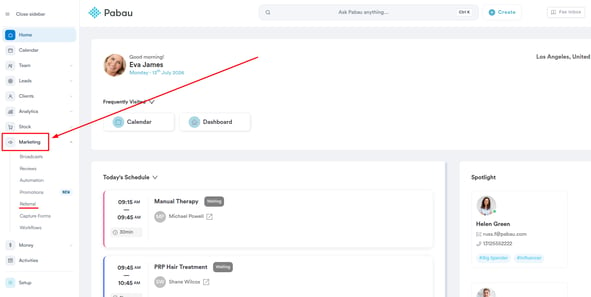
Log in to your Pabau account, and in the left sidebar menu, click on Marketing, then click on "Referral" The Referrals dashboard will open automatically.
Step 2: Review the Campaign Header
At the top of the dashboard, you'll find the campaign header, which shows your campaign name, its current status, and the start date.
From here, you can also click "Configure Campaign" to return to the campaign setup wizard to make any changes.

Step 3: View Your Season Summary
Below the campaign header, the "This season's referral story" section gives you a high-level summary of your campaign's impact, including the number of new clients acquired, first-treatment revenue generated, total advocates, and share count.
This is a quick snapshot of how your referral program is performing overall.

Step 4: Monitor Your Top Advocates
The "Your top advocates this year" section displays a card for each of your top-performing advocates, showing how many clients they've referred, how many of those have booked, and the revenue generated from their referrals.
Each card also shows who brought that advocate in, any reviews they've left, and whether they hold top-advocate status.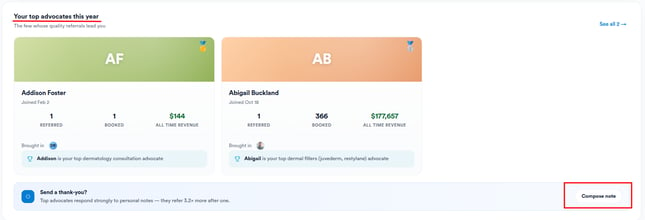
You can also send a personal thank-you note to an advocate from this section by clicking "Compose note." Advocates who receive a personal note tend to refer more often.
Step 5: Explore a Referral Chain
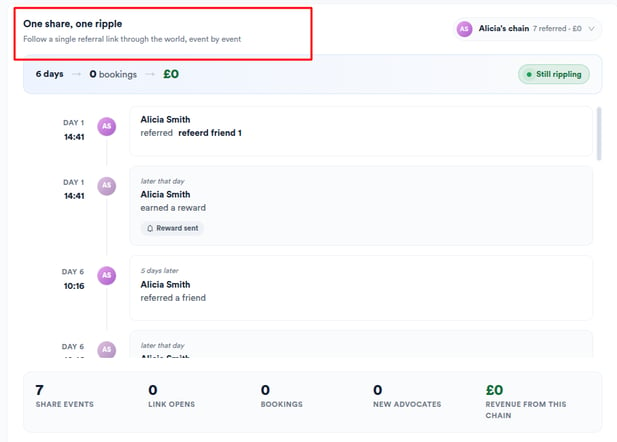
The "One share, one ripple" section lets you follow a single referral chain event by event on a timeline, showing referral events and "became an advocate" milestones. Select an advocate from the drop-down on the top right to view their chain, along with totals for bookings, new advocates, and revenue generated from that chain.
Step 6: Track Live Activity
The Live activity feed, located to the right of the referral chain, shows a real-time stream of referral events as they happen, so you can stay on top of new referrals, bookings, and reward triggers without needing to refresh the page.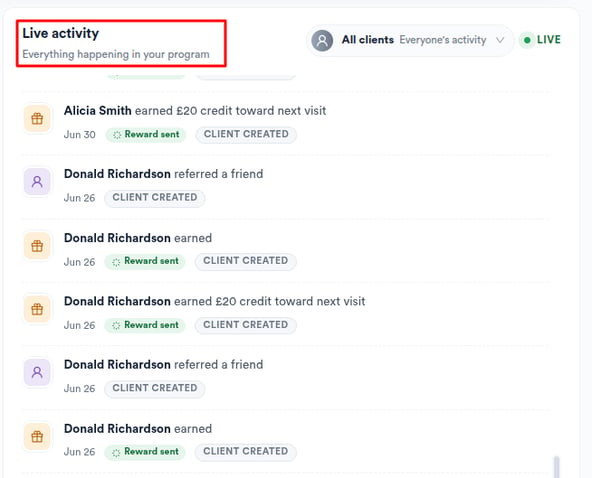
Step 7: Analyze Cohort Waves
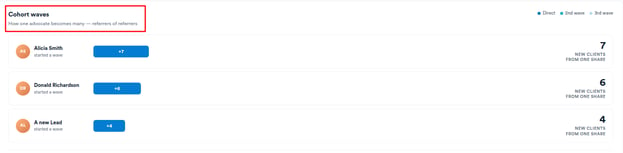
The Cohort waves section visualizes how referrals spread across generations, showing direct referrals alongside second and third-wave referrals (referrers of referrers). For each wave, you can see the number of new clients generated per advocate and the revenue coming from second and third-wave clients.
Step 8: Measure Reward ROI
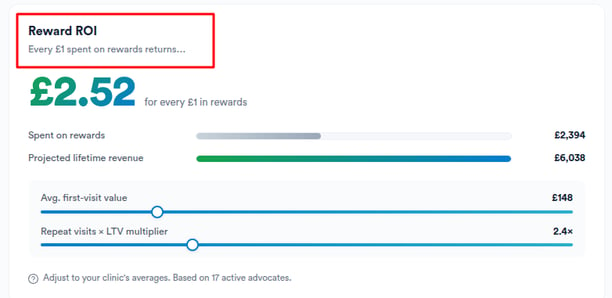
The Reward ROI section shows the return per dollar spent on rewards. Use the adjustable sliders for average first-visit value and repeat visits to model projected lifetime revenue, giving you a clearer picture of the long-term value your referral program is generating.
Step 9: Compare Acquisition Costs
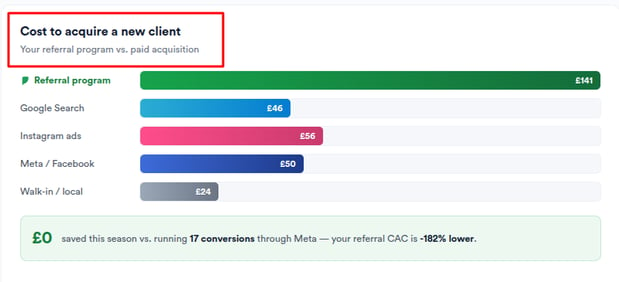
The "Cost to acquire a new client" section benchmarks your referral customer acquisition cost (CAC) against other common acquisition channels, including Google Search, Instagram ads, Meta/Facebook, and walk-in/local. Alongside each channel, you'll see a season saving summary showing how much you've saved by running a referral program instead.
Step 10: Find Referral Rewards
Once a referral is registered and the reward logic applies, rewards are stored in different places depending on their type:
Voucher: The reward appears on the recipient's Client Card under the "Gift Vouchers" tab, where it behaves like any other gift voucher in terms of validity, redemption, and reporting.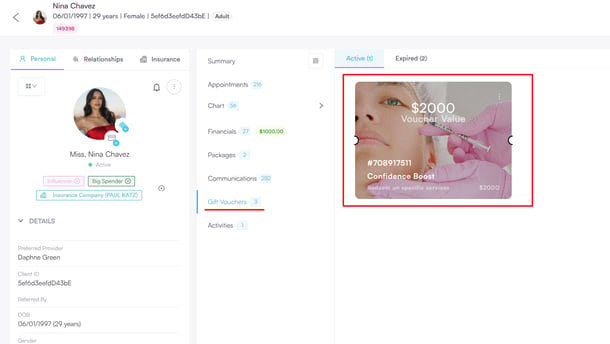
Custom: The reward is recorded on the Referrals dashboard only.
With your Referrals dashboard set up, you can easily monitor your referral program's performance. Track your top advocates, measure reward spend, compare customer acquisition costs against other channels, and keep your most engaged advocates motivated.
Was this guide helpful? Let us know by voting below - your feedback helps us write clearer articles.
For more guides, browse the related articles below or use the search bar at the top of the page. You can also watch our video learning series, the Pabau Academy, or visit the Support page for additional help.