
This article covers the new Client Card, available to selected clinics from August 2026. If your Client Card looks different, see the How to Resend a Gift Card from the Client Card (Classic) guide instead.
Step 1: Navigate to the Client Card
Log in to your Pabau account and open the card of the client whose gift card you want to resend by using the search bar at the top of the screen.
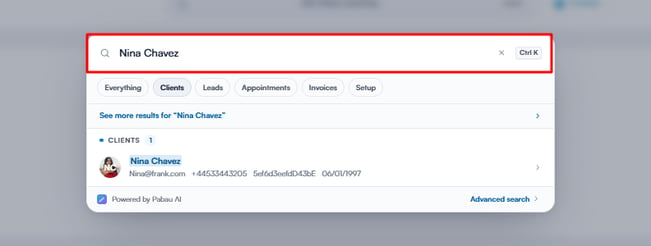
Step 2: Open the Gift Cards Section
Within the client’s card, select Gift Cards in the navigation bar. The client’s gift cards are grouped into Active and Expired tabs — stay on the Active tab and find the gift card you want to resend.
Step 3: Resend the Gift Card
Click the Email button shown beside the gift card’s details. A confirmation window will appear, showing which gift card will be sent and the client’s email address. Click Send email to resend it.
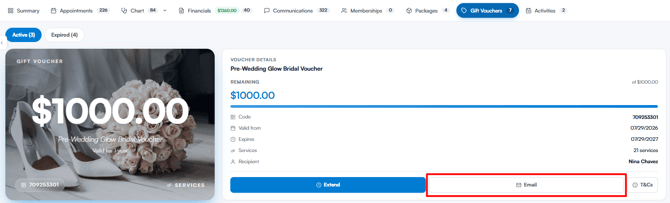
NOTE: The Email button only appears when your gift card email notification is switched on under your client notifications. If the client has no email address on file, the confirmation window will let you know and the email can’t be sent.
The client can then redeem the gift card in-clinic, or use its code to pay for an appointment while booking online.
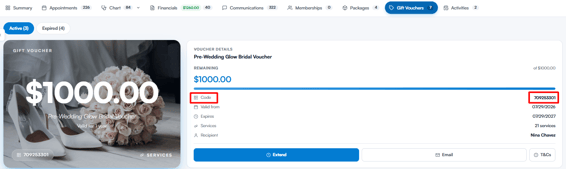
NOTE: Expired gift cards show a Reactivate voucher button instead of Email. Reactivating reopens the gift card with a fresh one-year validity period, after which it can be emailed again.
NOTE: For more information on enabling promo codes in your online booking portal, read this article.
In addition, we suggest reading our Gift Vouchers article for a more in-depth exploration of this topic.
Was this guide helpful? Let us know by voting below - your feedback helps us write clearer articles.
For more guides, browse the related articles below or use the search bar at the top of the page. You can also watch our video learning series, the Pabau Academy, or visit the Support page for additional help.