
The End of Day report is one of the Business reports in Analytics. You decide which roles can open it in the role’s Report access: give the role every Business report, or give it End of Day on its own, without the other Business reports such as Prescribed drugs, Vaccination report or Medical Data Report.
IMPORTANT: Changes made here apply to every staff member with that role. To change access for one person only, use their own Permissions tab instead (see How to Enable or Disable the End of Day Report Permission for a Staff Member). The Owner role always has full access.
Step 1: Open the Role’s Report Access
- Go to Team in the left sidebar, open Team and click the Roles tab. Under Roles and permissions, expand Analytics and find the Report access row.
- In the role’s column, click the count of reports it can open (for example 0 of 87 on).
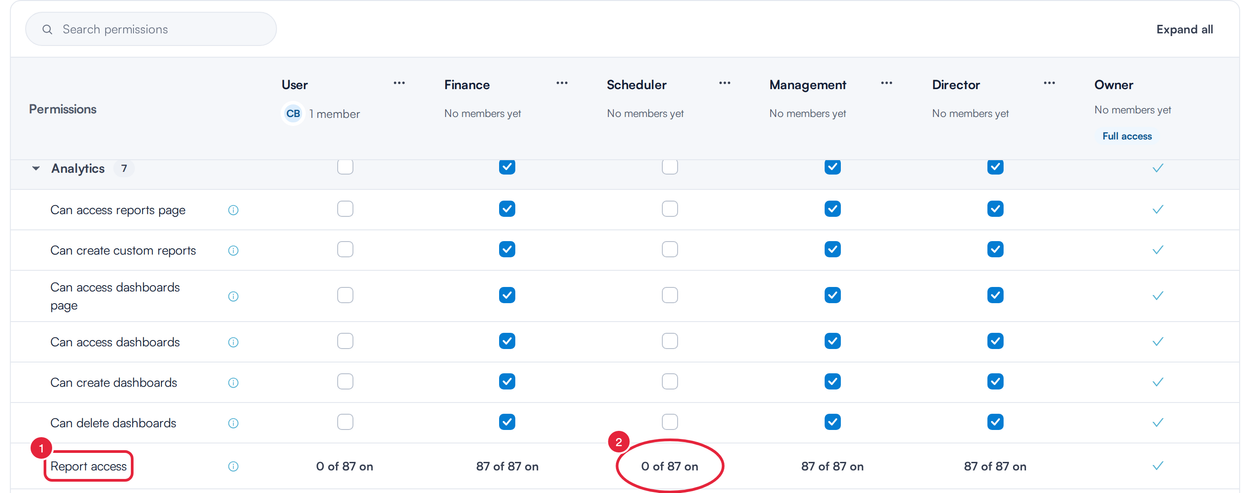
Report access is the last row of the Analytics section
Step 2: Choose End of Day on Its Own, or All Business Reports
Report access for the role opens, with a switch for each report category.
- To let the role open every Business report, including End of Day, switch on All Business reports. To give End of Day only, leave All Business reports off.
- With All Business reports off, expand Single Business reports and switch on End of Day.
- Click Save reports.
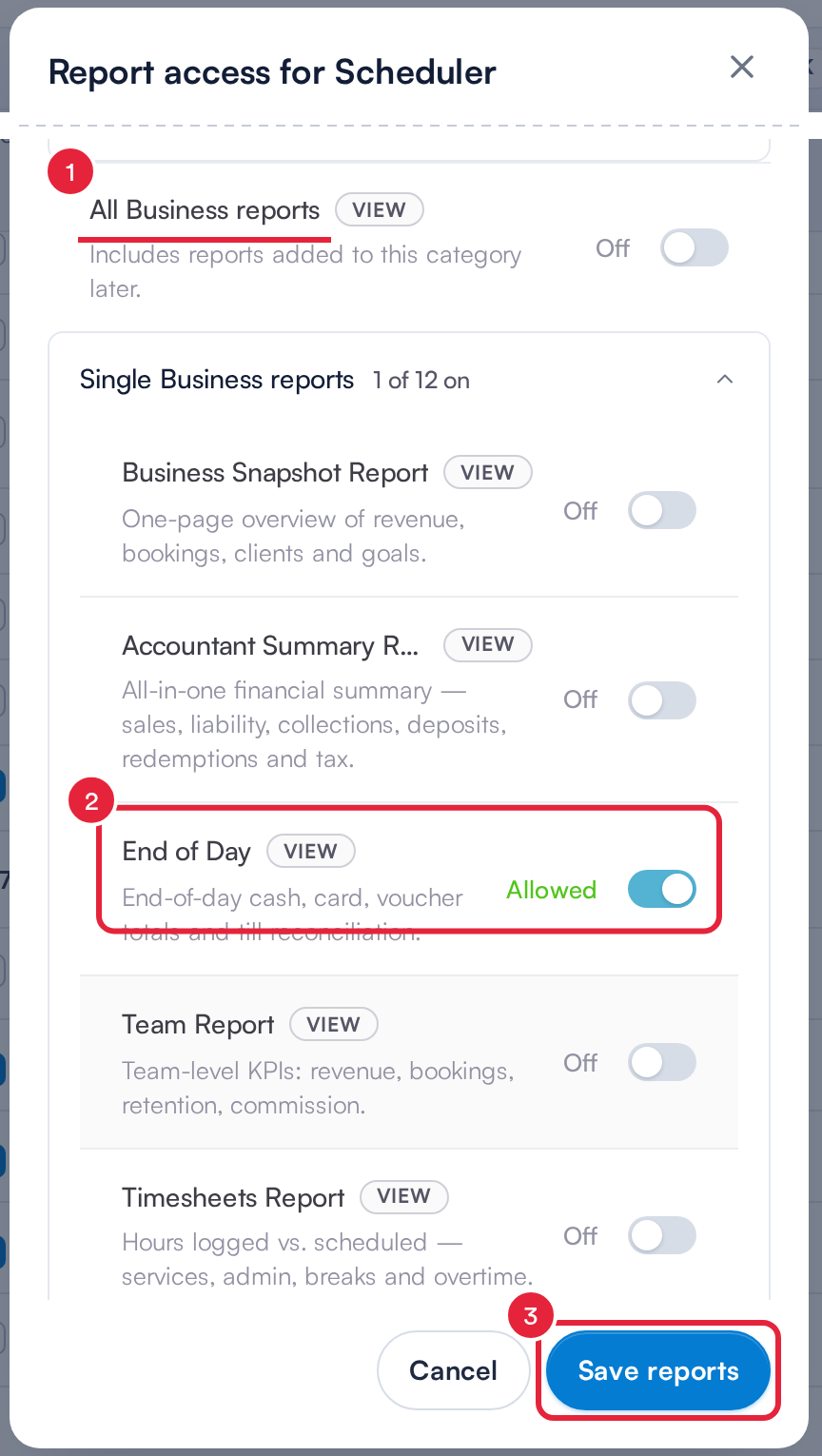
End of Day on its own, without the rest of the Business reports
NOTE: All Business reports opens every Business report: Accountant Summary Report, Business Snapshot Report, Controlled Substance Dispensing (ASAP), End of Day, Medical Data Report, Pathway, Prescribed drugs, Stock Reconciliation, Time Report, Timesheets Report and Vaccination report, plus any Business reports added later. The PabauPay reports (AVS Details for Saved Cards, Cross-Location Settlement, Failed Payments and Payouts) are turned on and off with it.
To take End of Day away again, switch End of Day off (and All Business reports, if it’s on), then click Save reports.
What's next?
- How to Enable or Disable the End of Day Report Permission for a Staff Member
- How to Generate the End of Day Report
- How to Edit a Role
Was this guide helpful? Let us know by voting below - your feedback helps us write clearer articles.
For more guides, browse the related articles below or use the search bar at the top of the page. You can also watch our video learning series, the Pabau Academy, or visit the Support page for additional help.