
Step 1: Navigate to the Client Card
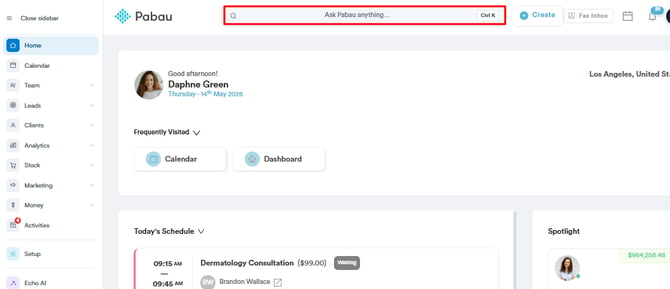
Start by logging in to your Pabau account using your login credentials. Then navigate to the search bar at the top of the page and type at least three letters of the client’s name. Pabau will filter the results as you type.
Step 2: Open the Gift Cards Section
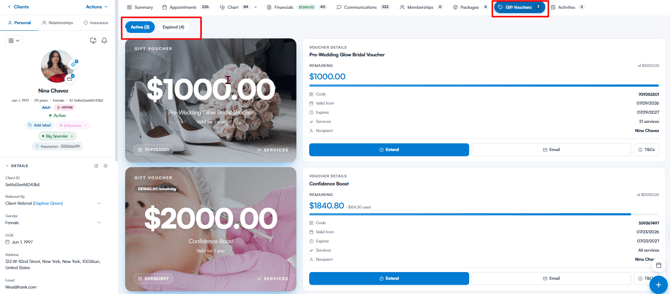
After opening the client card, select Gift Cards in the navigation bar to view the client’s gift cards. They’re grouped into Active and Expired tabs.
Step 3: Email the Gift Card
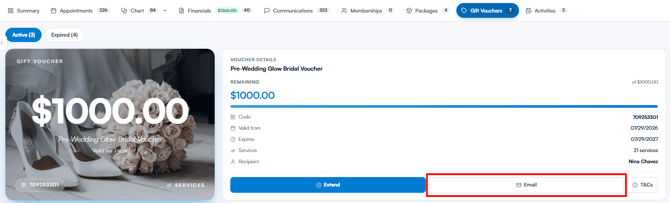
On the Active tab, find the gift card you’d like to send, then click the Email button.
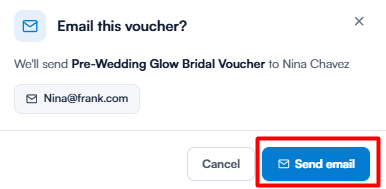
A confirmation window will appear, showing which gift card will be sent and the client’s email address. Click Send email — the gift card will be delivered to the email address listed on the client’s card.
NOTE: The Email button only appears when your gift card email notification is switched on under your client notifications. If the client has no email address on file, the confirmation window will let you know and the email can’t be sent.
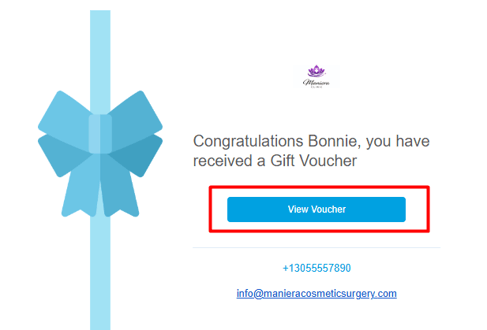
Once the client clicks "View Voucher" in the email, they’ll be redirected to the client portal, where they can see the duration, value, and terms and conditions of the gift card. From there, they can use it towards their next appointment.
You can email multiple gift cards by repeating the steps above. Expired gift cards can’t be emailed — click Reactivate voucher on the Expired tab first to reopen one with a fresh one-year validity period.
Was this guide helpful? Let us know by voting below - your feedback helps us write clearer articles.
For more guides, browse the related articles below or use the search bar at the top of the page. You can also watch our video learning series, the Pabau Academy, or visit the Support page for additional help.