
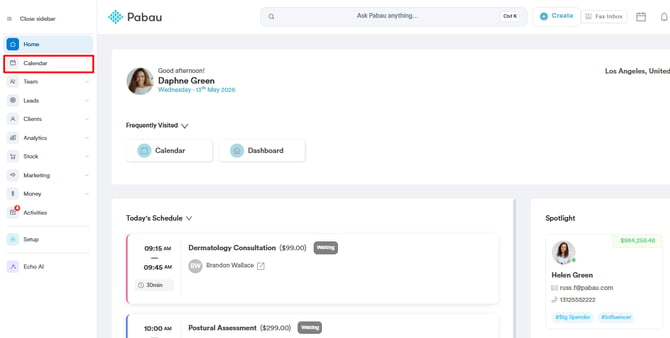
Step 1: Navigate to the Calendar
Log in to your Pabau account, and in the left sidebar menu, click on Calendar.
Step 2: Choose the Desired Timeslot
Select the timeslot where you intend to book an appointment, then search for the client to whom you've previously sold a package by using the client search bar.

NOTE: Follow the steps provided in this article to sell packages to clients.
Step 3: Select the Package
After clicking on the client's name, a "Book from package" section will appear in the appointment creation modal. Click on the name of the package. This action will automatically populate the service name in the Service field.

Step 4: Add Appointment Details and Confirm the Booking
Input appointment notes, choose notification preferences, and click on "Book Appointment" to complete the booking.
After the appointment, you can check out the client using a package session as the payment method by following the steps outlined in this article.
How do I book from a package in the new booking panel, without taking a payment?
If your calendar opens the newer booking panel, the package is applied per service rather than from a "Book from package" section:
- Select the client, then choose the service. Services covered by one of the client's packages show "Package available · 2 left" (the number is the sessions remaining).
- On the service line, click "Use package · 2 left". The line now shows "Package · 3/5 used" (sessions used out of the total).
- Finish the booking as usual.
You don't need to take a payment or send a payment link for a service booked from a package. In the "Request payment" section, Pabau shows "This is redeemed from the client’s package, so there is nothing to pay up front".
To book the service without using the package, click the x on the package label ("Do not use the package for this service"). A service whose package has run out or expired shows "Package used up" or "Package expired" instead and can't be booked from that package.
By following these steps, you can book appointments from a package.
NOTE: You can also learn about this topic by watching a lesson on Pabau Academy.
In addition, we suggest reading our Calendar article for a more in-depth exploration of this topic.
Was this guide helpful? Let us know by voting below - your feedback helps us write clearer articles.
For more guides, browse the related articles below or use the search bar at the top of the page. You can also watch our video learning series, the Pabau Academy, or visit the Support page for additional help.