
Step 1: Navigate to the Client Card.
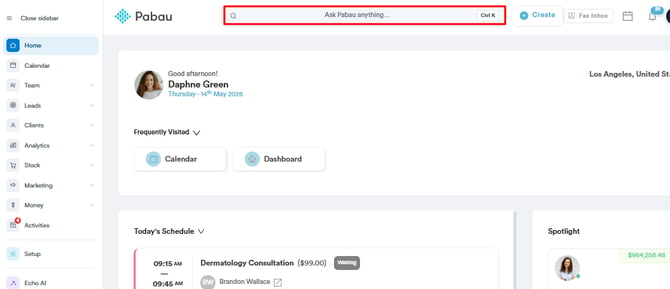
Start by logging in to your Pabau account using your login credentials. Then navigate to the search bar at the top of the page and proceed to type the client's name. Pabau will filter the results as you type.
Step 2: Click the Create Button
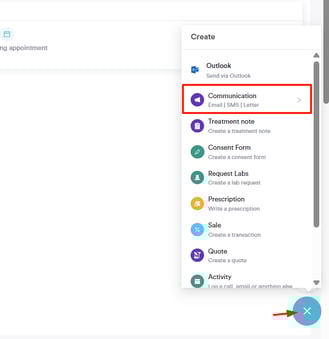
Navigate to the bottom right corner of the page and click the Create button (represented as a blue plus sign) to access all actions.
Step 3: Write a Letter
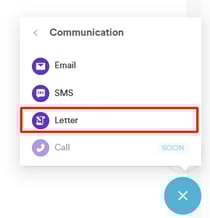
Click the "Communications" option. This will reveal the option to write a letter to the client.
Step 4: Select Template
After choosing the Letter option, you can select from any of the pre-existing letter templates in your Pabau account to draft letters faster and more efficiently.
Step 5: Add or Select an Assignee
When creating a new letter for a client, you will see a dropdown labeled “Assigned to.” Click the dropdown to view a list of all active users in alphabetical order.
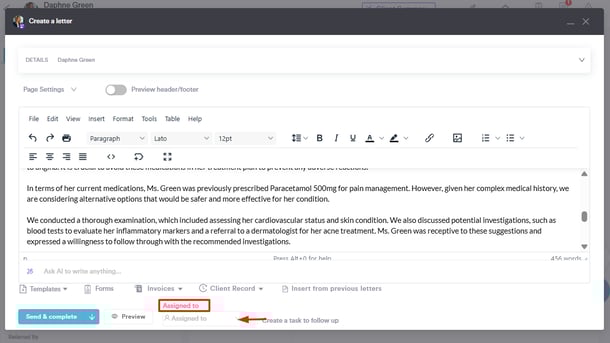
You can search by name to quickly find the correct user. Select the user you want to assign the letter to.
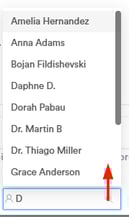
The selected user will now be the assignee for that letter. The system automatically saves this selection, so the assignee is linked to the letter.
Step 6: View Assigned Users in the Letter List
Navigate to the "Clients" tab on the left sidebar menu and click to expand it. Then, click on the "Letters" sub-tab that appears.
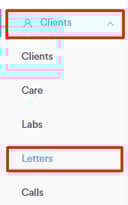
Here you can see all the saved letters. A column labeled “Assigned to” appears to the right of the Created by column. This column displays the name of the user assigned to each letter. You can filter the list by assignee to quickly find letters assigned to a specific team member.
By following these steps, you can easily assign staff members to letters.
For more guides, refer to related articles below, select additional guides, or use the search bar at the top of the page. These guides will help you get the most out of your Pabau account.
Additionally, to help you fully utilize and understand your Pabau account, we recommend exploring additional guides and resources offered at the Pabau Academy. It offers in-depth video tutorials and lessons, offering a holistic learning experience that can equip you with the essential skills for achieving success with Pabau.