
What is Stripe Capital?
Stripe Capital offers fast, flexible financing based on your Stripe payment history, so you can invest in growth, manage cash flow, or cover unexpected expenses. The offer appears automatically if Stripe determines your clinic meets certain criteria.
Stripe sets eligibility and the offer terms; Pabau simply displays the offer banner to eligible customers. We don’t decide who gets an offer, how much it is, or what the terms are. — Stripe controls all of that based on your account history.
Stripe Capital helps eligible businesses get financing with:
-
Fast access to funds — often as soon as 1–2 business days after accepting an offer.
-
Flat fees instead of interest — you pay one fixed fee rather than ongoing interest or late fees.
-
Automated repayment — Stripe deducts a percentage of your daily sales until the financed amount plus the flat fee is repaid
Who Might See a Stripe Capital Offer?
Stripe evaluates eligibility automatically, and you don’t need to apply manually to be considered. Stripe looks at things like your payment processing history and volume on their platform. Typical criteria include:
-
Your clinic has processed payments through Stripe for a period of time (often a few months or more).
-
You’ve processed a minimum amount of payments (e.g., Stripe may use thresholds like $5,000+ annual volume and $1,000 average over recent months).
-
Your Stripe account is active and in good standing — meaning few disputes and consistent processing.
-
Your business is based in the United States (the current Stripe Capital program supports US businesses).
Meeting these guidelines doesn’t guarantee an offer, but it means Stripe will consider you for one when it reviews your account.
Where to Find Your Stripe Capital Offer in Pabau?
When Stripe determines your clinic is eligible, you’ll see a Stripe Capital banner or notification when opening your Wallet at the top right corner of the screen.
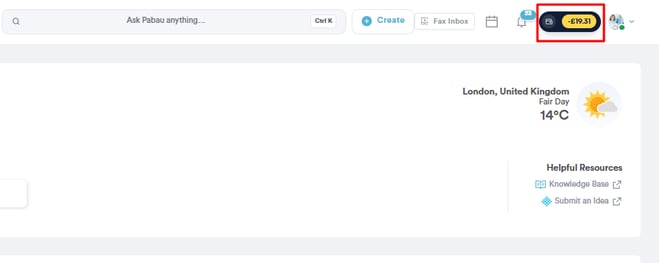
Admins or Owners (users with wallet access) are most likely to see this offer because they manage financial settings. If the banner appears, click it to view your offer details.
This usually directs you to Stripe’s interface, where you can review the offer, choose an amount (if options are provided), and accept or decline it.
Stripe handles the offer review and financing agreement — including the flat fee and repayment rate — and manages the deposit of funds into your Stripe account once you accept.
For more guides, refer to related articles below, select additional guides, or use the search bar at the top of the page. These guides will help you get the most out of your Pabau account.
Additionally, to help you fully utilize and understand your Pabau account, we recommend exploring additional guides and resources offered at the Pabau Academy. It offers in-depth video tutorials and lessons, offering a holistic learning experience that can equip you with the essential skills for achieving success with Pabau.