
These are the routing patterns most clinics build first — copy them as-is into the builder. Each is a small workflow; remember active workflows run in priority order and the first match wins.
Recipe 1: CONFIRM Confirms the Booking
When reminders ask for a CONFIRM reply, let routing do the marking:
- Condition: Message contains → "CONFIRM"
- Action (YES): Confirm appointment
The client’s reply confirms the booking with nobody touching the diary.
Recipe 2: STOP Unsubscribes
Compliance first — a STOP reply must stop marketing texts:
- Condition: Message contains → "STOP"
- Action (YES): Unsubscribe SMS
Put this recipe at the top of the priority order so nothing else swallows a STOP.
Recipe 3: Channels to Their Owners
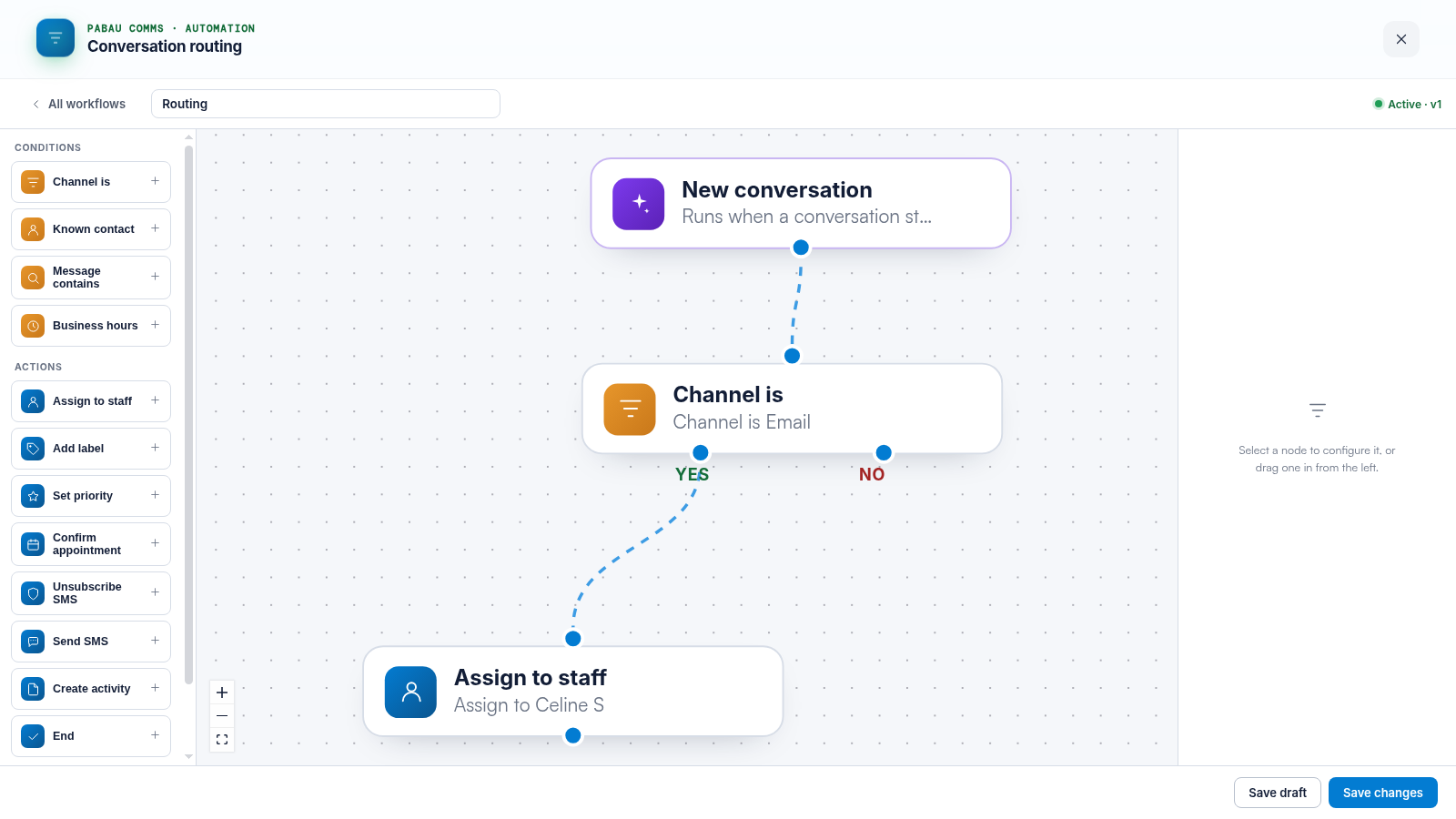
- Condition: Channel is → Email; Action: Assign to staff → the teammate who owns the mailbox.
- Repeat per channel — faxes to admin, Instagram to whoever runs social.
Recipe 4: Out-of-Hours Triage
- Condition: Business hours → NO branch
- Actions: Add label ("Overnight") and Send SMS ("Thanks — we’re closed, we’ll reply first thing.")
The morning shift clicks the "Overnight" label and works through the queue.
Recipe 5: New Enquiries Get Priority
- Condition: Known contact → NO branch
- Actions: Set priority, Add label ("New enquiry")
TIP: Pair recipes with a view per label — "Overnight" and "New enquiry" views turn routing’s labels into working queues. See our How to Create Views in Engage article.
Related Articles
We suggest reading our Why Didn’t My Routing Workflow Run? article if a recipe does not fire.
For more guides, refer to related articles below, select additional guides, or use the search bar at the top of the page. These guides will help you get the most out of your Pabau account.
Additionally, to help you fully utilize and understand your Pabau account, we recommend exploring additional guides and resources offered at the Pabau Academy.