
Step 1: Navigate to a Client Card
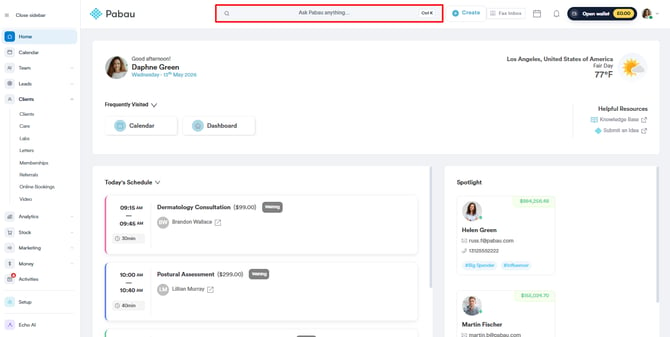
Start by logging into your Pabau account using your login credentials. Then, open a client's client card by searching for a specific client using the search bar at the top of the screen
Step 2: Initiate Dictation
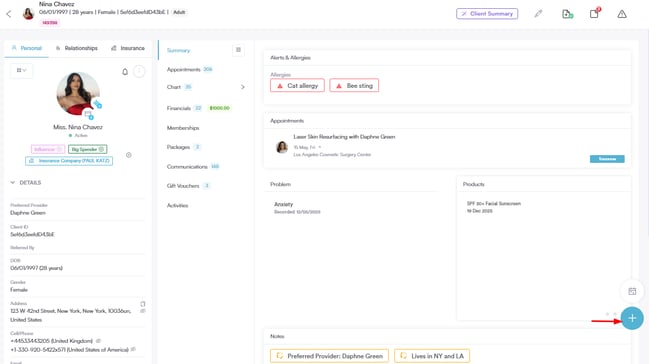
Click on the plus sign button located at the bottom right of the client card.
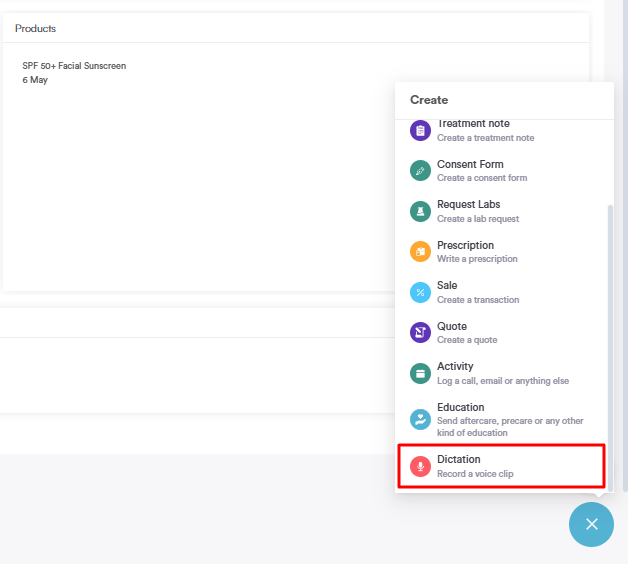
From the options presented, select "Dictation" and make sure that your browser has the microphone enabled.
Step 3: Start Recording
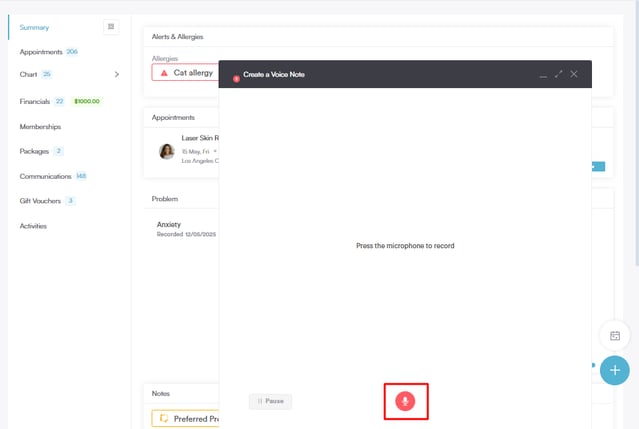
Click on the microphone button to start recording your voice note. Verbally express the information you wish to include in the voice note.
Step 4: Stop Recording
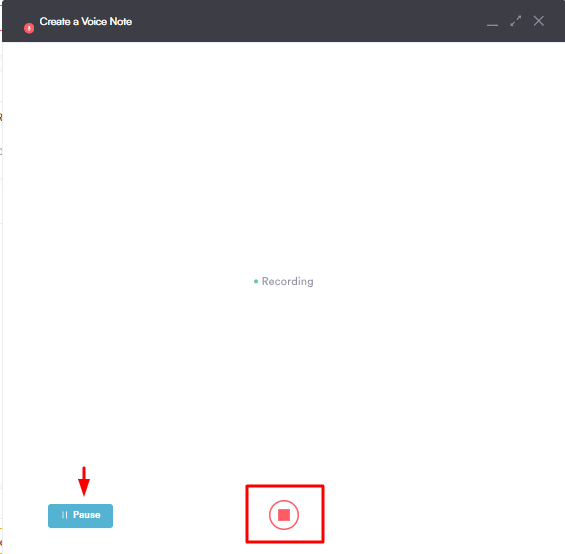
Once you have conveyed the necessary information, click on the button at the bottom to stop the recording.
You also have an option to pause it on the left hand side.
Step 5: Review and Save
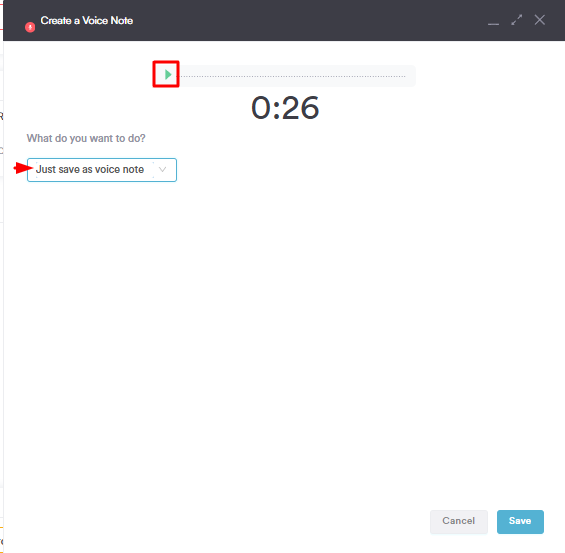
On the top, you can see the voice note and play it to review the content.
If you choose to save the voice note as a standalone note, it will appear under "Communications."
Step 6: Compose a Letter (Optional)
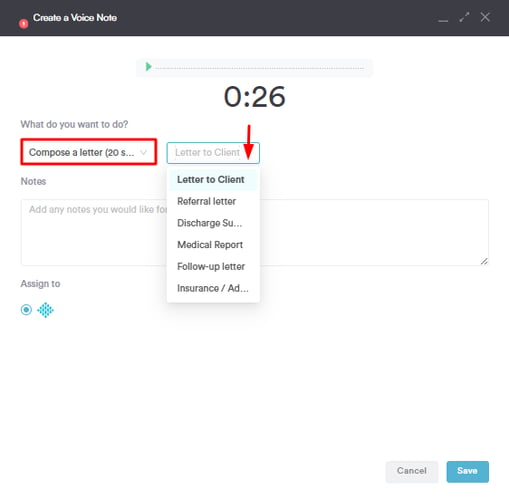
If you choose to add the voice note to a letter, select the "Compose a Letter" option from the dropdown. You can choose the letter template in the dropdown next to it.
Any notes you'd like to include to this dictation you can type in the "Notes" field.
Step 8: Save Changes
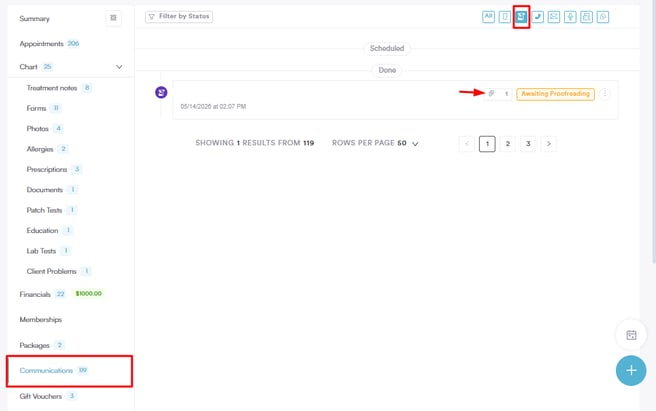
To finalize, click the "Save" button. The dictation will now appear under "Communications" attached to the letter.
For more guides, refer to related articles below, select additional guides, or use the search bar at the top of the page. These guides will help you get the most out of your Pabau account.
Additionally, to help you fully utilize and understand your Pabau account, we recommend exploring additional guides and resources offered at the Pabau Academy. It offers in-depth video tutorials and lessons, offering a holistic learning experience that can equip you with the essential skills for achieving success with Pabau.