
On the CMS-1500 claim form, Box 31 holds the signature of the physician or supplier — the rendering provider's name and credentials, plus the date. By signing, the provider certifies that the statements on the claim are correct. This guide explains what the box means and how Pabau fills it.
NOTE: This article is part of the US Insurance Billing Additional Resources series, which walks through every box of the CMS-1500. If you are new to claims in Pabau, start with Creating a US Professional (CMS 1500) Claim.
Box 31 — Signature of physician or supplier
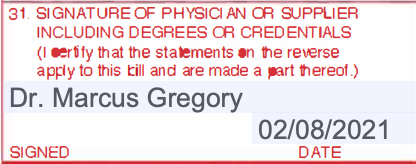
Box 31 has two parts: a Signed line for the rendering provider's name (including degrees or credentials) and a Date line. As with the patient's and insured's signatures in Boxes 12 and 13, actual ink is rare here — the accepted convention is the text "Signature on File", meaning the provider's certification is held on record.
How Pabau fills it
On the printed claim (Export > Print on the claim), Pabau fills Box 31 automatically with three things: the rendering provider's name, the text "Signature on File", and the date the form was generated. There is nothing to write in by hand.
The rendering provider is set in the claim's Providers section, and the list you choose from comes from Setup > Claims > Claim.MD > Providers — the tab where each practitioner's individual NPI lives. A claim has one rendering provider: every charge line on it bills under that provider.
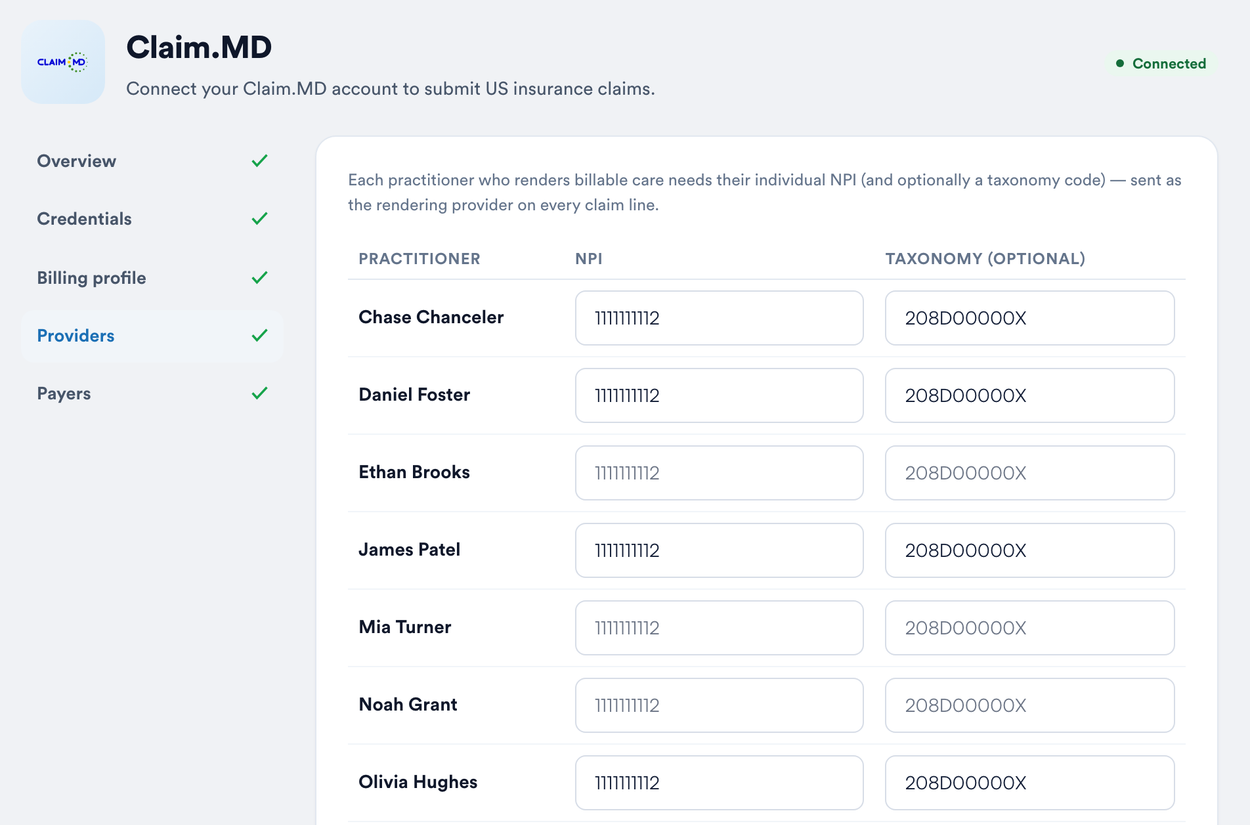
On the electronic claim: the rendering provider you choose in the Providers section is sent with the claim, together with their NPI.
TIP: Fill in the NPI for every practitioner who renders billable care on the Providers tab of Setup before you start claiming — the rendering provider on each claim is picked from that list, and it is what stands behind Box 31.
To finish setting up your Claim.MD credentials, billing profile, providers, and payers, see Insurance Guide Part 1: Set Up the Insurance Essentials in Pabau.