
On the CMS-1500 claim form, Box 26 holds the patient's account number — the number your practice, not the payer, uses to identify the patient and the visit being billed. This guide explains what the box is for and how Pabau fills it automatically.
NOTE: This article is part of the US Insurance Billing Additional Resources series, which walks through every box of the CMS-1500. If you are new to claims in Pabau, start with Creating a US Professional (CMS 1500) Claim.
Box 26 — Patient's account number
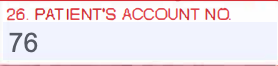
Unlike most boxes on the form, Box 26 carries a value the payer never validates: it is the practice's own reference for the claim. Payers treat it as a pass-through — whatever number goes out on the claim comes back on the remittance — which is exactly what makes it useful. It is how a payment or a status message finds its way back to the right account in your system.
How Pabau fills it
Pabau fills Box 26 automatically and the number is not editable — there is no Box 26 field on the claim. The account number is built as <client ID>-<invoice ID>: the Pabau client ID and the invoice ID, joined with a hyphen. On an invoice with no client attached, it is INV-<invoice ID> instead, and secondary claims append -S to the number so they stay distinct from the primary claim for the same invoice.
On the electronic claim: the account number travels with the claim and the payer echoes it back on ERAs and claim status responses — that echo is how payments match back to the right client and invoice in Pabau.
NOTE: Because the number is generated from the client and invoice IDs, there is nothing to set up and nothing to keep consistent by hand — every claim goes out with a stable, unique account number.
To see how payer responses and ERAs come back and post against your claims, see How Long Does It Take to Process ERA and Claims.