
Step 1: Log in and Access Online Booking Settings
Log in to your Pabau account and navigate to Setup, then Online Booking under "Catalogue", then click on the blue "Customize" button.
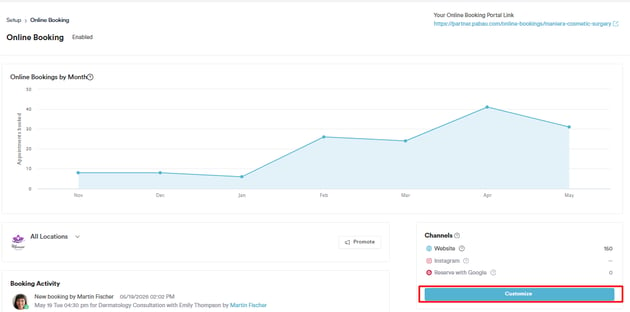
Step 2: Customize Online Booking Settings
In the "Customize" tab of the online booking settings, untick "Hide Gift Voucher Purchase".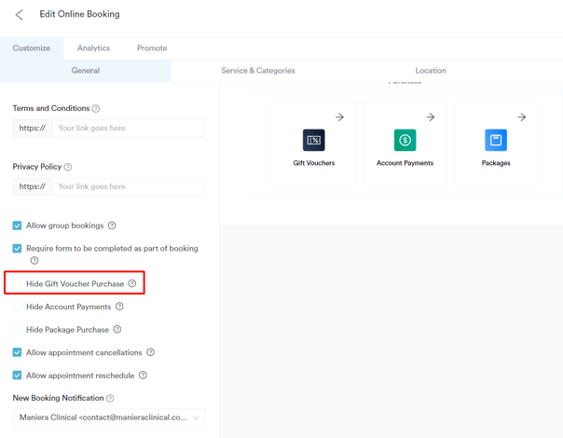
NOTE: Gift vouchers are available for online purchase only if your Pabau account is integrated with Stripe.
Step 3: Enable Gift Cards for Online Purchase
In the left sidebar menu, go to Marketing, then click on Gift Vouchers.
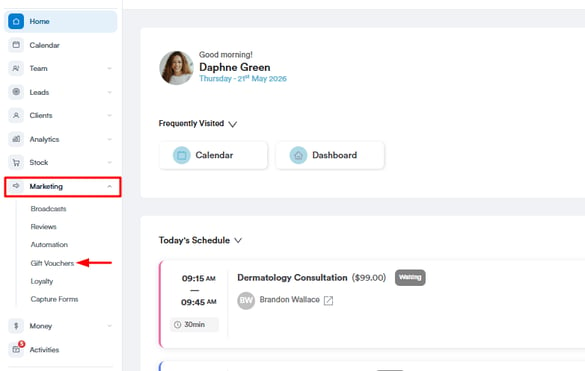
Click on the three dots in the top right corner of the voucher you want available online.
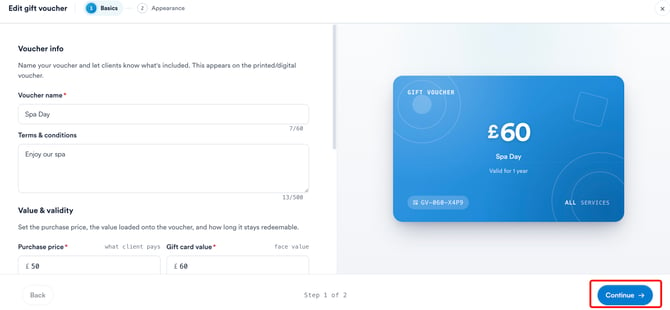
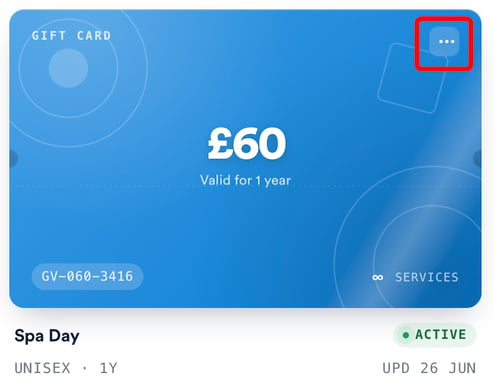 Click on "Edit" and click "Continue" to get to the Appearance Tab.
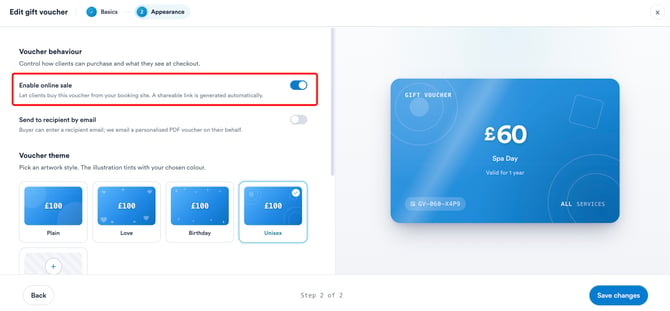
In the Appearance tab, under Voucher behaviour, switch on the Enable online sale toggle to make this gift card available for purchase online. Once enabled, click Save changes to apply it.
Now, the voucher will be displayed in your online booking portal.
NOTE: You can also learn about this topic by watching a lesson on Pabau Academy.
In addition, we suggest reading our Gift Vouchers article for a more in-depth exploration of this topic.
For more guides, refer to related articles below, select additional guides, or use the search bar at the top of the page. These guides will help you get the most out of your Pabau account.
Additionally, to help you fully utilize and understand your Pabau account, we recommend exploring additional guides and resources offered at the Pabau Academy. It offers in-depth video tutorials and lessons, offering a holistic learning experience that can equip you with the essential skills for achieving success with Pabau.