
Step 1: Navigate to Gift Cards
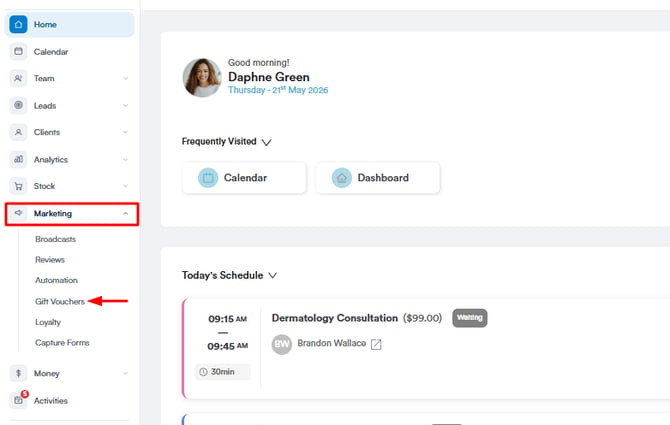
Log in to your Pabau account, and in the left sidebar menu, go to Marketing, then click on Gift Cards.
Step 2: Find the Gift Card for Editing
Locate the specific gift card you wish to edit, then click on the three dots in the top right corner of the card.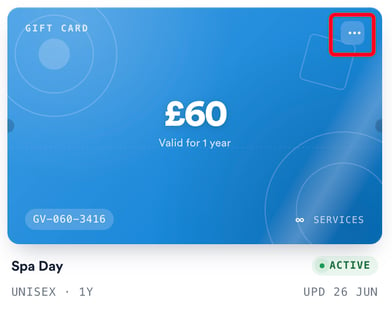
Step 3: Card Editing Modal
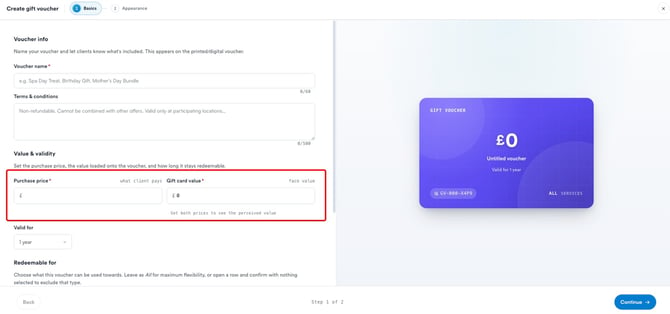
On the first page of the card editing modal, edit the card name, terms and conditions, value, and validity, and specify which services the gift cards can be used for.
Step 4: Additional Configuration
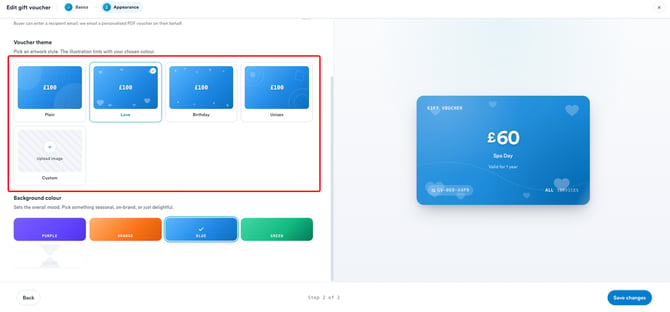
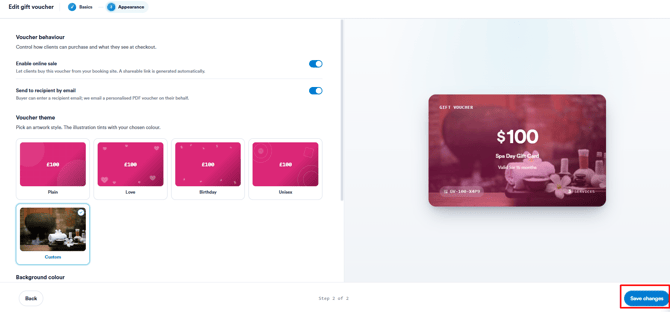
Clicking on "Continue" in the bottom right corner will take you to the next page, where you can adjust how the card looks and how it's sold. A live preview updates on the right as you make changes. Here you can:
- Enable online sale - Let clients buy the card from your booking site, with a shareable link generated automatically.
- Send to recipient by email - Allow the buyer to enter a recipient's email so Pabau sends them a personalised PDF card.
- Change the theme and background colour - Pick an artwork style (Plain, Love, Birthday, or Unisex) and a background colour, or select Custom to upload your own image (Marketing Plus feature).
Step 5: Save the Changes
Once you've applied the desired changes, click on "Save changes" in the bottom right corner to save the changes.
NOTE: Changes made to the gift card will not have any impact on gift cards acquired by clients prior to the implementation of these modifications.
Now, your edited gift cards are ready for use, providing flexibility and customization to suit your business needs.
NOTE: You can also learn about this topic by watching a lesson on Pabau Academy.
In addition, we suggest reading our Gift Cards article for a more in-depth exploration of this topic.
For more guides, refer to related articles below, select additional guides, or use the search bar at the top of the page. These guides will help you get the most out of your Pabau account.
Additionally, to help you fully utilize and understand your Pabau account, we recommend exploring additional guides and resources offered at the Pabau Academy. It offers in-depth video tutorials and lessons, offering a holistic learning experience that can equip you with the essential skills for achieving success with Pabau.